54200
Users Manual
4-6
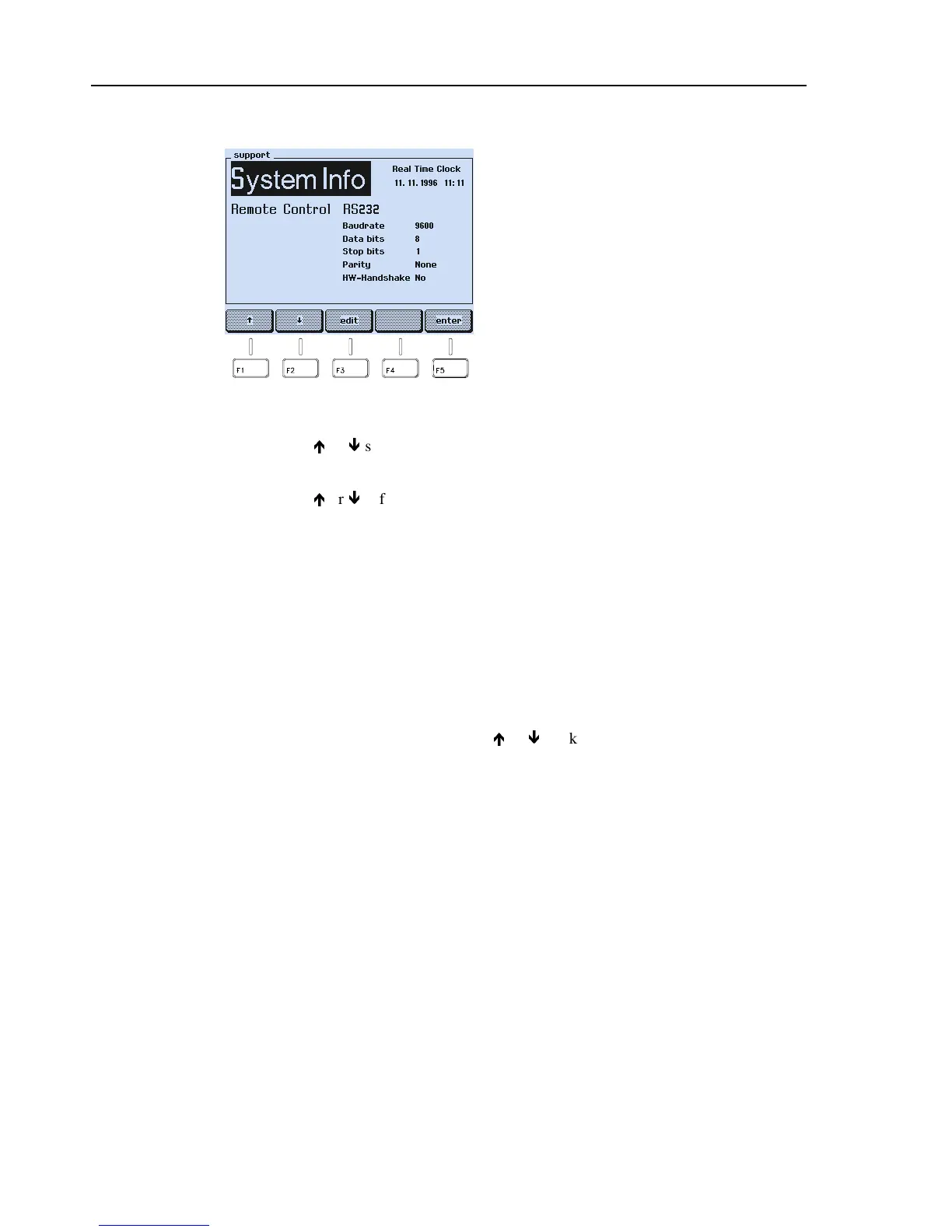
Support Submenu
Figure 4-6. Support Menu
•
Press the
é
or
ê
softkey (F1 or F2) to select the parameter you want to change.
•
Press the
edit
softkey (F3). A popup menu with the selectable settings appears.
•
Press the
é
or
ê
softkey (F1 or F2) to select the required setting.
•
Press the
enter
softkey (F5) to confirm your setting.
•
Press the
enter
softkey (F5) again to return to the
main
screen.
Keyboard
The keyboard of the instrument has four kinds of key functions.
•
Keys that have a direct effect on the output signal for often used functions:
−
All keys in the
PATTERN
field. Some
PATTERN
keys call up a popup menu in
the display for parameter selection when pressed longer than one second. You
can select the parameter with the
é
or
ê
softkey (F1 or F2). Press the
enter
softkey (F5) to confirm your selection.
−
The keys in the
STANDARD
field change between the last selected PAL, NTSC,
or SECAM system.
−
The keys in the
VIDEO
field. The
INT/EXT
key additionally calls up a popup
menu when pressed longer than one second. In this menu, you can select the
external video source.
−
The keys in the
SOUND
field. The
CH1
,
CH2
,
and the
INT/EXT
keys
additionally call up a popup menu for modulation frequency or external sound
source setting when pressed longer than one second.
−
The
▲
and
▼
keys, if the step function is selected.
System information: **
Real time clock: Date * and time *
Remote control interface: RS232 *
Baud rate: 9600 *
Data bits: 8 *
Stop bits: 1 *
Parity: None *
Hardware handshake: No *
* Parameter can be changed in this submenu.
** If you select
System
Info
,
an popup menu
appears, showing the installed options,
instrument type, serial number, software
version, and the date of last calibration.



 To Next Page