54200
Users Manual
6-12
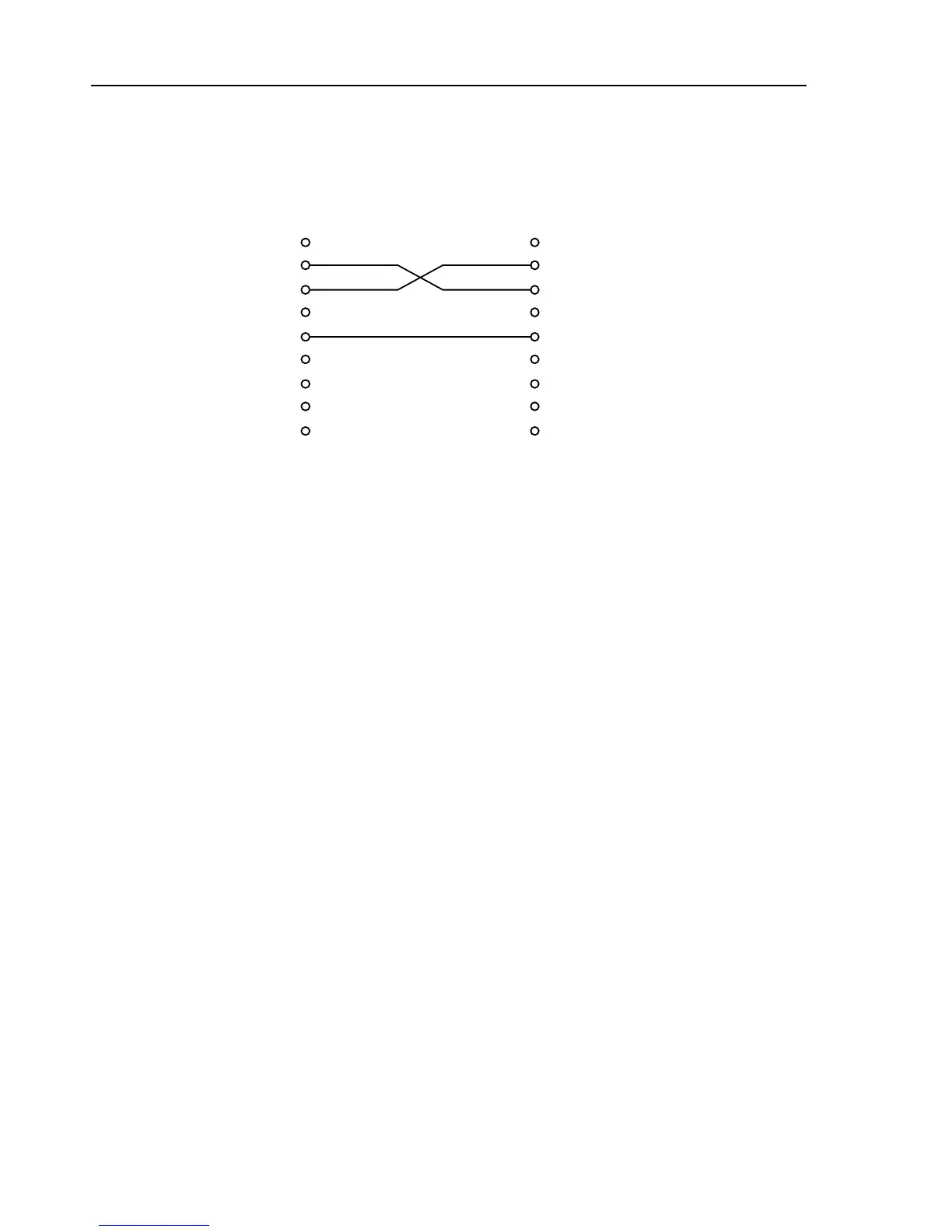
If you use a 3-wire connection, set the 54200 to software handshake
(
HW Handshake No
).
to PC
to 54200
9 pin (female) 9 pin (female)
SIGNAL PIN
PIN SIGNAL
11
RxD 2 2 RxD Received Data
TxD 3 3 TxD Transmitted Data
44
GND 5 5 GND Signal Ground
66
77
88
99
Interface Functions
For communication with the RS-232 Interface, use the following commands (similar to
the addressed and unaddressed interface commands for IEEE-488):
RS-232 Function Similar to IEEE-488
ESC 1
go to local
GTL
ESC 2
go to remote control
GTR
ESC 3
local lock out disabled
----
ESC 4
device clear
DCL
ESC 5
local lock out
LLO
ESC 7
asks for status byte
*STB?
These commands should be implemented in an application program, so they can be sent
to the instrument by a PC.



 To Next Page