Brief Functional Test
Function Verification
8
8-23
TV Standard SECAM
Video Part, using RF Connection
Procedure:
•
Connect the
RF OUT
of the TV Signal Generator to the antenna input of the TV. Use
an appropriate connection cable, for example, the attached cable BNC to TV.
•
Load the default settings of the generator with
RECALL 0
•
Press the
standard
softkey (F1) in the
main
menu.
•
Press the
edit
softkey (F3) and select country
France
in the popup menu with the
Pre-defined Country List to set the instrument to
SECAM L
.
•
Press the
enter
softkey (F5) to confirm the setting.
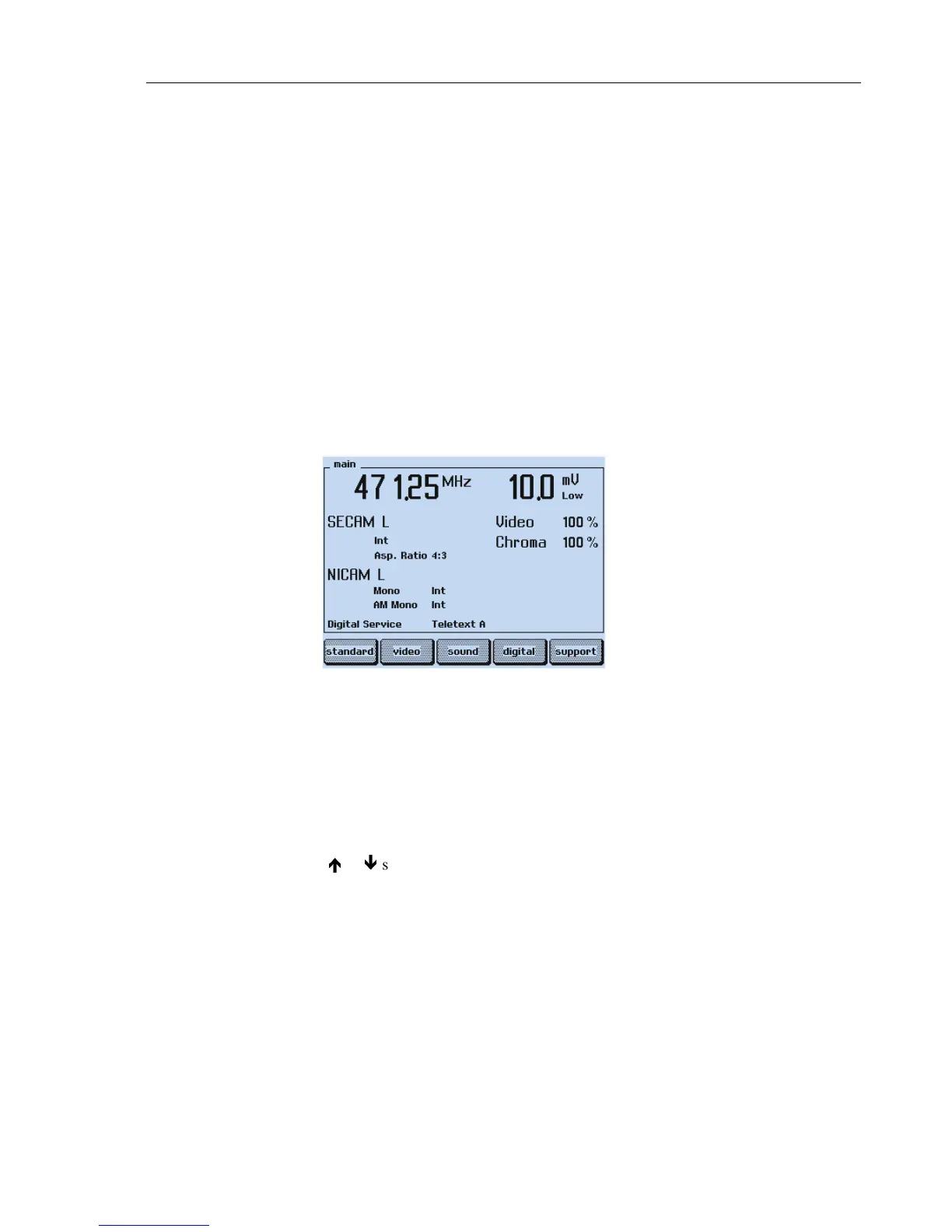
The display of the generator shows:
Figure 8-21. Generator Settings, SECAM Standard
•
Set the TV to a vision carrier frequency of 471.25 MHz. If your TV does not support
this frequency, set the generator to an appropriate frequency. Some older instruments
need the Identification Lines for color reproduction. To generate this lines, select
Frame ID On
in the
standard
submenu.
•
Press the
enter
softkey (F5) to return to the
main
menu.
•
Press the
COLOR BAR
key longer than one second.
•
Select with the
é
or
ê
softkey (F1 or F2)
COL_100_0
.
•
Press the
enter
softkey (F5) to confirm the setting.
•
Add the test patterns
GREYSCALE
,
MULTIBURST
,
CIRCLE
with the keys in the
PATTERN
field.



 To Next Page