54200
Users Manual
4-8
•
Press the
standard
softkey (F1).
•
Press the
edit
softkey (F3).
•
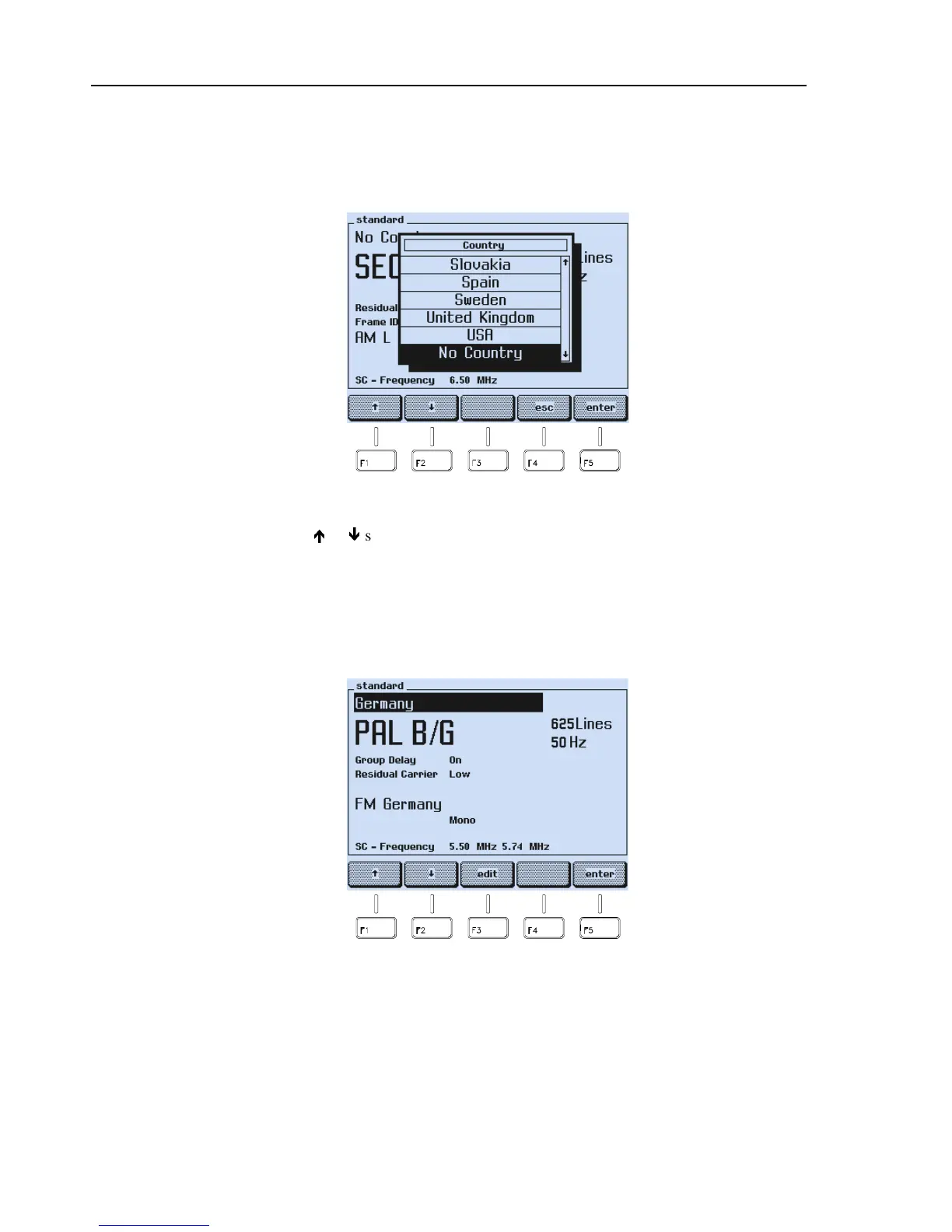
A popup menu with twenty countries appears.
Figure 4-8. Country List
•
Press the
é
or
ê
softkey (F1 or F2) to select the required country, in this example
Germany.
•
Press the
enter
softkey (F5) to confirm your selection.
•
The display shows the name of the selected country and the main default settings.
Further default settings, for example, the Teletext system, are shown in the assigned
submenus. For details, see Appendix C, ‘Default Settings for Countries’.
Figure 4-9. Country with Default Settings
If the settings do not match your requirements, you can select different settings in this
submenu as described in the following section.



 To Next Page