Function Reference
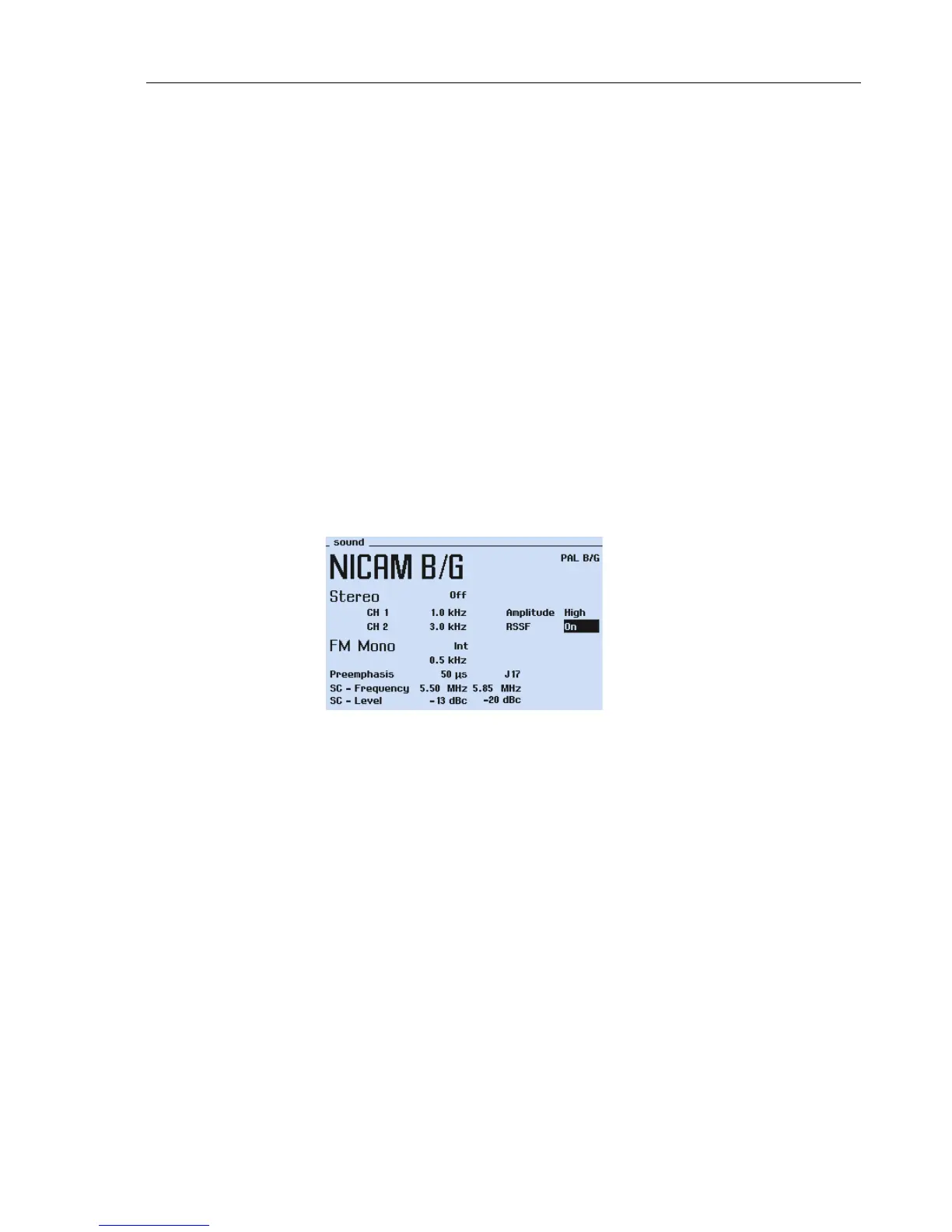
NICAM Sound
5
5-45
•
Select the sound modes Mono, Dual, Stereo and TEST 1 to 3 using the
Sound Mode
popup.
•
Select the internal sound frequencies for:
NICAM channel 1 (left) using the
S1 Modulation
popup.
NICAM channel 2 (right) using the
S2 Modulation
popup.
•
Select the internal sound frequencies for the analog FM/AM sound carrier using the
S3 Modulation
popup (this is the conventional sound carrier).
•
Select
Low
or
High
amplitude of the NICAM audio signal using the
NICAM Ampli-
tude
popup.
•
Set the RSSF bit to
On
or
Off
using the
RSSF
popup.
54200 allows the user to set the RSSF bit to
On
or
Off
without influence to the S1,
S2, or S3 modulation.
Remark:
The RSSF bit is foreseen to indicate the receiver that in case of a failure in the digital
signal a switching back to the conventional FM/AM sound is acceptable.
•
Select the sound carrier 1 level using the
SC1 Level
popup.
•
Select the sound carrier 2 level using the
SC2 Level
popup.
•
Press the
enter
softkey (F5) to confirm your settings.
Figure 5-31. NICAM B/G Sound Menu
Remark:
The NICAM sound carrier cannot be externally modulated. This is only possible for the
sound carrier 1 (analog FM/AM sound).
NICAM systems with 5.85 MHz second sound carrier are interfered if the Multiburst
pattern (0.5 to 5.8 MHz) has been switched on. 54200 has the advantage to offer the full
video bandwidth in the RF modulation path. So the Multiburst should be switched off in
the NICAM B/G, D/K, and L systems.



 To Next Page