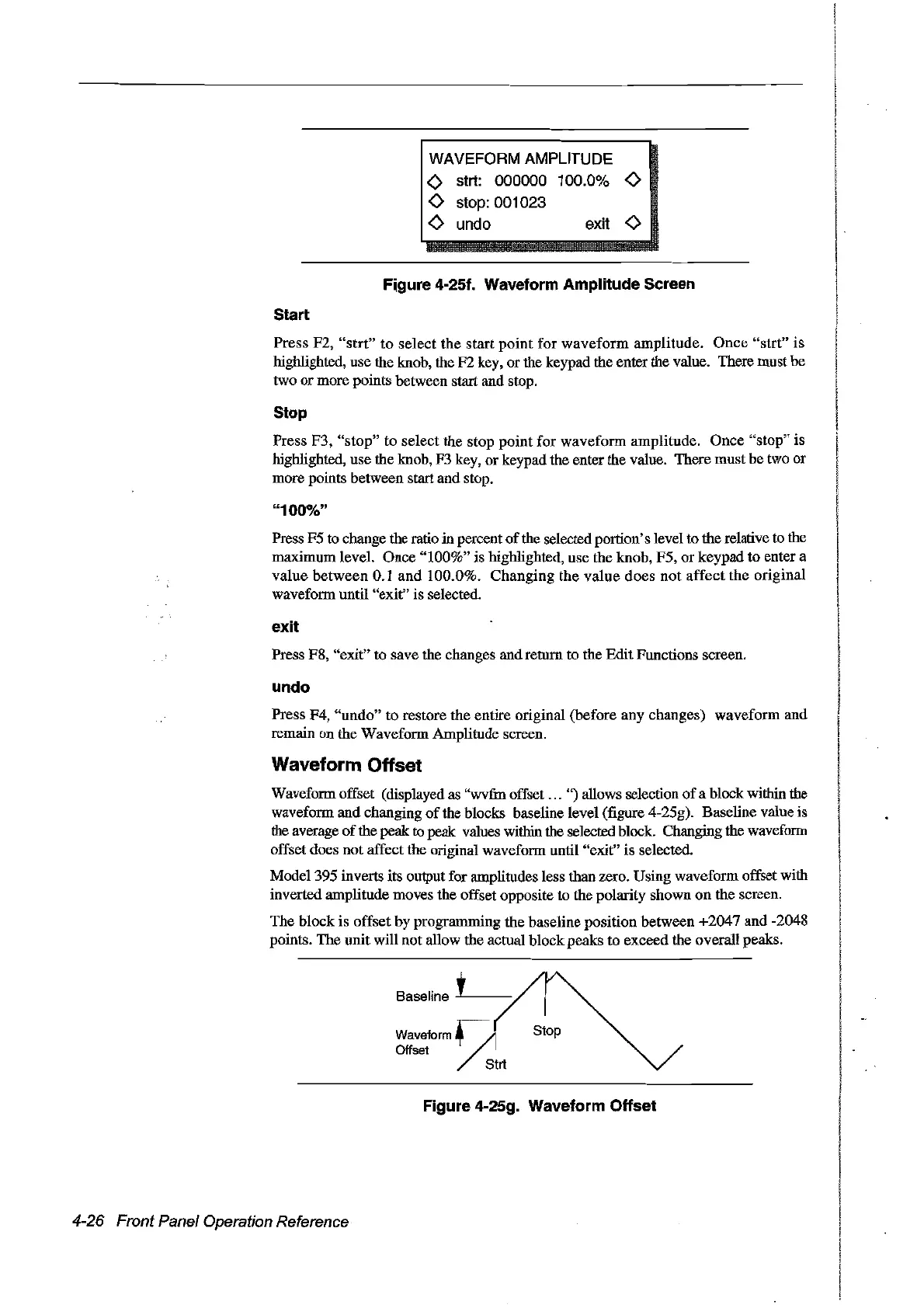
WAVEFORM AMPLITUDE
<>
strt: 000000 100.0%
<>
<>
stop: 001023
<>
undo exit
<>
Figure
4-251.
Waveform Amplitude Sereen
Start
Press F2,
"strt"
to select the start point for waveform amplitude.
Once
"strt"
is
highlighted, use the knob, the F2 key, or the keypad the enter the value. There must be
two
or
more points between start and stop.
Stop
Press F3, "stop" to select the stop point for waveform amplitude. Once "stop" is
highlighted, use the knob, F3 key, or keypad the enter the value. There mustbe two or
more points between start and stop.
"100%"
Press F5 to change the ratio in percent
of
the selected portion's level to therelative to the
maximum level. Once "100%" is highlighted, use the knob, or keypad to enter a
value between 0.1 and 100.0%. Changing the value does
not
affect the original
waveform until "exit" is selected.
exit
Press F8, "exit" to save the changes and return to the Edit Functions screen.
undo
Press F4, "undo" to restore the entire original (before any changes) waveform and
remain on the Waveform Amplitude screen.
Waveform Offset
Waveform offset (displayed as "wv:fm offset
...
")
al10ws
selection
of
a block within the
waveform and changing
of
the blocks baseline level (figure 4-25g). Baseline value is
the average
of
the peak to
peak
values within the selected block. Changing the waveform
offset does not affect the original waveform until "exit" is selected.
Model 395 inverts its output for amplitudes less than zero. Using waveform offset with
inverted amplitude moves the offset opposite to the polarity shawn
on
the screen.
The block is offset by programming the baseline position between +2047 and -2048
points. The unit will oot allow the actual block peaks to exceed the overall peaks.
Baseline J _
waveform~
Offset
Strt
Figure 4-25g. Waveform Offset
4-26 Front Panel Operation Reference
Artisan Technology Group - Quality Instrumentation ... Guaranteed | (888) 88-SOURCE | www.artisantg.com



 To Next Page