Step 4 Selecting Continuous Mode
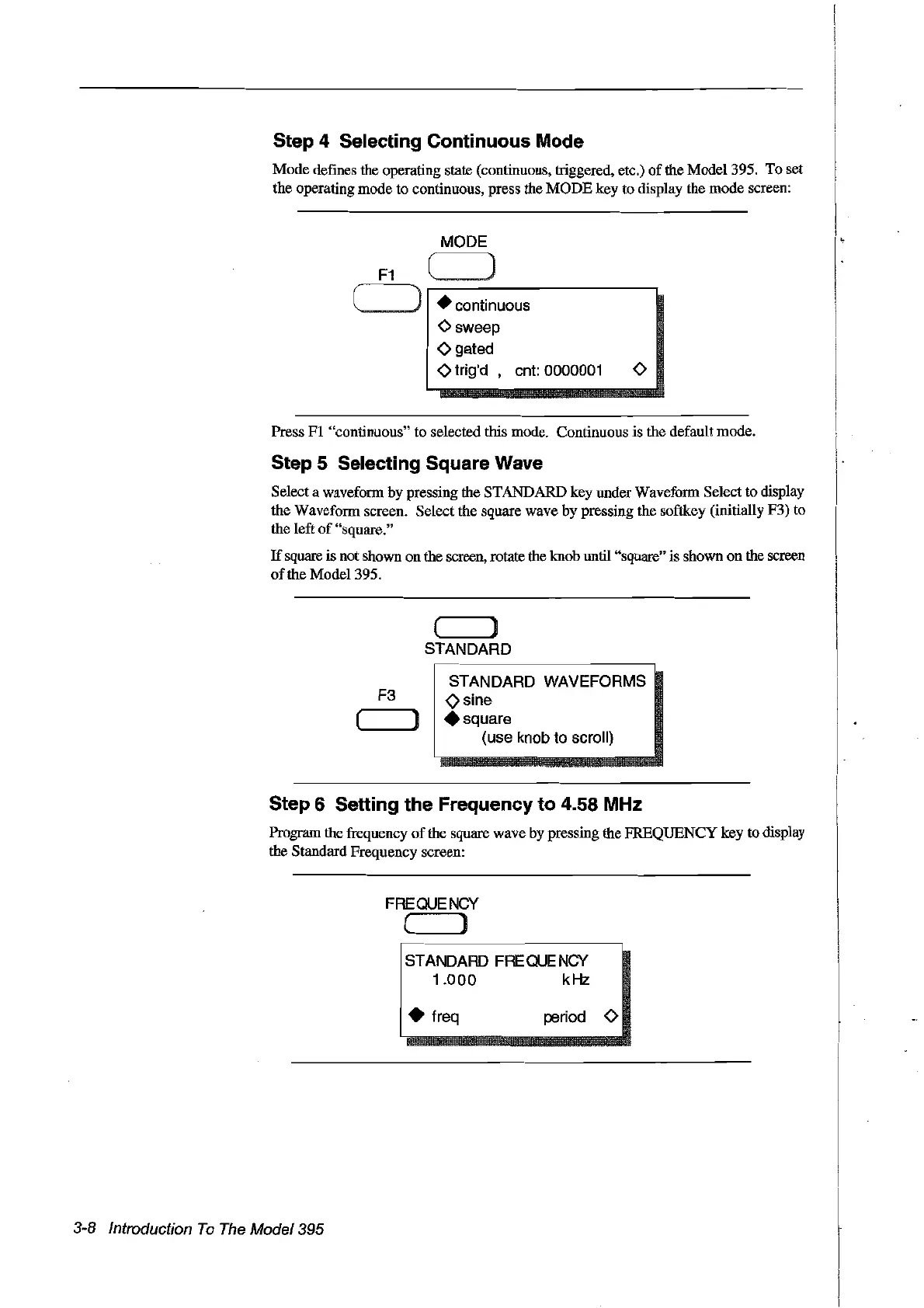
Mode defmes the operating state (continuous, triggered, etc.)
of
the Mode1395. To set
the operating mode to continuous, press the
MODE
key to display the mode screen:
MODE
• eontinuous
Osweep
Ogated
otrig'd ,
ent:
0000001 0
Press
FI
"continuous" to selected tbis mode. Continuous is the default mode.
Step 5 Selecting Square Wave
Select a waveform by pressing the STANDARD key under Waveform Select to display
the Waveform screen. Select the square wave by pressing the softkey (initially F3) to
the left
of
"square."
If
square is not shown on the screen, rotate the knob unill "square" is shown
on
the screen
of
the Mode1395.
( )
STANDARD
F3
( )
STANDARD WAVEFORMS
osine
• square
(use knob to seroll)
Step 6 Setting the Frequency to 4.58 MHz
Program the frequency
of
the square wave by pressing the FREQUENCY key to display
the Standard Frequency screen:
FREQUENCY
( )
STANDARD FREQUE
Ney
1.000
kHz
3-8 Introduction
To
The
Model395
• freq period 0
Artisan Technology Group - Quality Instrumentation ... Guaranteed | (888) 88-SOURCE | www.artisantg.com



 To Next Page