Ref
13
Name
POWER
Table 4-2. Operation Keys (Continued)
Function
This switch tums the Model 395 ON and OFF. Press the
switch in to turn the unit ON. Press the switch again to turn
OFF the Model 395. When in the offposition, ac line power
is disconnected from the internal power supply circuits.
The Model 395 requires at least a 20 minute warm up before
:apply.
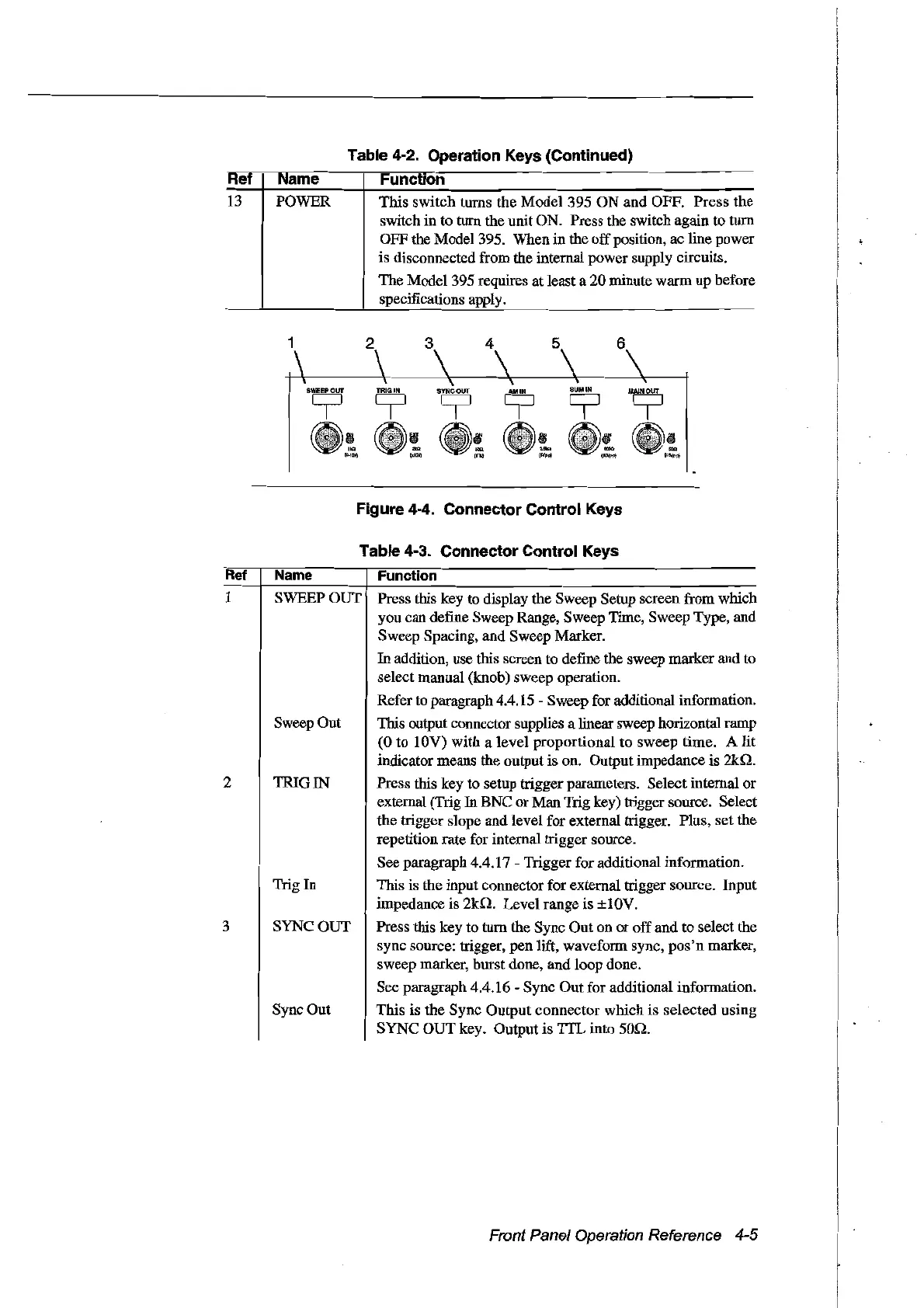
1
2
3 4
5
6
Figure 4-4. Connector Control Keys
Table 4-3. Connector Control Keys
Ret
Name
Function
1 SWEEP
our
Press this key to display the Sweep Setup screen from which
you can define Sweep Range, Sweep Time, Sweep
Type, and
Sweep Spacing, and Sweep Marker.
In addition, use this screen to define the sweep marker and to
select manual (knob) sweep operation.
Refer to paragraph 4.4.15 - Sweep for additional information.
Sweep Out This output connector supplies a linear sweep horizontal ramp
(0 to 10V) with a level proportional to sweep time. A lit
indicator means the output is on. Output impedance is
2kn.
2 TRIG IN Press this key to setup trigger parameters. SelectinternaI or
external (Trig
In
BNC orMan Trig key) trigger source. Select
the trigger slope and level for external trigger. Plus, set the
repetition rate for internal trigger source.
See paragraph 4.4.17 - Trigger for additional information.
Trig In This is the input connector for external trigger source. Input
impedance is
2kn.
Level range is ±1
OV.
3 SYNC
our
Press this key to turn the Sync Out on or offand to select the
sync source: trigger, pen lift, waveform sync,
pos'n
marker,
sweep marker, burst done, and loop done.
See paragraph 4.4.16 - Sync Out for additional information.
Sync Out This is the Sync Output connector which is selected using
SYNC OUT key. Output is
TfL
into
son.
Front Panel Operation Reference 4-5
Artisan Technology Group - Quality Instrumentation ... Guaranteed | (888) 88-SOURCE | www.artisantg.com



 To Next Page