EDIT FUNCTIONS
o point edit...
o
Une
draw...
o wave insert .
o block copy .
o
wvfmampl
.
o wvfm
offset...
done
<0
o pos'n mrkrs
...
Figure 4-20. Waveform Edit
(actual screen will dis
play
only
four
lines
at
a rime)
Point Edit
"point edit" programs the data value ata single point in the waveform. See figure 4-21.
To
modify a point, select "address" (F3) and use the knob or keypad to enter the address
to
he
changed. Change the data by selecting "data" (F7) and using the knob orkeypad
to
enter
the
desired
data
value (+0000; -2048, +2047).
Changing
the
data
value
automatically updates the waveform.
POINT EDIT
(adrs, data)
•
(OOOOn,
+0000)
<0
<0
exit next point
<0
Figure 4-21. Point Edit
Selecting "next point" (F8) automatically advance to the next address. Select"exit" (F4)
to return to the Select Edit Waveform screen without advancing to the next address.
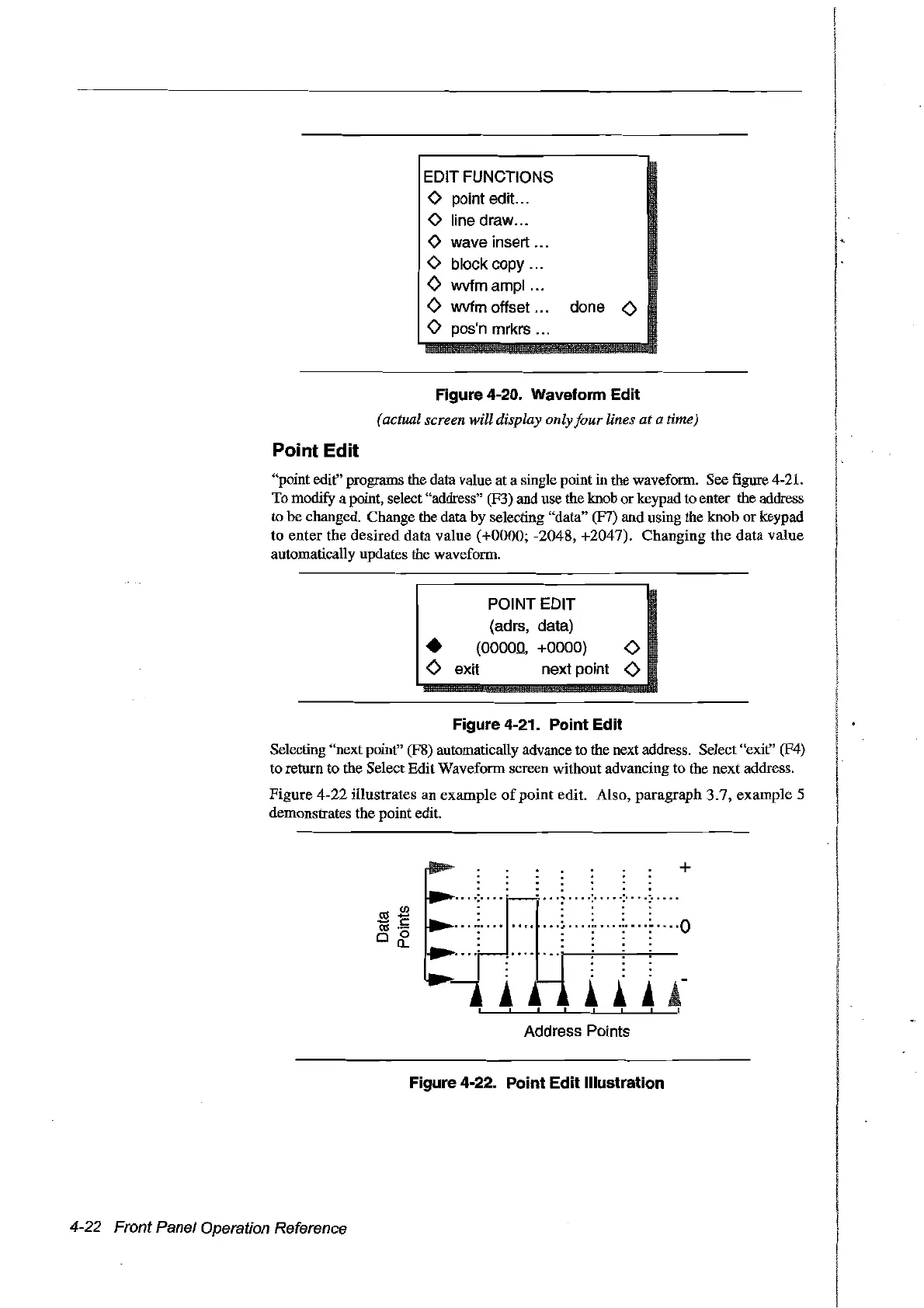
Figure
4-22
illustrates an example
of
point
edit. AIso,
paragraph
3.7,
example
5
demonstrates the point edit.
a:l2l
.....
c:
a:l
.-
o 0
a..
+
. .
....
p_
~
:::.
"'
","""
..
..
....:
~
:
:··
..:··
..
0
..
......"
..
......
..
_
...
:
····FI
: ::
..
..
..
..
-.
!,
!!
i
j-
t 1 l , l , , t
Address Points
4-22 Front Panel Operation Reference
Figure 4-22. Point Edit Illustration
Artisan Technology Group - Quality Instrumentation ... Guaranteed | (888) 88-SOURCE | www.artisantg.com



 To Next Page