Une
Edit
"line edit" draws a line between two points in anArb waveform. Line edit requires the
user
ta
enter address and data values for the fust, "fin," point and the last, "ta," point
of
the line. See figure 4-23.
Ta
use line edit, select the "fin adrs" (F2) and enter the value. Select from data (F6) and
enter the value. Next, select the"
ta
adrs" (F3) and enter the value, and select to data (F7)
and enter the value (+0000; -2048 to +2047). Use the knob or keypad to change values.
The Madel 395 automatical1y swaps the two addresses
if
the "from" address is less than
the
"ta"
address.
UNE (adrs ,data)
<>
fm: (000000
,+2058)
<>
<>
ta:
(000::>00
,+0000)
<>
<>
exit draw line
<>
Figure 4-23.
Une
Draw
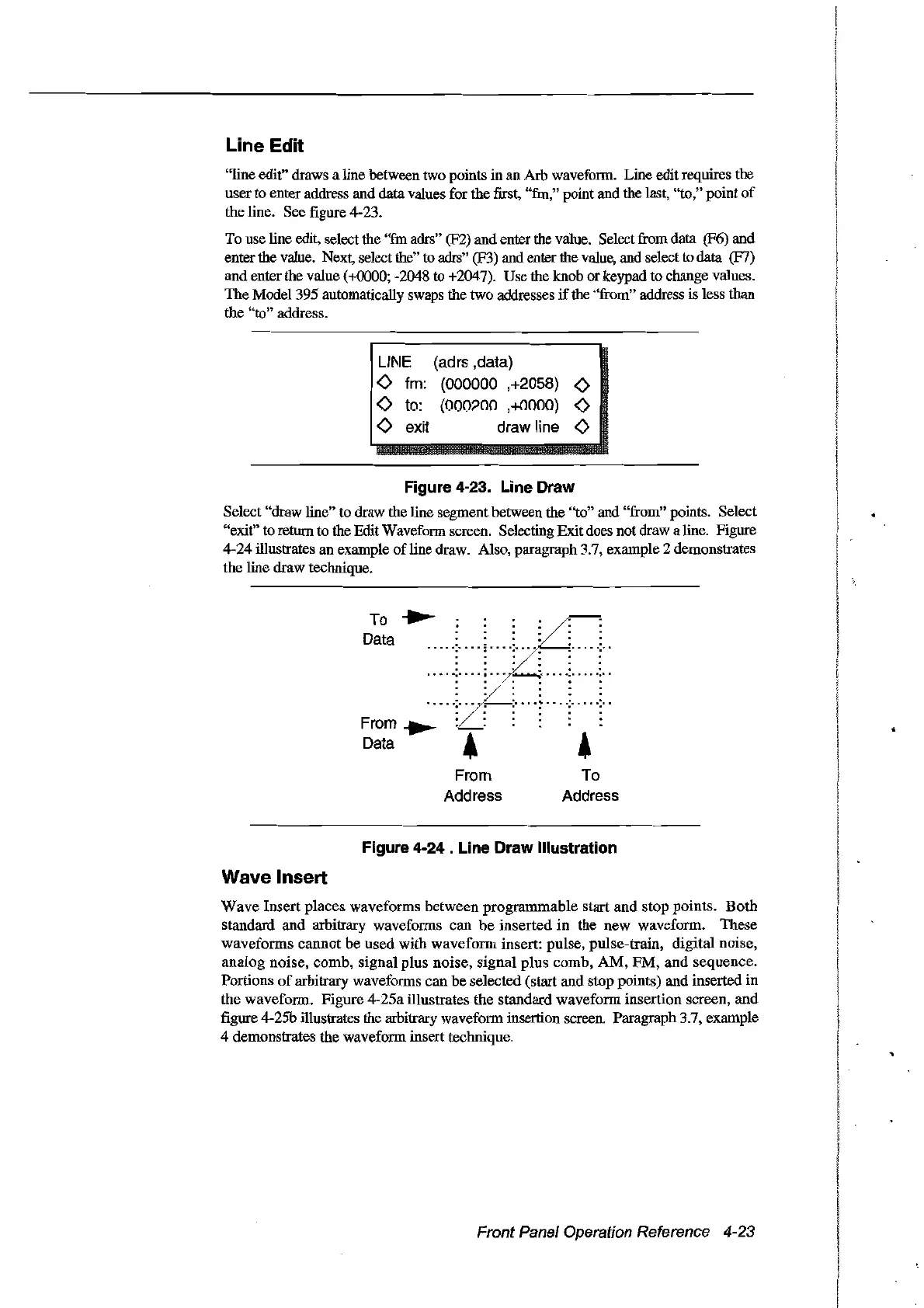
Select "drawline" to draw the line segment between the "ta" and "from" points. Select
"exit"
ta
return to the Edit Waveform screen. Selecting Exitdoes not draw a line. Figure
4-24 illustrates an example
ofline
draw. Also, paragraph 3.7, example 2 demonstrates
the line draw technique.
. .
:
.......
:...
· . .
· . .
...................
· . .
· . .
· . .
To
......
Data
......:
......
; ...
~
.....:.....:
..
..
..
..
..
..
..
..
.. ..
.. ..
..
..
..
..
.. ..
......:......
--:
.....
~
....:.....:
..
..
..
..
..
..
..
From
..
.........
..
Data ! 4
From
Address
To
Address
Figure 4-24 . Line Draw Illustration
Wave Insert
Wave
Insert places waveforms between
programmable
start
and
stop points.
Both
standard and arbitrary waveforms can
be
inserted
in
the new waveform. These
waveforms
cannot
be
used
with
waveform
insert: pulse, pulse-train, digital noise,
analog
noise, comb, signal plus noise,
signal
plus
comb,
AM,
FM,
and
sequence.
Portions
of
arbitrary waveforms can
be
selected (star! and stop points) and inserted
in
the waveform. Figure 4-25a illustrates the standard waveform insertion screen, and
figure 4-25b illustrates the arbitrary waveform insertion screen. Paragraph 3.7, example
4 demonstrates the waveform insert technique.
Front Panel Operation Reference 4-23
Artisan Technology Group - Quality Instrumentation ... Guaranteed | (888) 88-SOURCE | www.artisantg.com



 To Next Page