....
sine
banjo
..
-->
<>
------
strt
000000
0
<>
------
stop
000512
<>
<>
exit
insert
0
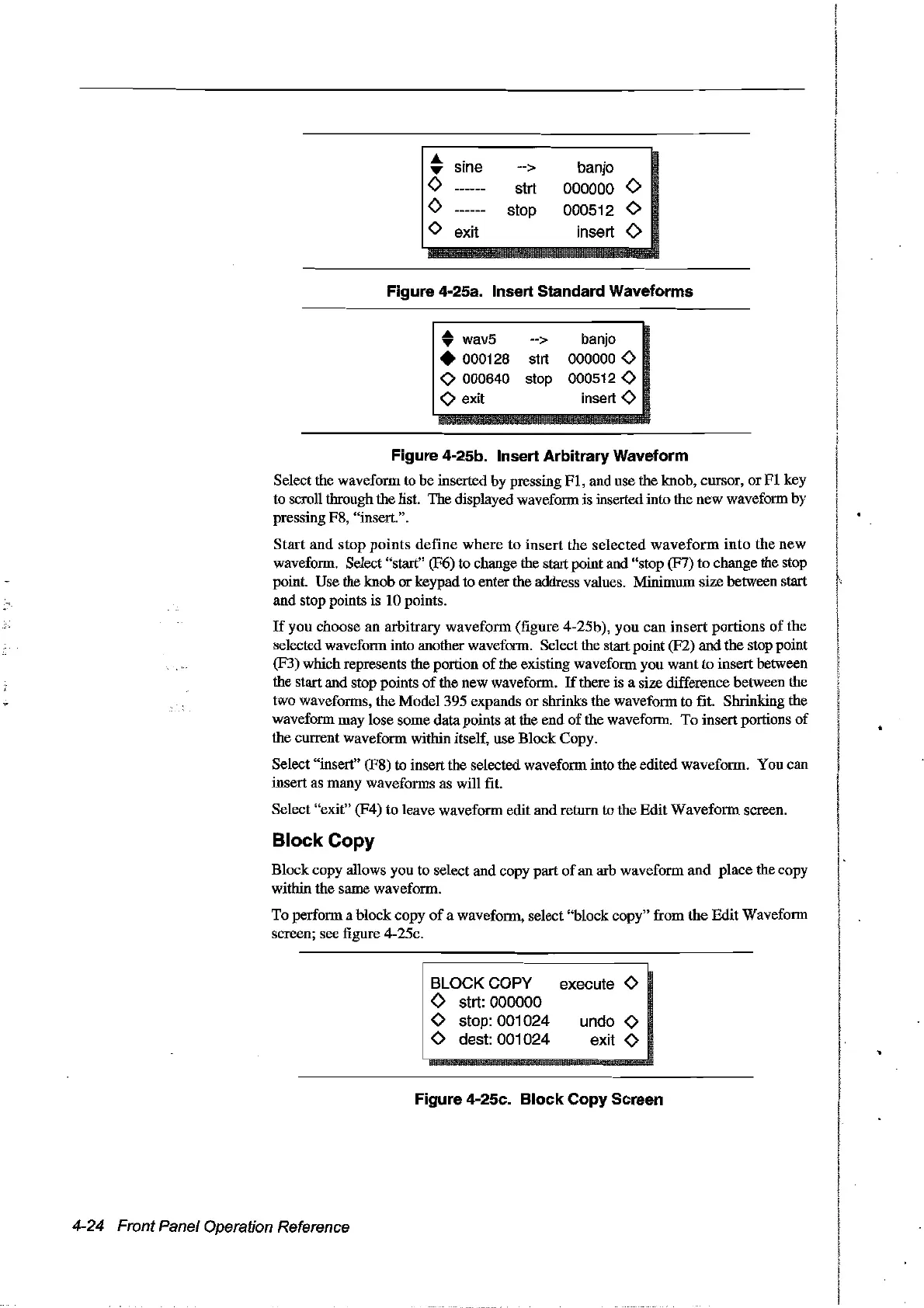
Figure 4·25a. Insert Standard Waveforms
• wav5 -->
• 000128 strt
<>
000640 stop
<>
exit
banjo
000000
<>
000512
<>
insert
<>
Figure 4·25b. Insert Arbitrary Waveform
Selectthe wavefonn to be inserted by pressing
FI,
and use the knob, cursor,
or
FI
key
to
scroU
through the list. The displayed wavefonn is inserted into the new waveform by
pressing F8, "insert.".
Start
and
stop
points
define
where
to
insert
the selected
waveform
into
the
new
wavefonn. Select "start" (F6) to change the start point and "stop (F7)
to
change the stop
point. Use the knob orkeypad to enter the address values. Minimum
sire
between start
and stop points is 10 points.
If
you choose an arbitrary
wavefonn
(figure 4-25b), you can
insert
portions
of
the
selected wavefonn into another wavefonn. Select the start point (F2) and the stop point
(F3) which represents the portion
of
the existing wavefonn you want to insert between
the startand stop points
of
the new wavefonn.
If
there is a size difference between the
two wavefonns, the Model 395 expands
or
shrinks the wavefonn to fit. Shrinking the
wavefonn may lose some data points atthe end
of
the wavefonn.
To
insertportions
of
the
CUITent
wavefonn within itself, use Block Copy.
Select "insert" (F8) to insert the selected wavefonn into the edited wavefonn. You can
insert as many wavefonns as will fit.
Select "exit" (F4) to leave wavefonn edit and retorn to the Edit
Wavefonn
screen.
Block Copy
Block copy allows you to select and copy part
of
an arb wavefonn
and
place the copy
within the same wavefonn.
To perfonn a block copy
of
a wavefonn, select "block copy" from
the
Edit Waveform
screen; see figure 4-25c.
i BLOCKCOPY
<>
strt:
000000
<>
stop:
001024
<>
dest:
001024
execute
<>
undo
<>
exit
<>
Figure 4·25c. Block Copy Screen
4-24 Front Panel Operation Reference
Artisan Technology Group - Quality Instrumentation ... Guaranteed | (888) 88-SOURCE | www.artisantg.com



 To Next Page