Cockpit Reference Guide for the Cirrus SR2x with Perspective Touch+ by Garmin
190-02954-01 Rev. A 167
Additional Features
Flight
Instruments EIS
Nav/Com/
XPDR/Audio
Flight
Management
Hazard
Avoidance AFCS
Additional
Features Annun/Alerts Appendix Index
Flight
Instruments EAS
Audio and
CNS
Flight
Management
Hazard
Avoidance AFCS
Additional
Features
Abnormal
Operation Annun/Alerts Appendix Index
9) Touch the Delete Button to delete the message from the list.
10) Touching the Save Contact Button saves the contact information in the system contact
list.
Viewing Inbox messages:
1) From MFW Home, touch Services > Satellite SMS Text.
2) Touch the Inbox Tab. A list of received messages is displayed. The Inbox Tab is selected
by default when accessing the ‘Satellite SMS Text Messaging’ Screen.
Viewing Draft messages:
1) From MFW Home, touch Services > Satellite SMS Text.
2) Touch the Drafts Tab. A list of draft messages is displayed; provided messages have been
previously saved.
3) Touch a message to access the Send or Delete Buttons.
Viewing Outbox messages:
1) From MFW Home, touch Services > Satellite SMS Text.
2) Touch the Outbox Tab. A list of sent or unsent messages is displayed.
3) Touch a message to access the Resend, Delete, and Save Contact buttons.
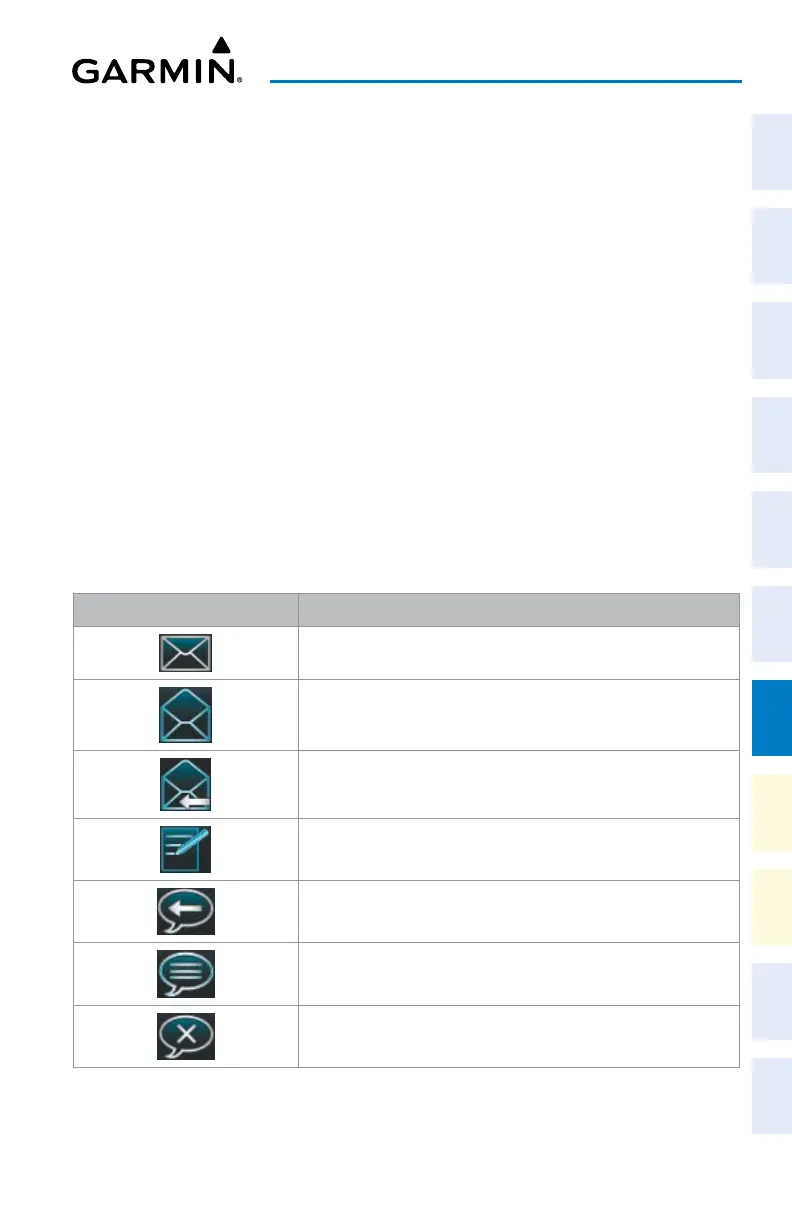
Message Symbol Description
Received text message that has not been opened
Received text message that has been opened
A reply has been sent for this text message
Saved text message, draft not sent
System is sending text message
Text message has been sent
System failed to send text message
Text Message Symbols












 To Next Page