Cockpit Reference Guide for the Cirrus SR2x with Perspective Touch+ by Garmin
190-02954-01 Rev. A
Appendix
254
Flight
InstrumentsEIS
Nav/Com/
XPDR/Audio
Flight
Management
Hazard
AvoidanceAFCS
Additional
FeaturesAnnun/AlertsAppendixIndex
Flight
InstrumentsEAS
Audio and
CNS
Flight
Management
Hazard
AvoidanceAFCS
Additional
Features
Abnormal
OperationAnnun/AlertsAppendixIndex
MFW MODE TOUCHSCREEN CONTROLLER SCREENS
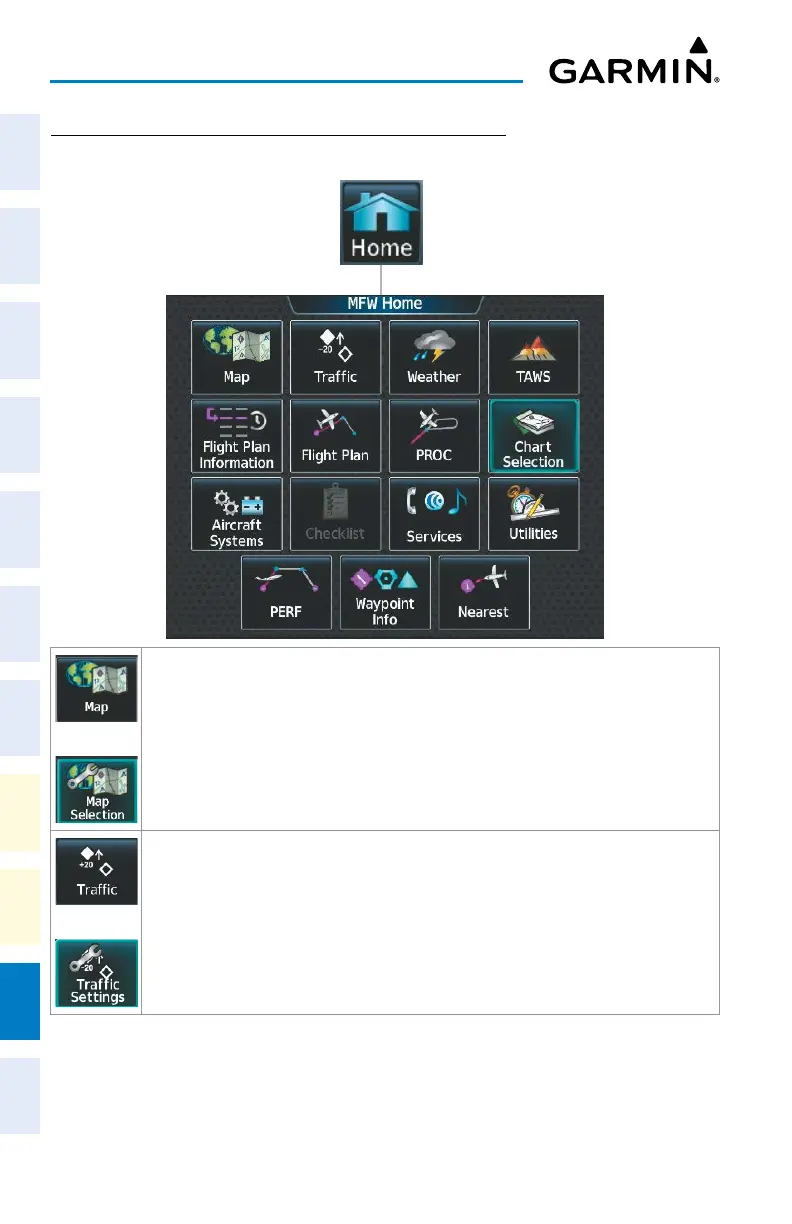
MFW Home
or
Shows ‘Navigation Map’ Pane in the selected Display Pane. When the ‘Navigation Map’
Pane is displayed, the button becomes the Map Selection Button. Touch the Map
Selection Button to access the ‘Map Settings’ Screen on the Touchscreen Controller.
or
Shows ‘Traffic Map’ Pane in the selected Display Pane. When the ‘Traffic Map’ Pane is
displayed, the button becomes the Traffic Settings Button. Touch the Traffic Settings
Button to access the ‘Traffic Settings’ Screen on the Touchscreen Controller.












 To Next Page