Cockpit Reference Guide for the Cirrus SR2x with Perspective Touch+ by Garmin
190-02954-01 Rev. A
128
Hazard Avoidance
Flight
InstrumentsEIS
Nav/Com/
XPDR/Audio
Flight
Management
Hazard
AvoidanceAFCS
Additional
FeaturesAnnun/AlertsAppendixIndex
Flight
InstrumentsEAS
Audio and
CNS
Flight
Management
Hazard
AvoidanceAFCS
Additional
Features
Abnormal
OperationAnnun/AlertsAppendixIndex
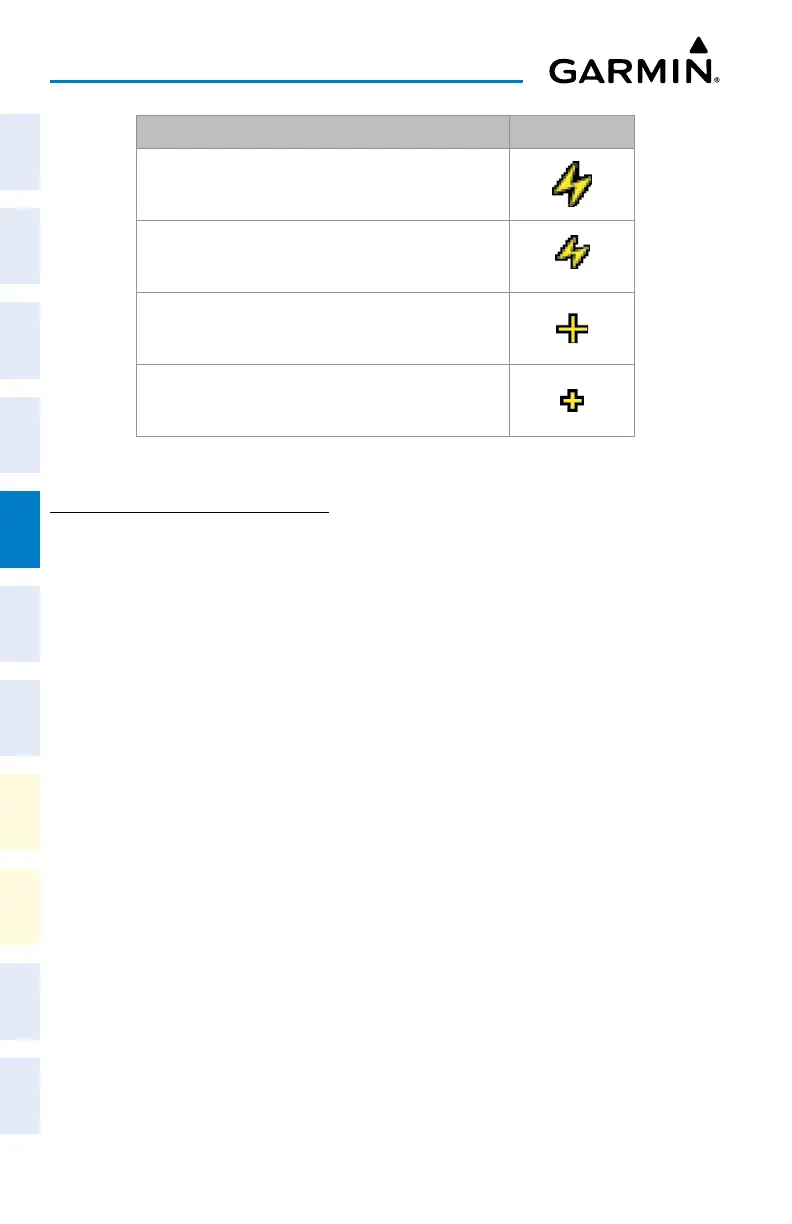
Lightning Age Symbol
Strike is less than 6 seconds old
Strike is between 6 and 60 seconds old
Strike is between 1 and 2 minutes old
Strike is between 2 and 3 minutes old
Lightning Age and Symbols
USING THE STORMSCOPE PANE
Displaying the ‘Stormscope’ Pane:
From MFW Home, touch Weather > Weather Selection > Stormscope > Stormscope
Settings.
Selecting a Stormscope Operating Mode on the ‘Stormscope’ Pane:
1) From MFW Home, touch Weather > Weather Selection > Stormscope > Stormscope
Settings.
2) Touch either the Cell Button or the Strike Button. Button annunciator is green for
currently selected mode.
Clearing Stormscope Information on the ‘Stormscope’ Pane:
1) From MFW Home, touch Weather > Weather Selection > Stormscope > Stormscope
Settings.
2) Touch the Clear Stormscope Lightning Button.
Enabling/Disabling Stormscope Lightning Information on the PFD maps:
1) From PFW Home, touch PFD Map Settings.
2) If not selected, touch either the HSI Map or Inset Map Button to allow for selection of
map overlays.
3) Scroll if necessary, and touch the Stormscope Lightning button to enable/disable
Stormscope information.
Or:
1) With either the Inset Map or HSI Map shown, press the PFD Map Settings Softkey.
2) Press the Stormscope Softkey.












 To Next Page