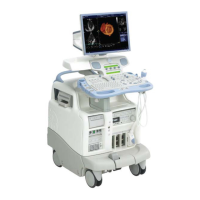
GE MEDICAL SYSTEMS
D
IRECTION 2392751-100, REVISION 3VIVID™ 4 SERVICE MANUAL
Chapter 8 - Replacement Procedures 8-17
8-2-9-4 Control Console Upper Cover (Rear) Installation Procedure
1) Raise the control console to its maximum height.
2) Return the control console upper cover (rear section) to the Vivid™ 4 control console, making sure
it is placed in the correct position (with the screw holes properly aligned and the aperture for the
monitor correctly placed).
3) Return and fasten the 4 screws (2 on each side as shown in Figure 8-16) to secure the upper rear
cover in place.
4.) Return the control console lower cover, as described in the Control Console Lower Cover
Installation Procedure on page 8 - 18.
5) Remove the control console lower rear cover, as described in the Control Console Lower Rear
Cover Installation Procedure on page 8 - 19.
6) Working from the left side of the Vivid™ 4 unit, return the rectangular cover to the roof of the side
compartment and fasten in position with the 4 screws (previously removed) - refer to Figure 8-16.
7) Return the 17" Monitor to the control console, as described in the Vivid™ 4 17" Monitor Installation
on page 8 - 25.
CAUTION: The Vivid™ 4 17" monitor is heavy. At least two people must be available to lift the
monitor. Attempts to move this unit by one person alone, could result in personal injury, and/or
damage to the system!


 To Next Page
 Loading...