EasyManua.ls Logo

Genban IP8820 - Page 21

Genban IP8820
158 pages
Print Icon
To Next Page IconTo Next Page
To Previous Page IconTo Previous Page
Loading...
IP8820/IP8830/IP8840
Installer Guide
14
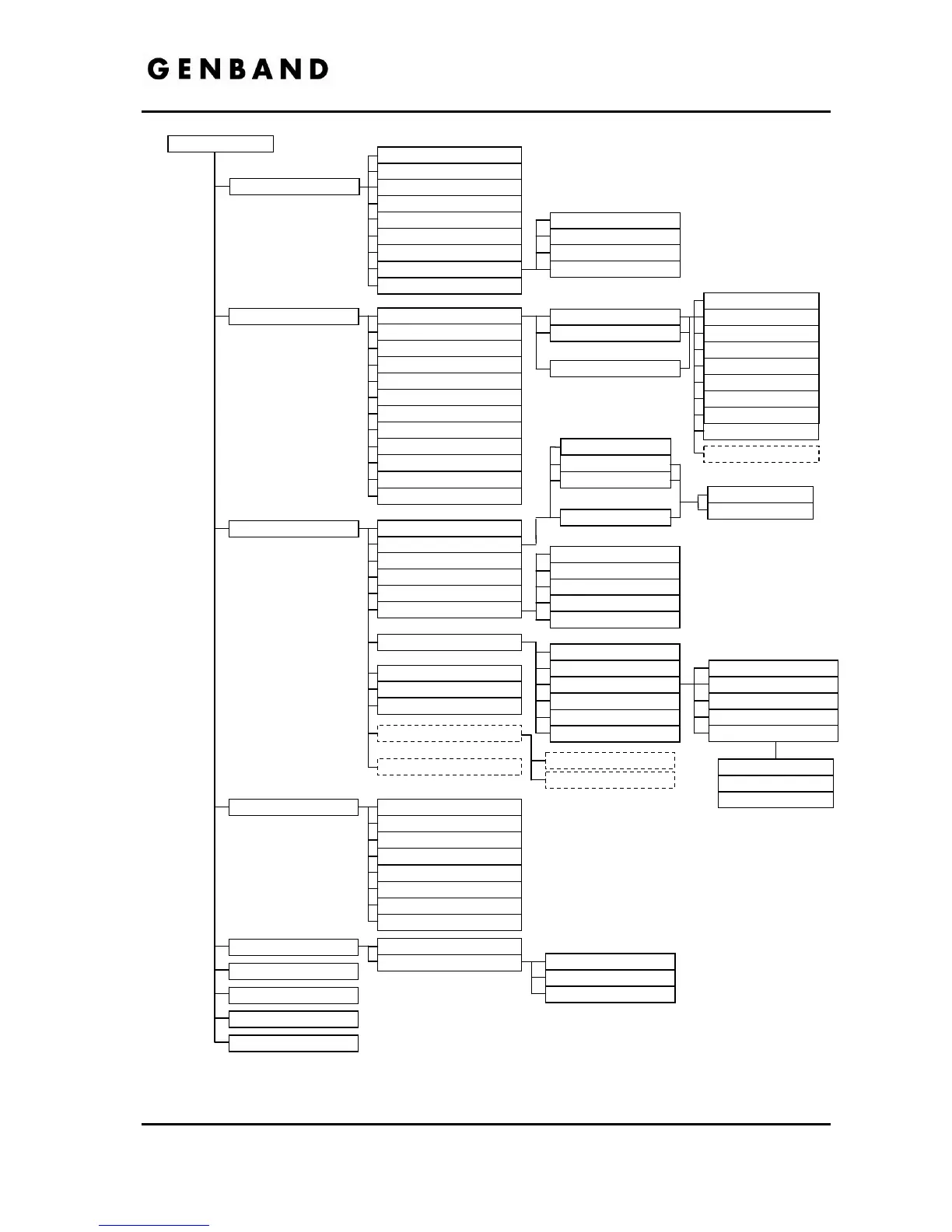
Figure 3-2 LCD Configuration Menu
1.Network Configuration
2. SIP Configuration
3. Phone Settings
4. Call Preferences
5. Directory
6. Set to Default
7. Lock/Unlock Config
8. Information
9. Reboot
1. Phone Book
2. Call Log
1. Missed Call
2. Incoming Call
1. Network Mode
1. VLAN Priority (LAN)
2. IP Address
3. Subnet Mask
4. Default Gateway
5. Primary DNS Address
6. Secondary DNS Address
7. MAC Address
8. VLAN Settings
9. CDP
1. Line Configuration
2. Outbound Proxy Address
3. Outbound Proxy Port
4. Backup Proxy Address
5. Backup Proxy Port
6. Local UDP Port
7. RTP Start Port
8. Proxy Registration
9. Register Expires
10. VMS Address
11. Domain
12. Stun Server
2. VLAN ID (LAN)
3. VLAN Priority (PC)
4. VLAN ID (PC)
Configuration Menu
1. LCD Contrast
2. Ring Setting
3. Ringer Off
4. Headset Auto Mode
5. Flexible Button
6. Time Configuration
7. S/W Update
8. Lock Outgoing Call
9. Speed Number
10. Key Tone
11. Bluetooth
12. Language
1. Line 1 Settings
2. Line 2 Settings
n. Line n Settings
1. Call Server Address
1. Do Not Disturb
2. Call Waiting
3. Call Waiting Tone
4. Call Hold Ringback
5. Msg Waiting Tone
6. Auto Answer
7. Caller ID Blocking
8. Anonymous Call Block
2. Proxy Port
3. Display Name
4. Name
5. Auth. Username
6. Auth. Password
9. DN
1. Ring Type
1. Default Ring Type
2. Line 1 Configuration
3. Line 2 Configuration
n. Line n Configuration
2. Delayed Ring timer
1. SNTP Server Address
2. Time Zone
3. DST Auto Adjustment
4. Time Format
5. Date Format
1.Provisioning Type
2.TFTP Server Address
3.HTTPS Provisioning
4. S/W Download Flag
5. Config Download Flag
1. Provisioning URL
2. Username
3. Password
4. DHCP Option Number
5. Checking Certificates
6. DHCP Option
7. Reg. Status
8. Line Type
1. Headset Management
2. Local Device Info
.
.
.
.
.
.
1. Check Verified Cert.
2. Check Server Name
3. Check Expiration
Appears w/Bluetooth module
3. Outgoing Call
10.Extension for DSS
Appears w/DSS Lines only
Appears when multi-languages available

Table of Contents