IP8820/IP8830/IP8840
Installer Guide
83
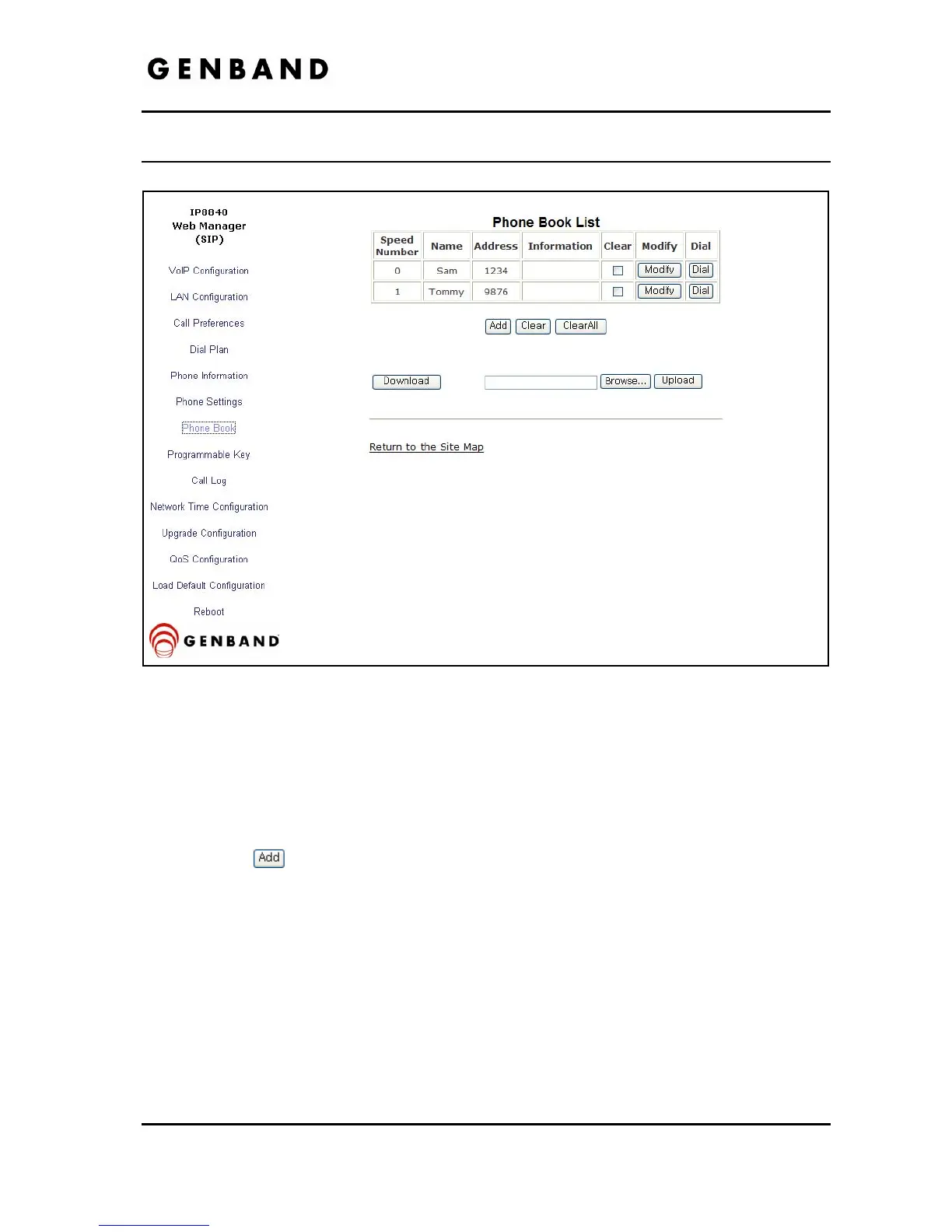
4.8 Phone Book
Figure 4.8-1 Phone Book
The IP Phone includes a Phone Book with 100 contact records. Calls to a contact are made
using the Speed number (00-99). The contact number or SIP user id is maintained in the Phone
Book. In the Phone Book menu, records may be added, edited, deleted or searched.
To add a Phone Book entry:
Click the
button and enter the new values in the Phone Book Entry screen. The
Address field is the contact’s phone number or SIP user id.



 To Next Page