IP8820/IP8830/IP8840
Installer Guide
84
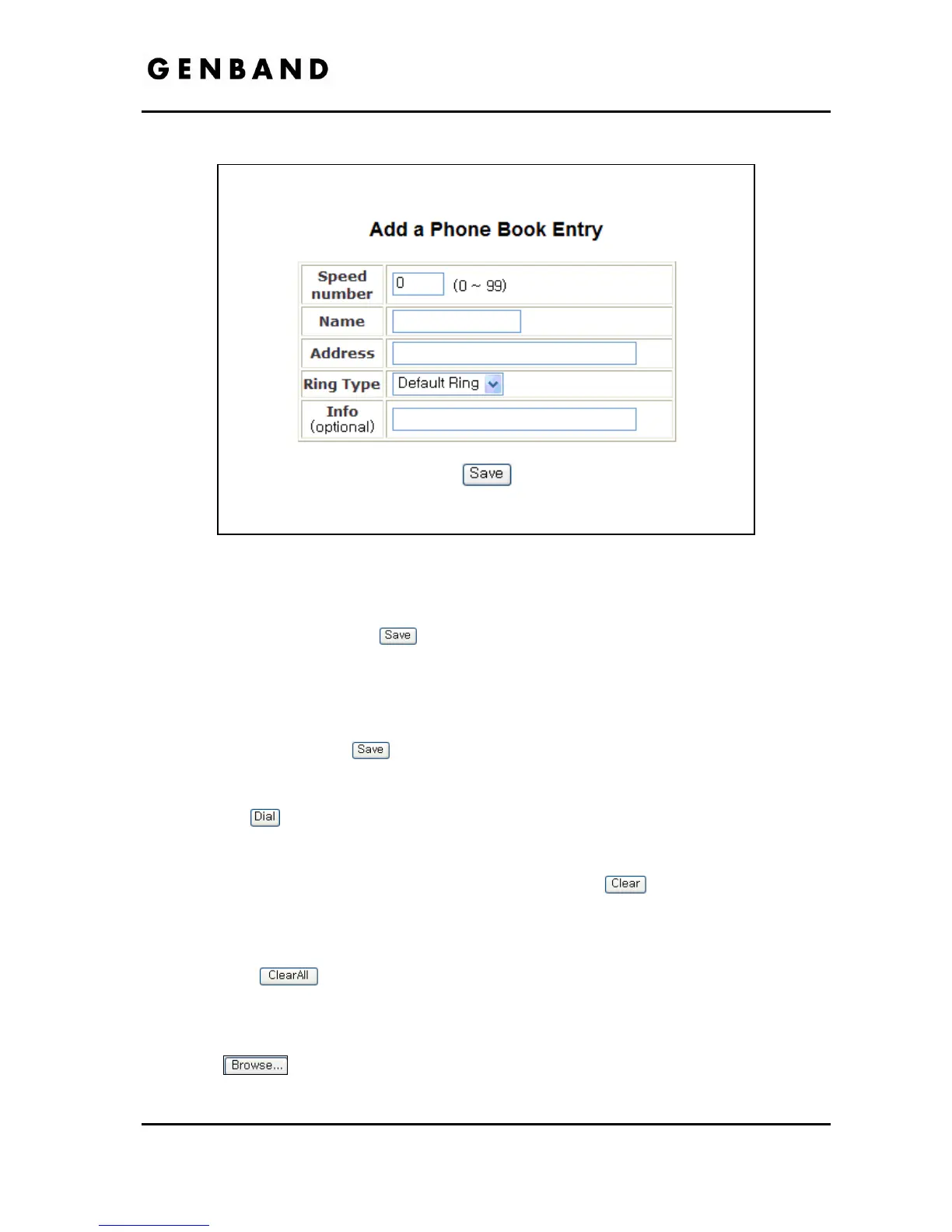
Figure 4.8-2 Add a Phone Book Entry
When complete, select the
button to store the record.
To modify an entry:
Select Modify for the desired record and enter the new values in the Phone Book Entry
screen.
When complete, select
to store the modified record.
To place a call using the Phone Book:
Click the
button for the desired contact.
To delete specific entries from the Phone Book:
Click the ‘Clear’ box for the desired records and select the
button to delete checked
records.
To delete all entries from Phone Book:
Select the
button.
The Phone Book can be downloaded or uploaded to and from a *.csv formatted file. To
Upload/download:
Click
and locate the desired csv file in your PC.
Select upload or download, as desired.



 To Next Page