IP8820/IP8830/IP8840
Installer Guide
77
2
nd
Dial Tone
Customer requirements:
To provide second dial tone after a ‘9’ is dialed, establish a Dial Plan as below.
Number TRNC Pre Post Pause Extra
9.~ 0 NULL NULL ?, 0.0.0.0
To change Routing Table parameters:
Assure the Routing Table radial button is selected under the Dial Plan Type
Enter the desired values into the respective boxes.
Select the
button.
To delete an entry from the Current Routing Table:
Select the check box in front of the desired entry.
Click the
button.
To delete all the entries:
Enter ‘all’ as the index.
Click the
button.
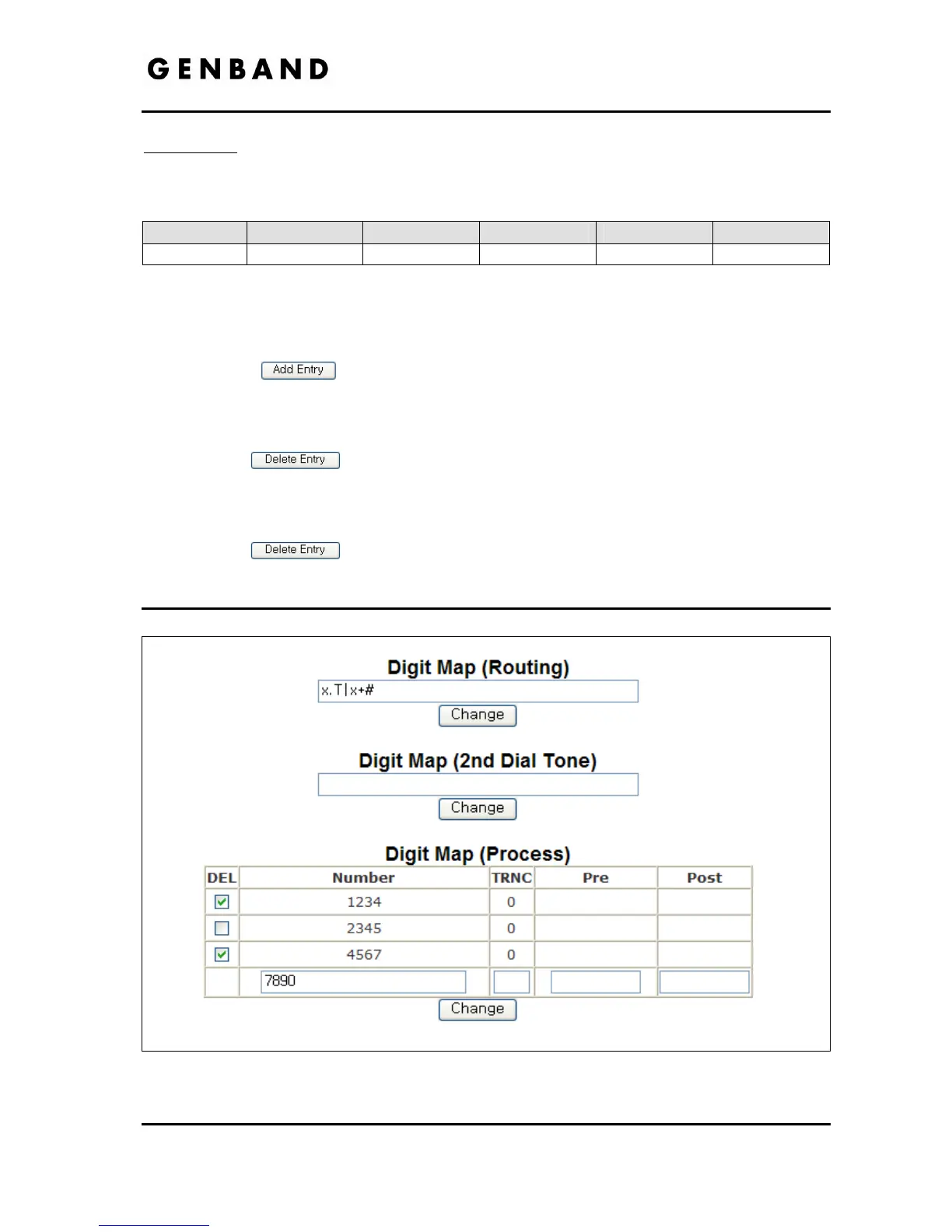
4.5.2 Digit Map Table
Figure 4.5.2-1 Digit Map Tables Configuration



 To Next Page