IP8820/IP8830/IP8840
Installer Guide
71
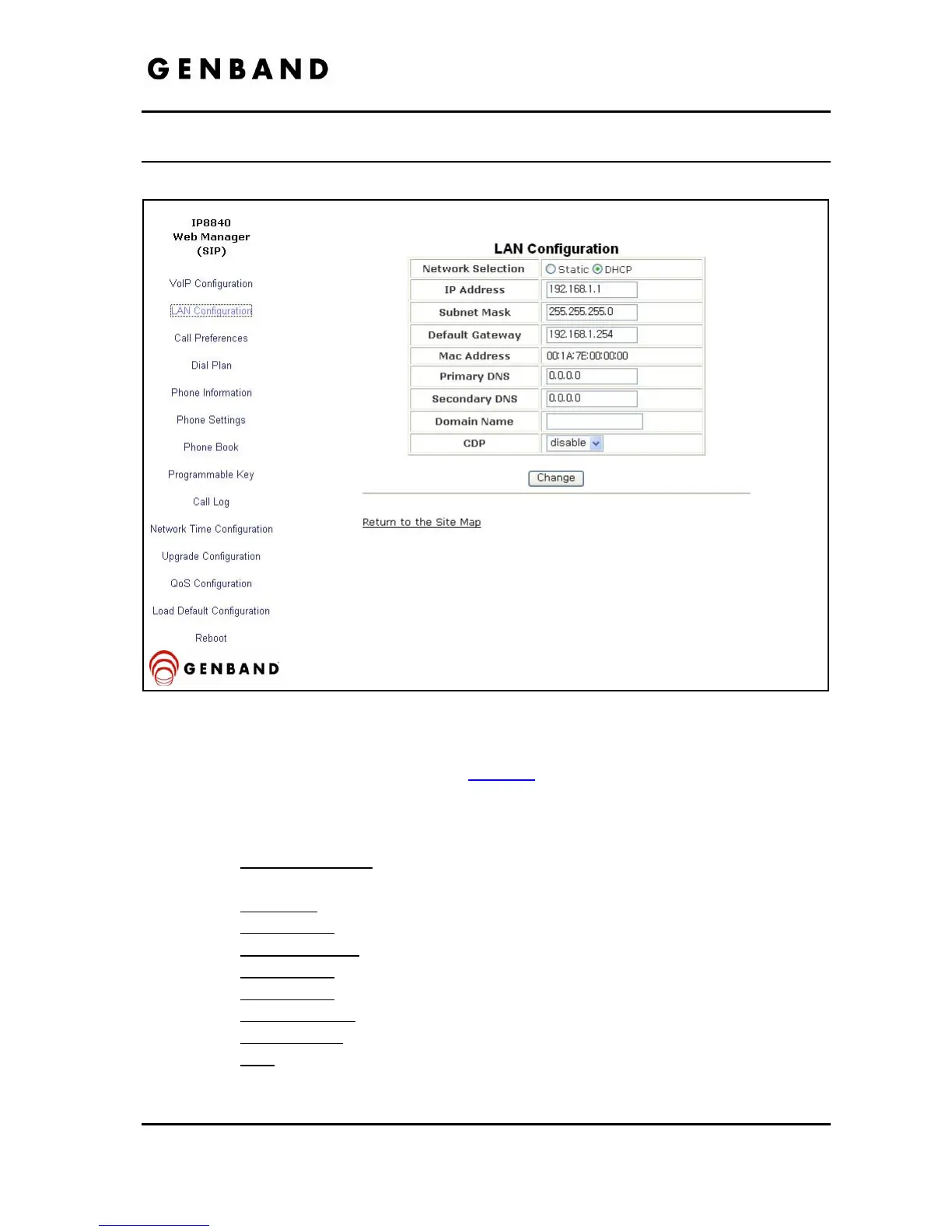
4.3 LAN Configuration
Figure 4.3-1 LAN Configuration
When the WiFi Module is installed, refer to section 5
for LAN Configuration. When the WiFi
module is not installed, the LAN screen adjustable parameters are:
- LAN Configuration
o Network Selection
is the IP address mode for the IP Phone. The radial button
selects static or DHCP address mode.
o IP address
is the IP Phone IP address.
o Subnet Mask
is the IP Phone subnet mask.
o Default Gateway
is the IP Phone default gateway IP address.
o Mac Address
is the MAC address of the IP Phone, view only.
o Primary DNS
is the IP address of DNS server.
o Secondary DNS
is the IP address of an auxiliary DNS server.
o Domain Name
is the domain name for the IP Phone.
o CDP
enables and disables use of discovery protocol for VLAN ID.



 To Next Page