IP8820/IP8830/IP8840
Installer Guide
26
Jan 17 4:32
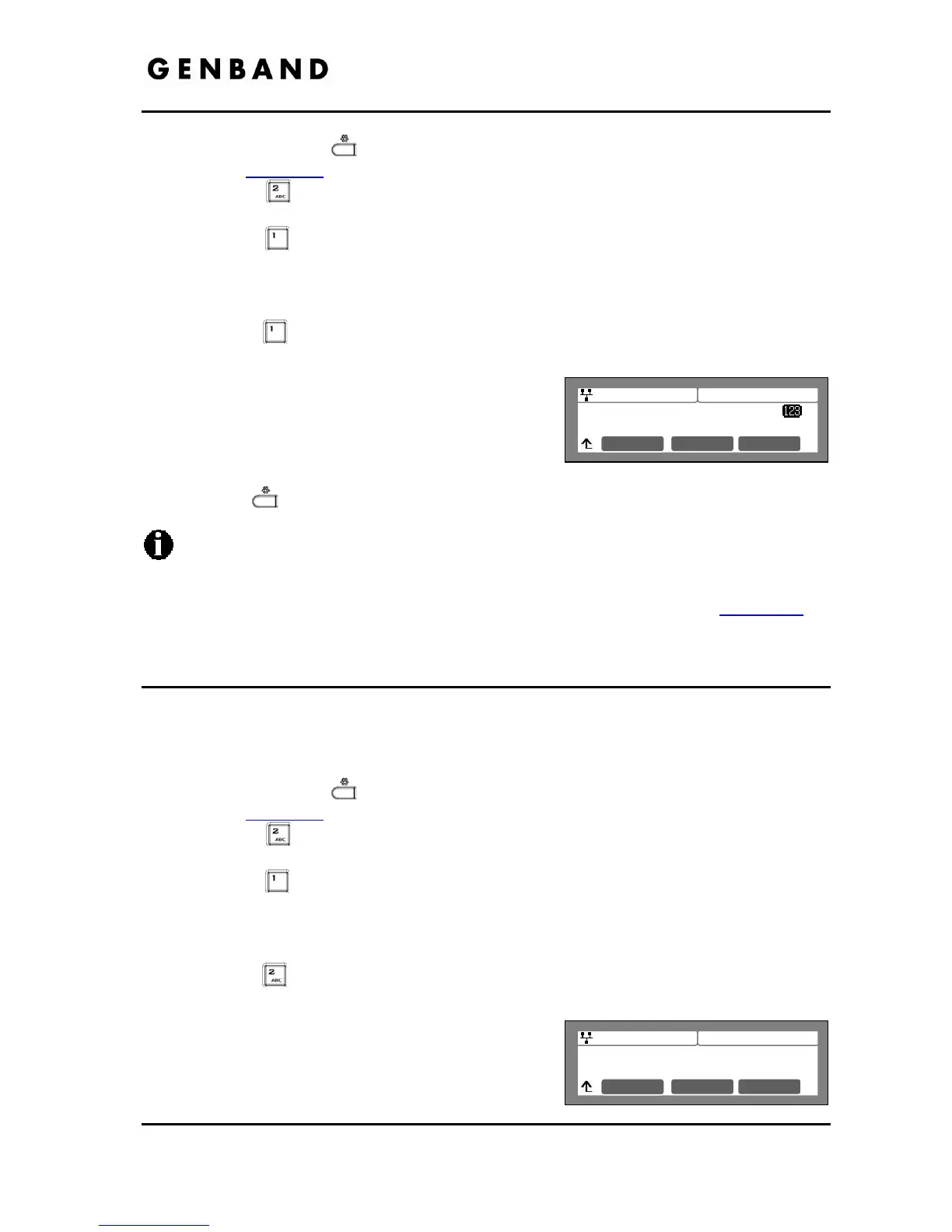
Call Server 1 Address
100.0.0.1
Mode OK
Jan 17 4:32
Proxy Port
5060
Clear OK
Press the Settings ( ) button. If the LCD Menu is locked, use the unlock procedure.
Refer to section 3.3
.
Press the
digit, or move the cursor to 2.SIP Configuration using the [Next]-
[Previous] softkeys and press the [OK] softkey.
Press the
digit, or move the cursor to 1.Line Configuration using the [Next]-
[Previous] softkeys and press the [OK] softkey.
Enter the line button number or move the cursor using the [Next]-[Previous] softkeys and
press the [OK] softkey to select a line button.
Press the
digit, or move the cursor to 1.Call Server Address using the [Next]-
[Previous] softkeys and press the [OK] softkey.
Input the Call Server IP address or FQDN using the
dial pad and press the [OK] softkey to save your
entry.
Move to another parameter with the navigation
buttons and continue the session or press the
Settings (
) button to exit the configuration session.
Changing a Call Server Address requires a reboot of the IP Phone; when you leave the
menu, you will receive a reboot notice. The IP Phone must reboot to utilize the new
values entered.
To enter alphanumeric characters select the [Mode] softkey. Refer to Appendix E
for
the character mapping of dial pad digits.
3.5.1.2 Proxy Port
The Proxy Port defines the TCP/UDP port number employed for SIP signaling transport. In
common practice, port number ‘5060’ is used.
To change the Proxy Port number:
Press the Settings (
) button. If the LCD Menu is locked, use the unlock procedure.
Refer to section 3.3
.
Press the
digit, or move the cursor to 2.SIP Configuration using the [Next]-
[Previous] softkeys and press the [OK] softkey.
Press the
digit, or move the cursor to 1.Line Configuration using the [Next]-
[Previous] softkeys and press the [OK] softkey.
Enter the line button number or move the cursor using the [Next]-[Previous] softkeys and
press the [OK] softkey to select a line button.
Press the
digit, or move the cursor to 2.Proxy Port using the [Next]-[Previous]
softkeys and press the [OK] softkey.
Input the Proxy Port number using the dial pad and
press the [OK] softkey to save your entry.
Move to another parameter with the navigation
buttons and continue the session or press the



 To Next Page