IP8820/IP8830/IP8840
Installer Guide
111
Jan 17 4:32
IP Address
192.168.0.20
Next No
Previous
Jan 17 4:32
SNTP Server Address
100.200.5.1
Next No
Previous
Jan 17 4:32
Subnet Mask
255.255.255.0
Next No
Previous
Jan 17 4:32
Download (S/W)
S/W UPGRADE: OK
Next No
Previous
Jan 17 4:32
Default Gateway
192.168.0.1
Next No
Previous
Jan 17 4:32
Call Server Address 1
100.0.0.1
Next No
Previous
Jan 17 4:32
Call Server Address 2
100.0.0.2
Next No
Previous
Jan 17 4:32
TFTP Server Address
192.168.0.2
Next No
Previous
Jan 17 4:32
Download (SYS CFG):
CFG XFER ERR
Next No
Previous
Jan 17 4:32
Boot version: 1.0.00
Next No
Previous
Jan 17 4:32
H/W version: 1.00
S/W version: 1.0.00sc
Next No
Previous
Jan 17 4:32
Download (MAC CFG):
CFG XFER ERR
Next No
Previous
6. Troubleshooting
6.1 Information
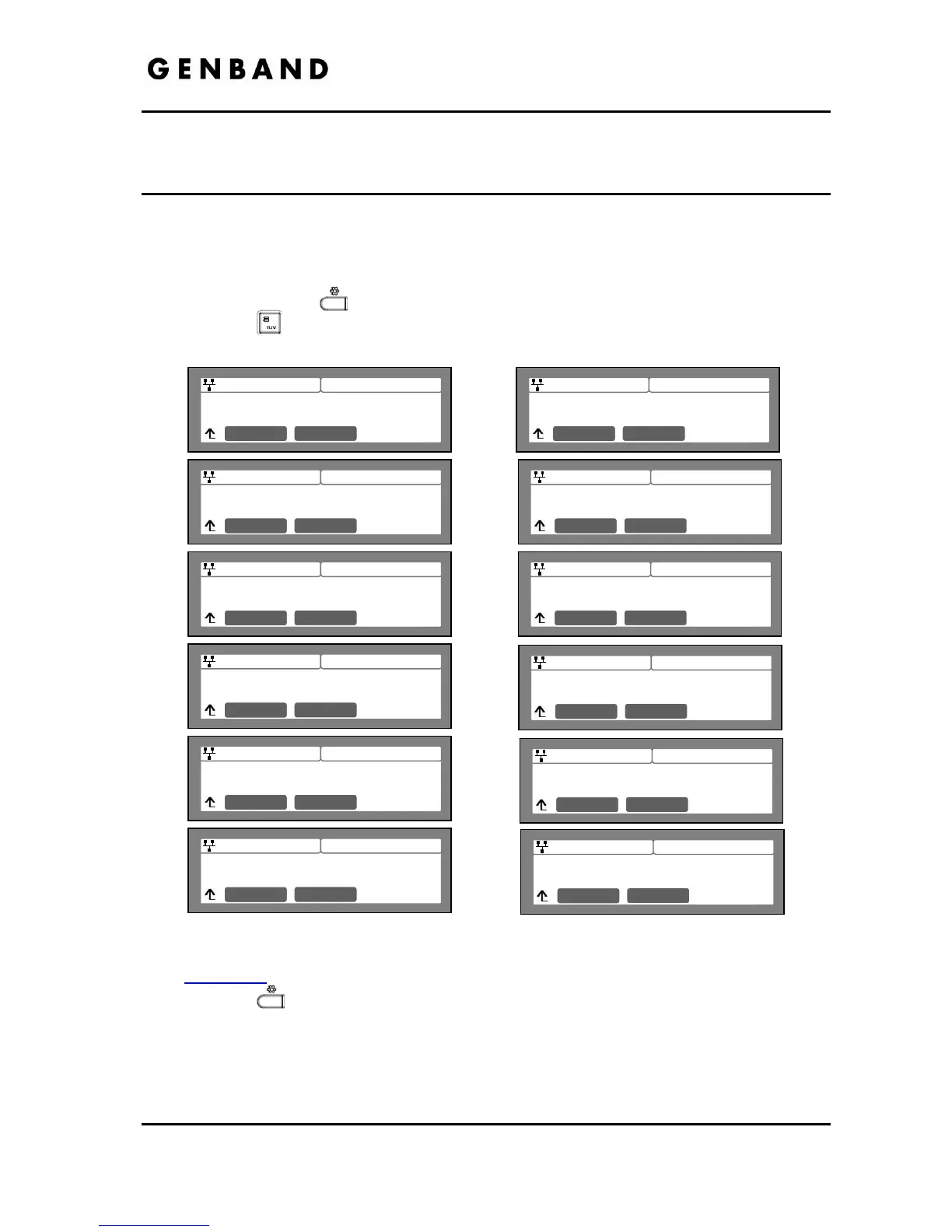
The IP8820, IP8830 and IP8840 phones provide the means to quickly view the Network
parameters (IP address, default gateway address, and subnet-mask), server IP addresses (call
server, TFTP server, and SNTP server), and results of the last file download attempt.
Press the Settings
button.
Press the
digit, or move cursor to 8.Information using the [Next]-[Previous] softkeys,
and press the [OK] softkey.
Press the [Next] softkey to view the next information.
The download information displays results of the most recent download attempt, see
Appendix C
for a list of the messages.
Press the
button to exit the menu.



 To Next Page