IP8820/IP8830/IP8840
Installer Guide
86
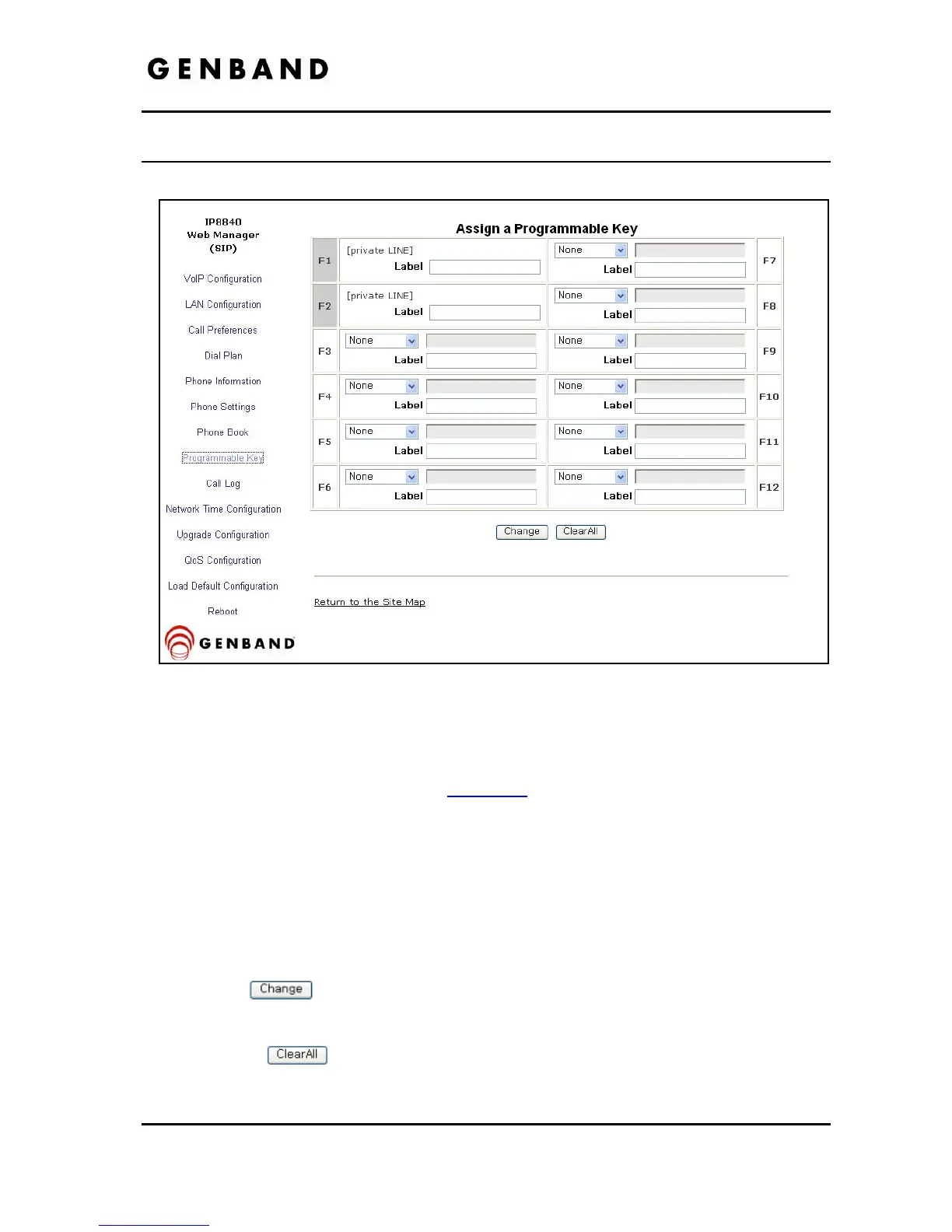
4.9 Flexible Button
Figure 4.9-1 Flexible Button
The IP8820 has 12 flexible buttons, the IP8830 has 24 flexible buttons and the IP8840 has 10
flexible buttons. The buttons not used for lines can be assigned to various functions. In
addition, an Expansion Module can be connected to the IP8800 series phone to expand the
number of flexible buttons by 12. Refer to Table 3.6.6
for available functions.
To change button functions:
Select the function from the drop-down menu next to button.
- For a Speed dial button, enter the contact number or user id.
- For a Message button, enter the address or phone number of the Voice Mail Server.
- Each button on the IP8840 can display a 12-character label, which is shown in the
LCD of the IP8840. Each button of the LIP-8812LSS Expansion Module can display
a 10-character label.
Click the
button to store changes.
To delete the function assigned to all flexible buttons, except line buttons:
Select the
button. Caution, selecting Clear All will delete all flexible button
assignments, except for line buttons.



 To Next Page