3-94
Chapter 3 Settings and Measurement
Contents General Description
Checks and Preparation
Settings and Measurement
Example of Use Specification
Operation mode Description
Show Properties The detailed information (file name, date, time) of the file or folder is displayed.
For GBD and CSV files, replay operations are also possible.
Rename file/folder Rename the file or folder.
You can select the file or folder and rename it.
Refer to "10. Text input" and operate.
Copy file/folder Copy the file or folder.
Select the copy destination (another folder, etc.), and execute the file copy.
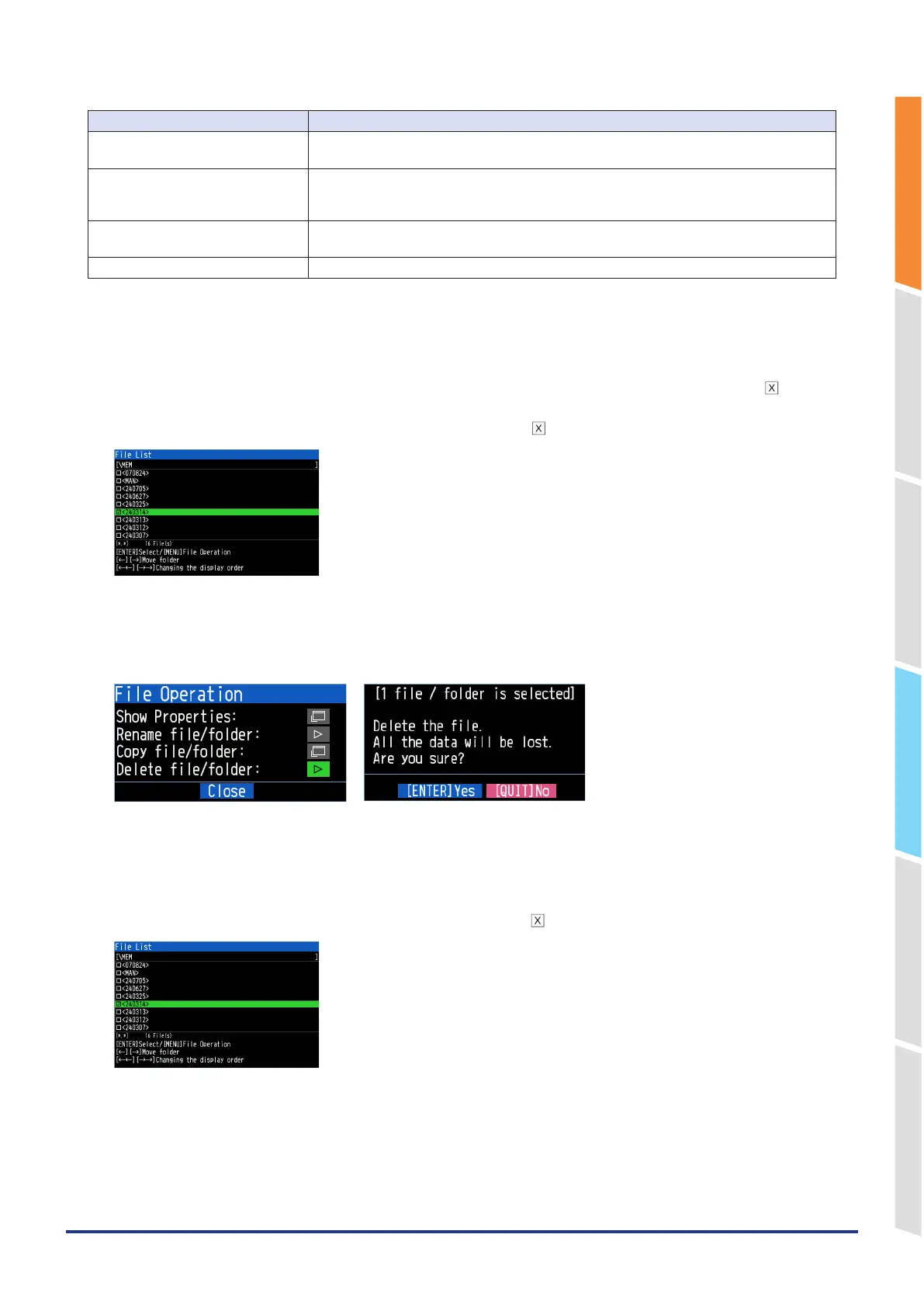
Deletion file/folder Delete a file or folder.
<Example of operation procedure>
Example of file/folder delete procedure is described.
1. Select the file/folder you want to delete.
Move the cursor to the file or folder to be deleted in the file list and press the [ENTER] key to display the " " mark.
(Multiple selection possible)
Press the [ENTER] key again to cancel it. When it is cancelled, the " " mark will disappear.
2. Execute the deletion.
When you select "Files/folders deletion" from File operation, the "[** files/folders are selected] Delete the file. All the
data will be lostAre you sure?" message is displayed.
Press the [ENETR] key to delete the selected data.
An example of copying a file/folder is described.
1. Select the files/folders you want to copy.
Move the cursor to the file or folder to be copied in the file list and press the [ENTER] key to display the "x" mark.
(Multiple selection possible)
To deselect, press the [ENTER] key again. It is canceled when the " " mark disappears.















 To Next Page