3-95
Chapter 3 Settings and Measurement
Contents General Description
Checks and Preparation
Settings and Measurement
Example of Use Specification
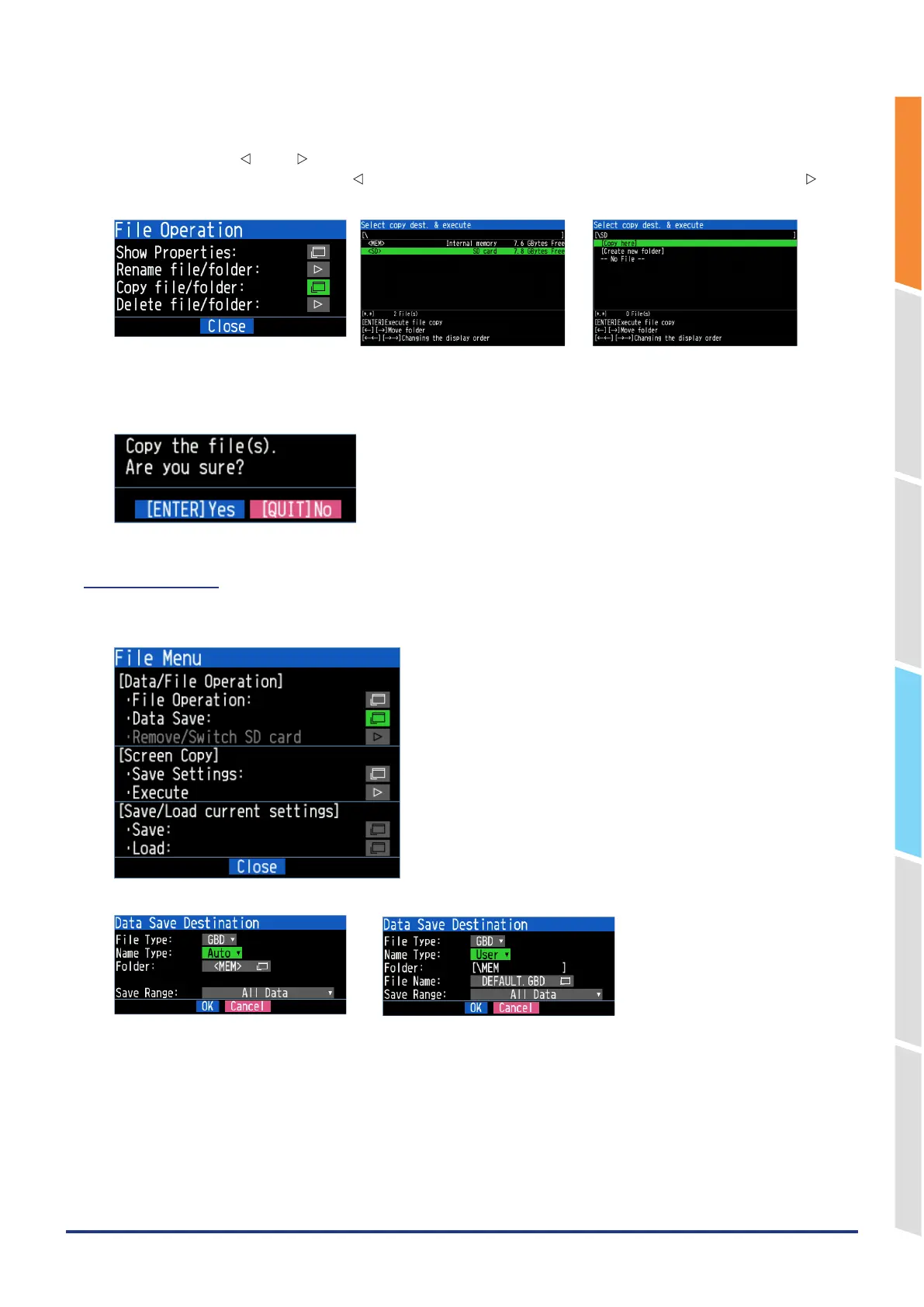
2. Specify the copy destination.
When you select "File/Folder copy" from the File operation, the copy destination selection/execution screen is
displayed. Press the " " and " " keys to specify the copy destination folder. In this example, to set the copy
destination to the SD CARD, press the " " key to return to the root, select SD on the root screen and press the " "
key.
3. Execute the copy.
Move the cursor to "Copy here" in the Copy destination select/execute dialog and press the [ENTER] key to copy.
"Are you sure?" is displayed. Press the [ENTER] key to copy the file.
8-2. Data Save
During replaying the data, the displayed data can be saved in the internal memory or SD memory card by selecting the
Data Save in the File Menu.
<When Naming method is set to Automatic> <When Naming method is set to Arbitrary>















 To Next Page