3-96
Chapter 3 Settings and Measurement
Contents General Description
Checks and Preparation
Settings and Measurement
Example of Use Specification
Setting Description
File Type Sets the file format used to save data.
GBD: Creating a data file in Graphtec's proprietary binary format.
* Data tampering can be prevented.
CSV: Creating a data file in text format.
Name Type Sets how a data file should be named.
Auto: Automatically supplies the file name.
<Example> 20240601-123456.GBD
Number part: File creation date
* The file is created on June 1, 2024, 12:34:56 in this example.
GBD : Data format
User: Data is captured to a file with an entered file name.
Sequential number: A file is created with an arbitrary file name that has been entered, followed
by a sequential number.
Folder Specify a folder to which you want to capture (or save) data. For details, refer to "9. File dialog".
Save Range Set the data range to be saved.
All data: All of the data is saved regardless of the cursor operation.
Between Cursors Data: Only the data in the range between cursors A and B is saved.
File Name Specify a folder to which you want to capture (or save) data. For details, refer to "9. File dialog".
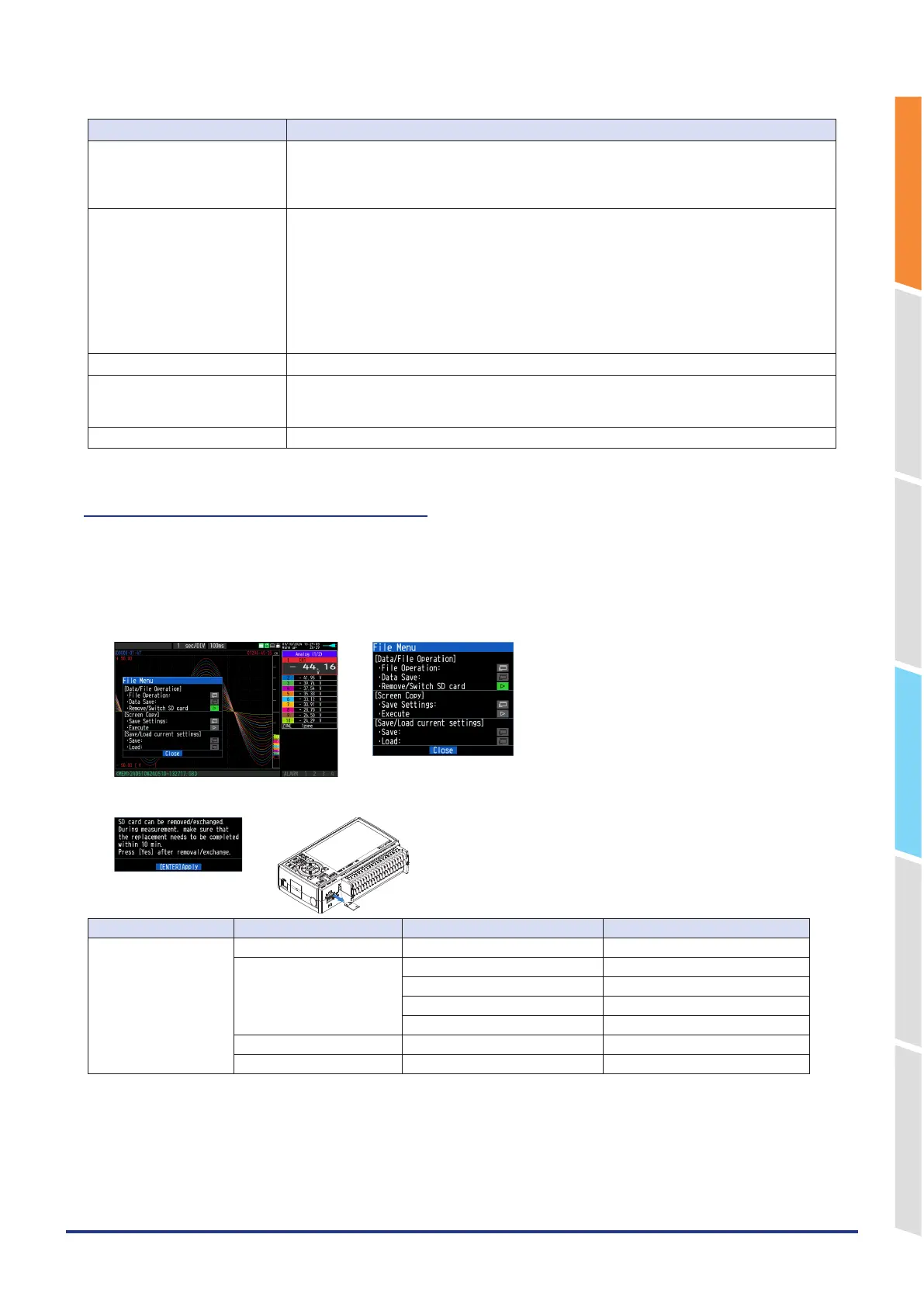
8-3. Remove/replace SD memory card
The SD memory card (SD) can be replaced during saving the data in the SD memory card.
Perform the card replacement according to the following procedure
1. Press the "FILE" key to open the FILE menu.
2. Press the [ENTER] key in the "Remove/Switch SD card".
<File menu>
<Removing/replacing the SD CARD>
3. Make sure that the message is displayed and then remove the SD memory card.
Capturing destination Backup destination Other conditions SD CARD replacement
Internal memory None Not applicable
SD CARD Replaceable (Backup side)
When ring capturing is enabled. Impossible
When external sampling is set. Impossible
The capturing format is CSV. Impossible
FTP server (Wireless LAN) Not applicable
FTP server (Wired LAN) Not applicable















 To Next Page