3-101
Chapter 3 Settings and Measurement
Contents General Description
Checks and Preparation
Settings and Measurement
Example of Use Specification
If the display language is other than “Japanese”, half-width kana mode cannot be used in “2. Character type selection”.
10-1. Clipboard
The clipboard is a function that allows you to store the character string that you have entered once and enter the same
character string repeatedly.
For example, if the CH annotation looks like this, there is a common character string.
CH Contents of the annotation
CH1 Channel Annotation CH1
CH2 Channel Annotation CH2
CH3 Channel Annotation CH3
In this case, the "Channel Annotation CH" part is common.
By storing this common part in the clipboard, you can input repeatedly with a few steps.
The clipboard can store 4 types of character strings (Up to 64 characters per type).
The contents of the clipboard are lost when the power is turned off. Use it as a temporary memory.
You can also edit the stored character strings.
Select the " ▽ " key on the right side of the character string in the clipboard you want to edit.
<Example of copy/paste operation>
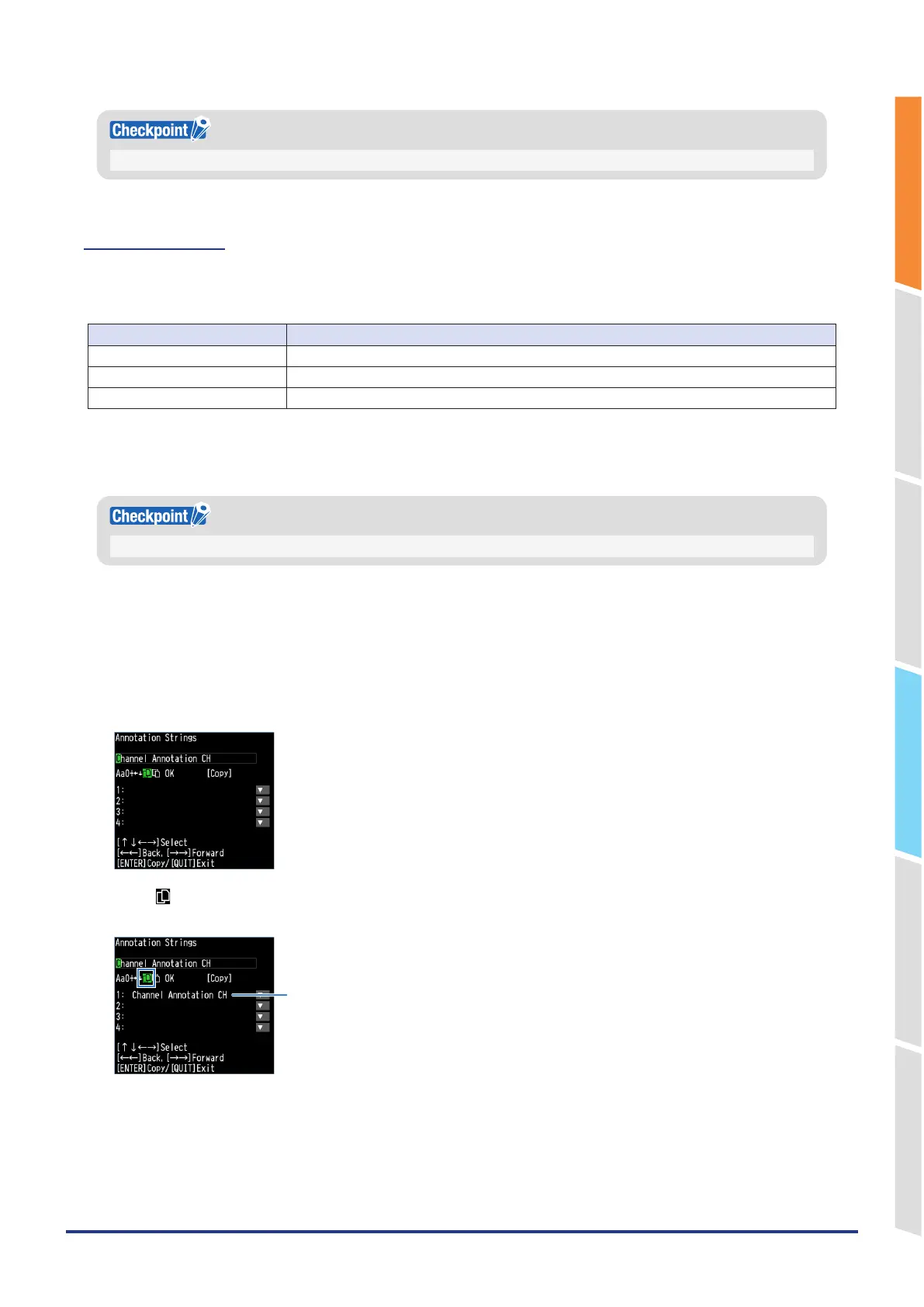
1. Open the annotation settings of CH1 and enter the character string you want to copy to the clipboard in the character
input field.
In the above example, enter "Channel Annotation CH".
2. Select " " and press the [ENTER] key.
The character string entered in the character string entering field is copied to No. 1 of the clipboard.
This is copied.
3. Enter the rest of the character string and select "OK" to complete the settings.
4. Open annotation settings for CH2.















 To Next Page