4-9
Chapter 4 Example of Use
Contents General Description
Checks and Preparation
Settings and Measurement
Example of Use Specification
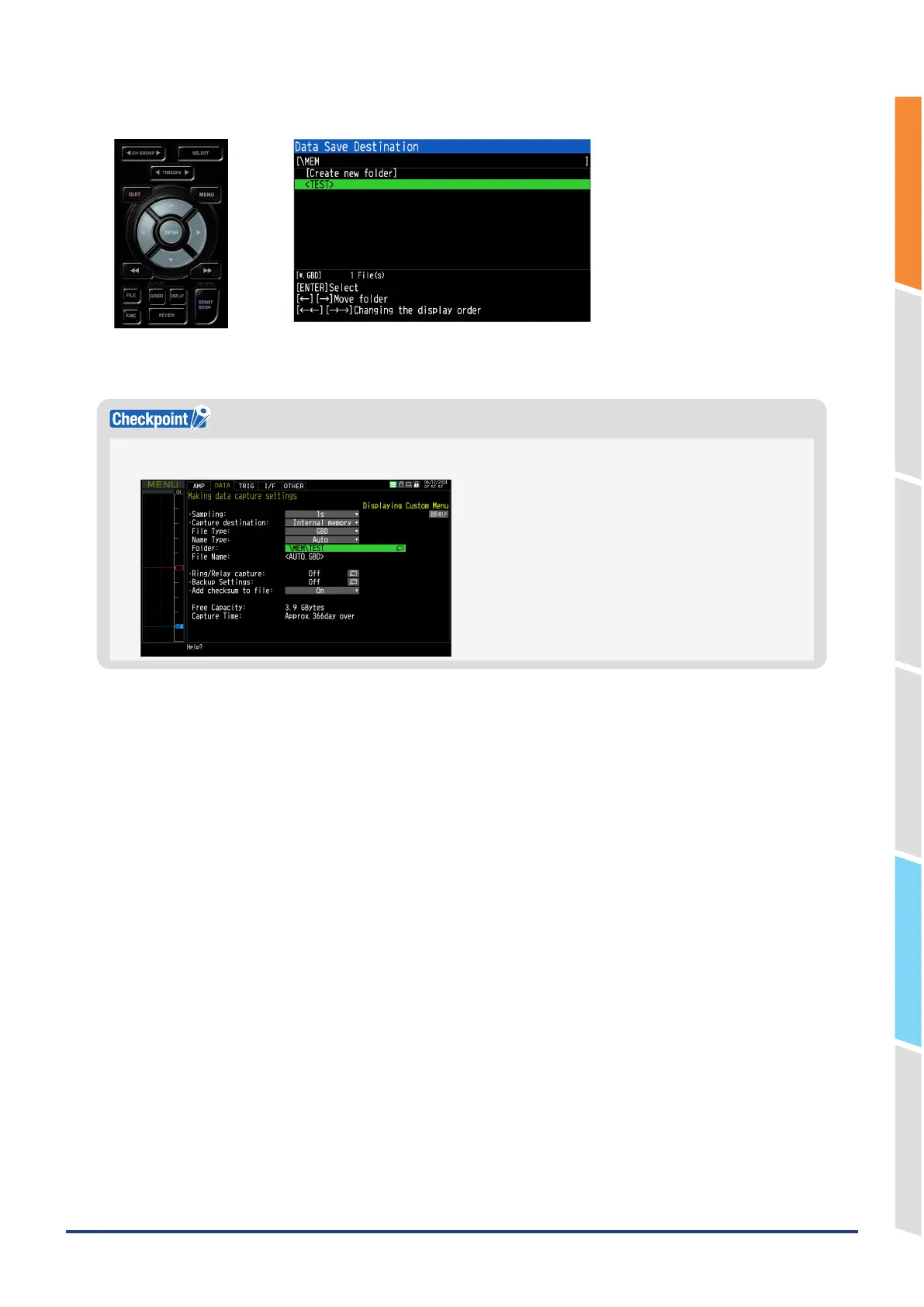
8. A "TEST" folder is created. Select the "TEST" folder and press the "ENTER" key.
Data is captured in the <TEST> folder of the internal memory (MEM) with an automatic file name.
When using the automatic file name function, an additional <DATE> folder is created and the data is saved under it.
You can check the available capturing capacity and capturing time at the bottom of the setting screen.
This completes the settings required for capturing.















 To Next Page