3-5
Chapter 3 Settings and Measurement
Contents General Description
Checks and Preparation
Settings and Measurement
Example of Use Specification
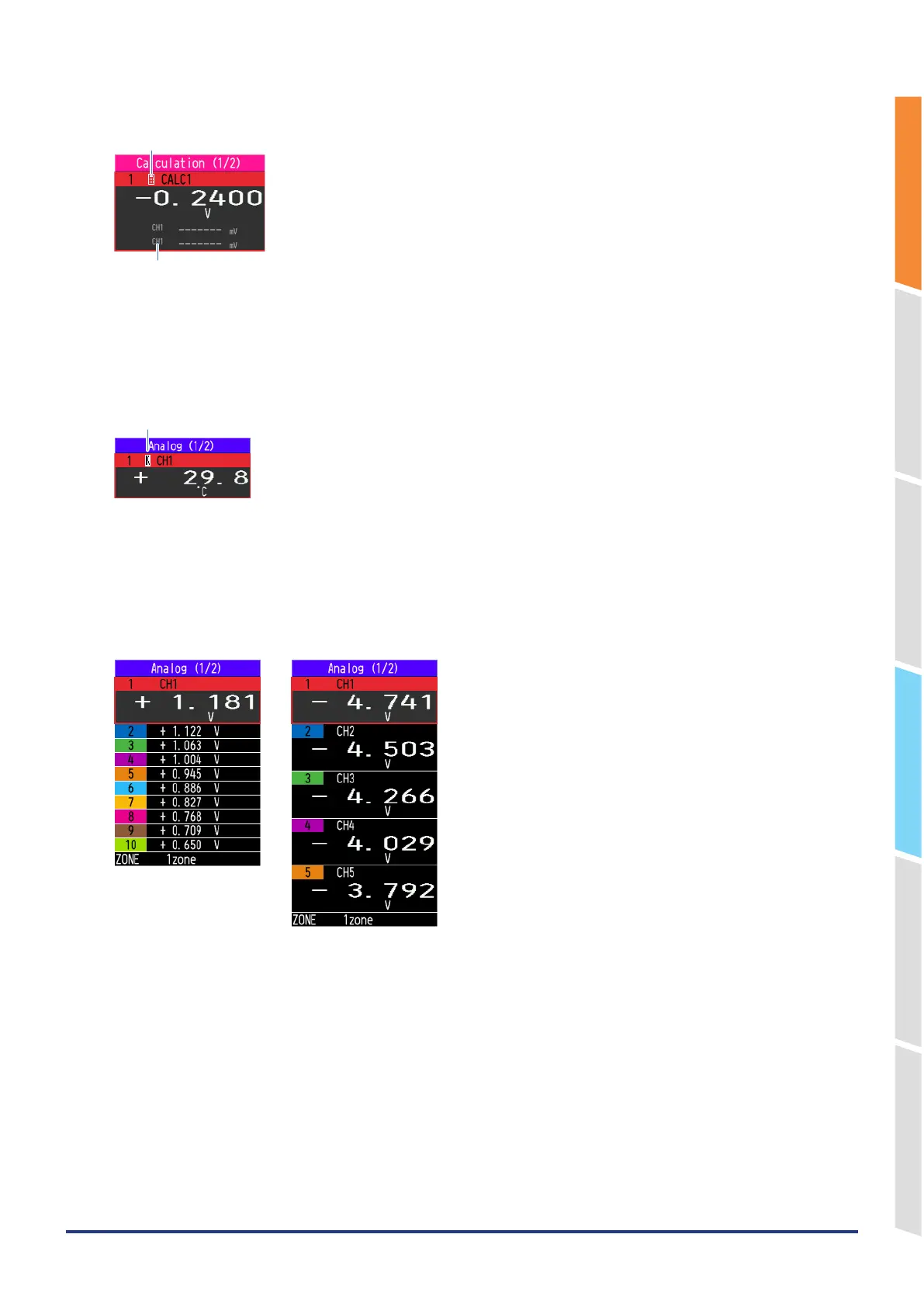
<Calculation mark>
Calculation mark
Calculation source display
As shown below, the CHs with the calculation mark is the CH of calculation between channels.
The digital display of the calculation CH shows the value of the analog CH that is the source of the calculation.
(Calculation source display).
<Thermocouple mark>
Thermocouple mark
The CHs with the thermocouple mark as shown above are the temperature measurement CH.
The thermocouple mark shows the type of thermocouple you have set.
<Digital display enlargement function>
If the number of CH displayed at one time is within 5 channels, the digital display will be enlarged.
[Enlarged display][Normal display]
<Span/Position/Trace settings>
Pressing the [ENTER] key during waveform display displays Span/Position/Trace settings.
For details, refer to "3.4 Setting Menus" – "7. Span/Position/Trace settings".















 To Next Page