3-33
Chapter 3 Settings and Measurement
Contents General Description
Checks and Preparation
Settings and Measurement
Example of Use Specification
1-12. Misc.
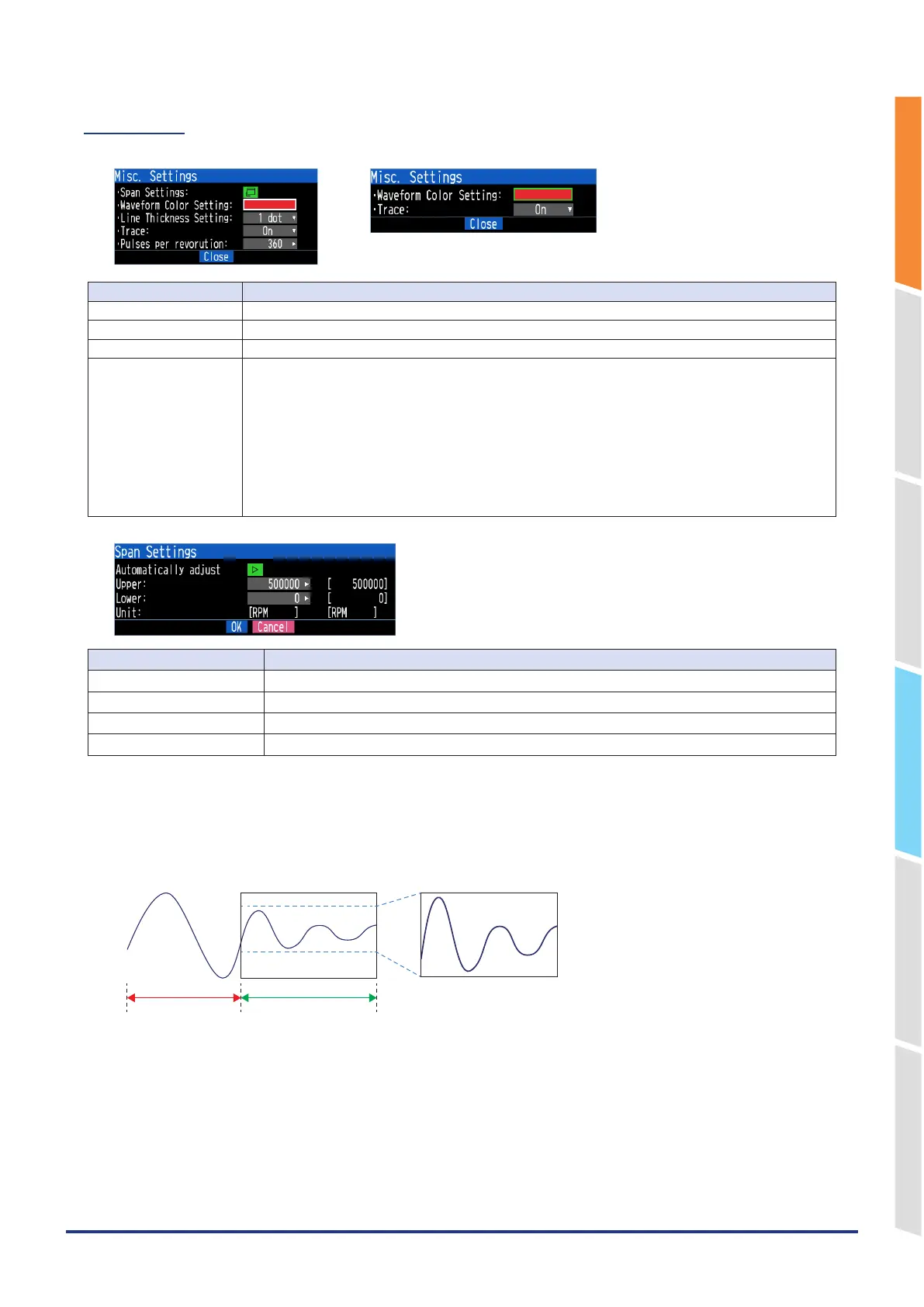
<For Logic><For Pulse>
Setting Description
Waveform Color Setting 0 to 31 for each of red, green, blue (RGB)
Line Thickness Setting 1 to 8 dots
Trace This is used to set the waveform display.
Pulses per revolution 1 to 10000
When setting the pulse input to the number of revolutions, set the number of pulses per revolution.
As the number of pulses per revolution set here is 1 revolution, the number of revolutions per minute (RPM)
is calculated. For example, if “100” is set, 1 rotation is judged when 100 pulses have been input.
<Calculation formula>
Number of revolutions (RPM) = Pulse input frequency ÷ Number of pulses per revolution x 60 (1 minute)
<Example>
Number of pulses per revolution: 100 (1 rotation is judged when 100 pulses have been input.)
Pulse input: 1000 Hz (1000 pulses per sec.)
Number of revolutions: 600 RPM (600 revolutions per 1 minute)
Selection item Description
Automatically adjustment Automatically adjust the span value based on the displayed data.
Upper limit Set the span upper limit.
Lower limit Set the span lower limit.
Unit Set the unit.
<Regarding automatic span adjustment>
The target of automatic adjustment is the range of the waveform displayed on the screen when automatic adjustment is
executed.
Automatic adjustment does not follow continuously. The span is determined by the data on the screen at the moment
when automatic adjustment is executed.
Out-of-screen display
(Automatic adjustment
not applied)
In screen display
(Automatic adjustment
range)















 To Next Page