3-34
Chapter 3 Settings and Measurement
Contents General Description
Checks and Preparation
Settings and Measurement
Example of Use Specification
Calculation settings
1-13. Calculation
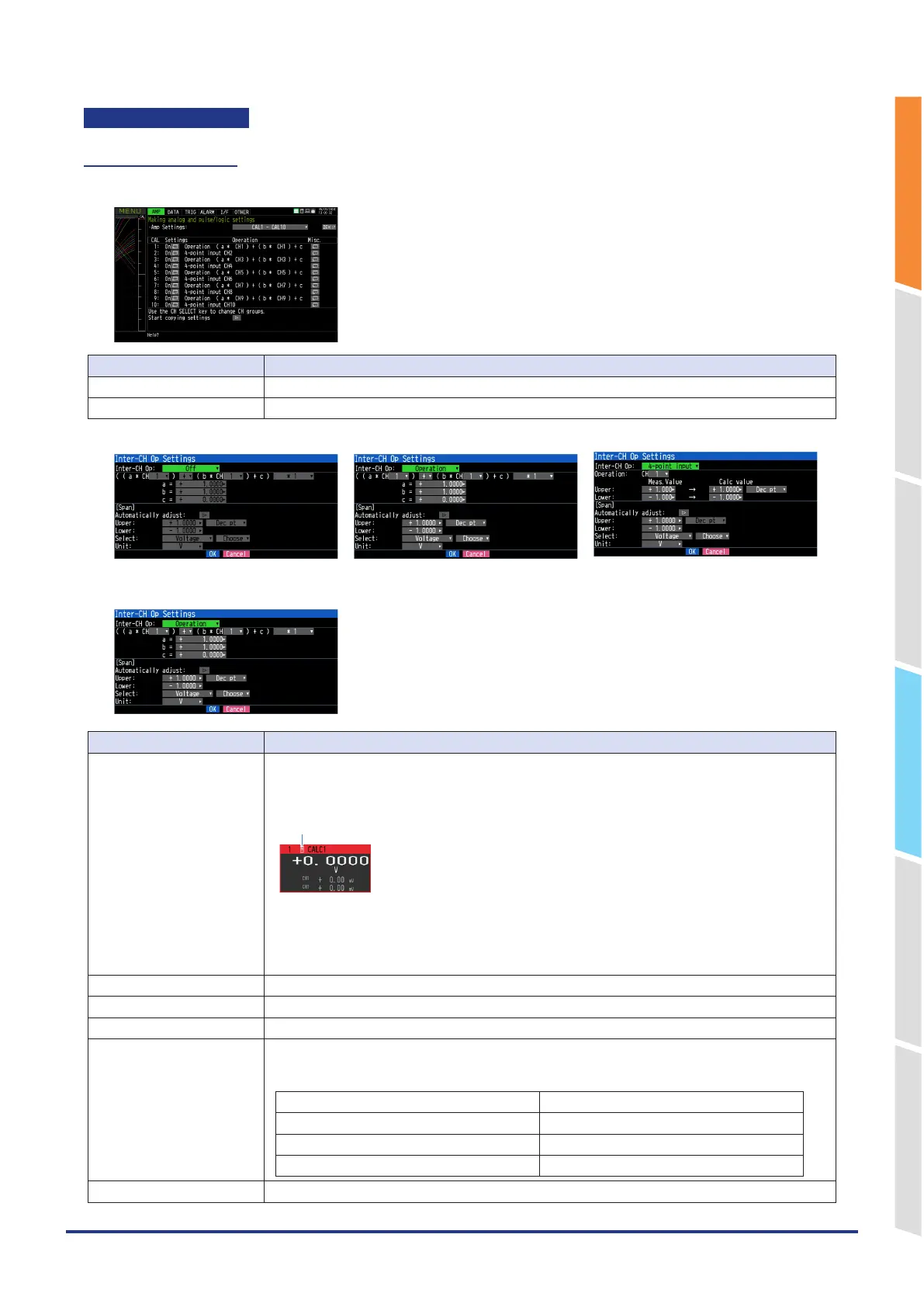
Make settings related to calculation.
Setting Description
Setting Off, On (when inter-CH Op. setting is a formula or 4-point input)
Misc. Set annotation, waveform color, line thickness and trace.
<Calculation Off settings> <Calculation formula settings> <4-point input settings>
Calculation formula settings
Setting Description
Inter-CH Op setting function Off, calculation formula, 4-point input
Select the setting method for Inter-CH Op.
CHs set here as calculation formula/4-point input is marked with a calculation mark on the digital
display, etc., as shown below.
Calculation mark
*In the case of a 5ms sampling interval, the maximum number of usable calculation channels is 5.
*In the case of a 10ms sampling interval, the maximum number of usable calculation channels is 10.
*If the sampling interval is slower than 20 ms, the maximum number of usable calculation channels
is 20.
CH-X Select CH to calculate.
Operator Select the operator +, –, *, / to calculate.
CH-Y Select CH to calculate.
Scaling*1 /1000000, /1000, ×1, ×1000, ×1000000
Set the scaling factor for a calculation result.
<Example>
In the case of calculation result = 0.001 In the case of calculation result = 1000
Calculation result × 1 = 0.001 Calculation result × 1 = 1000
Calculation result × 1000 = 1 Calculation result / 1000 = 1
Calculation result × 1000000 = 1000 Calculation result / 1000000 = 0.001
a Set the coefficient of CH-X.















 To Next Page