Skx
Owner’s Manual
102
SYSTEM
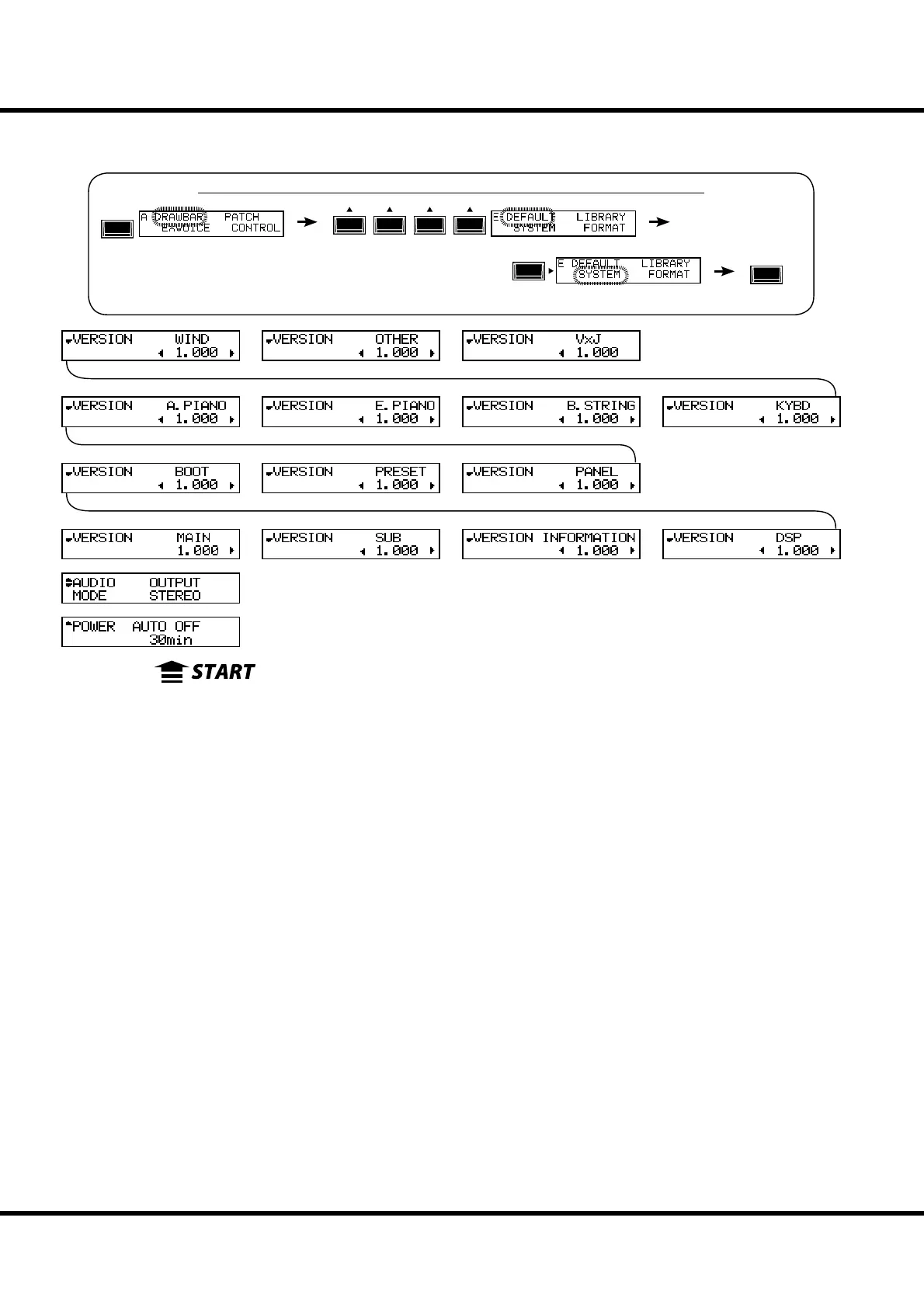
In this mode, set the auto power o , audio output mode, and the System information
of the SKX is displayed.
To locate this mode:
❶ POWER - AUTO OFF
Sets whether power o after a certain time is elapsed since last
operated.
30min
Powers o if the time is elapsed 30 minutes since last played/
operated.
DISABLE
Disable auto o .
❷ AUDIO MODE - OUTPUT
Sets the audio mode of output jacks.
STEREO
Use this if it is stereo connection. You can get the maximum ste-
reophonic sound e ects.
MONO
Use this if it is mono connection. Though it makes no stereo-
phonic sound e ects, it avoids “drop out” by sounding opposite
channel.
See “Function mode” (P. 66) for operation details.
MENU/
EXIT
ENTER
❸ VERSION - MAIN PROGRAM
❹ VERSION - SUB-PROGRAM
❺ VERSION - VOICE INFORMATION
❻ VERSION - D. S. P.
❼ VERSION - BOOTSTRAP PROGRAM
❽ VERSION - FACTORY PRESET
❾ VERSION - CONTROL PANEL
❿ VERSION - EXV (A. Piano)
⓫ VERSION - EXV (E. Piano)
⓬ VERSION - EXV (B. String)
⓭ VERSION - EXV (Keyboard)
⓮ VERSION - EXV (Wind)
⓯ VERSION - EXV (Others)
⓰ VERSION - EXV (VxJ)
ese are display only and not intended for System update use.
❿
⓫
⓬
⓭
⓮
⓯
⓰
❹
❺
❻
❼
❽
❶
❾
❸
❷



 To Next Page