Skx
Owner’s Manual
58
P A T C H
“USER” AND “PRESET”
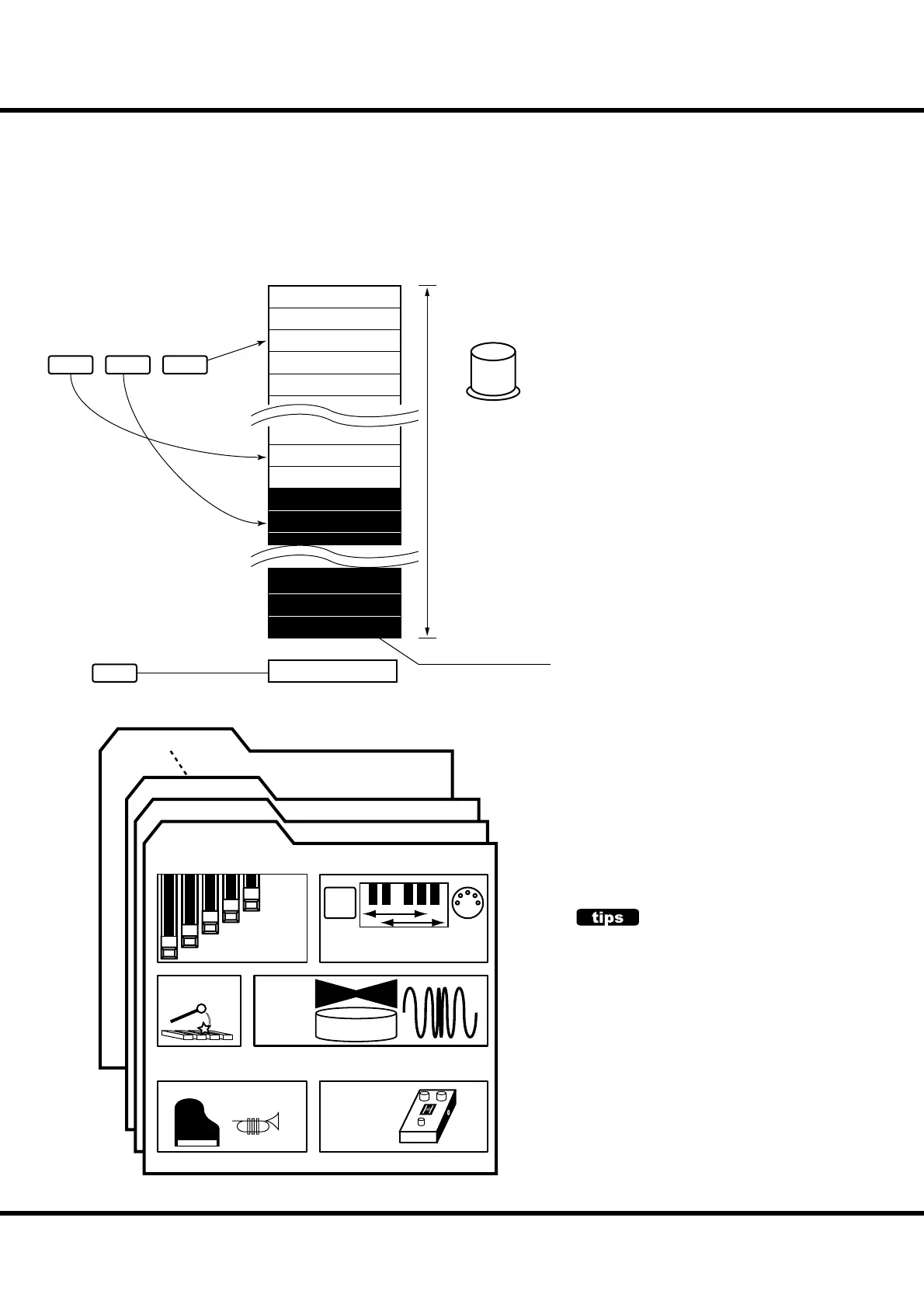
There are 100 USER and 100 PRESET
Patches as illustrated. e “User” Patch are
over-write capable. e “Preset” Patches are
not.
To call the Patch, select the Patch Number
with the [VALUE] knob in the Play mode
(P. 23).
To record the present setting to the Patch,
first give a name to it and designate the
Patch number before recording the Patch
(next page).
The [MANUAL] button on the left side
of the top panel shifts the focus to all the
current settings of the top panel, and the
current internal settings. It is used as a start-
ing point for writing your own Patches, or
for the musician who prefers to register “by
hand” instead of using Patches.
PATCH LOAD
Only the Drawbar registrations of each keyboard
were recorded to the preset of the B-3/C-3. But
many more parameters than the Drawbar registra-
tions are recorded to the Patches on the SKX.
If you wish to keep the “traditional” style of regis-
tration (Drawbars only), Select the proper param-
eters in “Patch Load”. (P. 74)
e settings you have prepared can be recorded to User Patches.
Patches
“FAVORITE”
buttons
1
MANUAL
23
“VALUE”
knob
in PLAY mode
U001
First
Manual
U002
Second
U003
ird
U004
Fourth
U005
Fih
U098
November
U099
December
U100
“User” ends
P098
Mezzo Forte
P099
Forte
P100
Fotissimo
P001
Preset begins
P002
Monday
P003
Tuesday
refer
refer
refer
exclusive
sequential
select
“P” are not rewritable
P100
U003
U002
U001
Drawbars
Registraion
Internal / External Zone
F
and, Drawbar Parameters for Swell and Great
Percussion
Organ
Eects
Patch Name (ex: “First”)
Extra Voice
Extra
Voice
Eects



 To Next Page