87
Setting the Parameters
Record the CUSTOM virtual Tone Wheels
e Tone Wheel Parameters (= 3 - 8 of the previous paragraph) are for determining the
Custom Number for recording. e Custom Number is selected and used, when you
play.
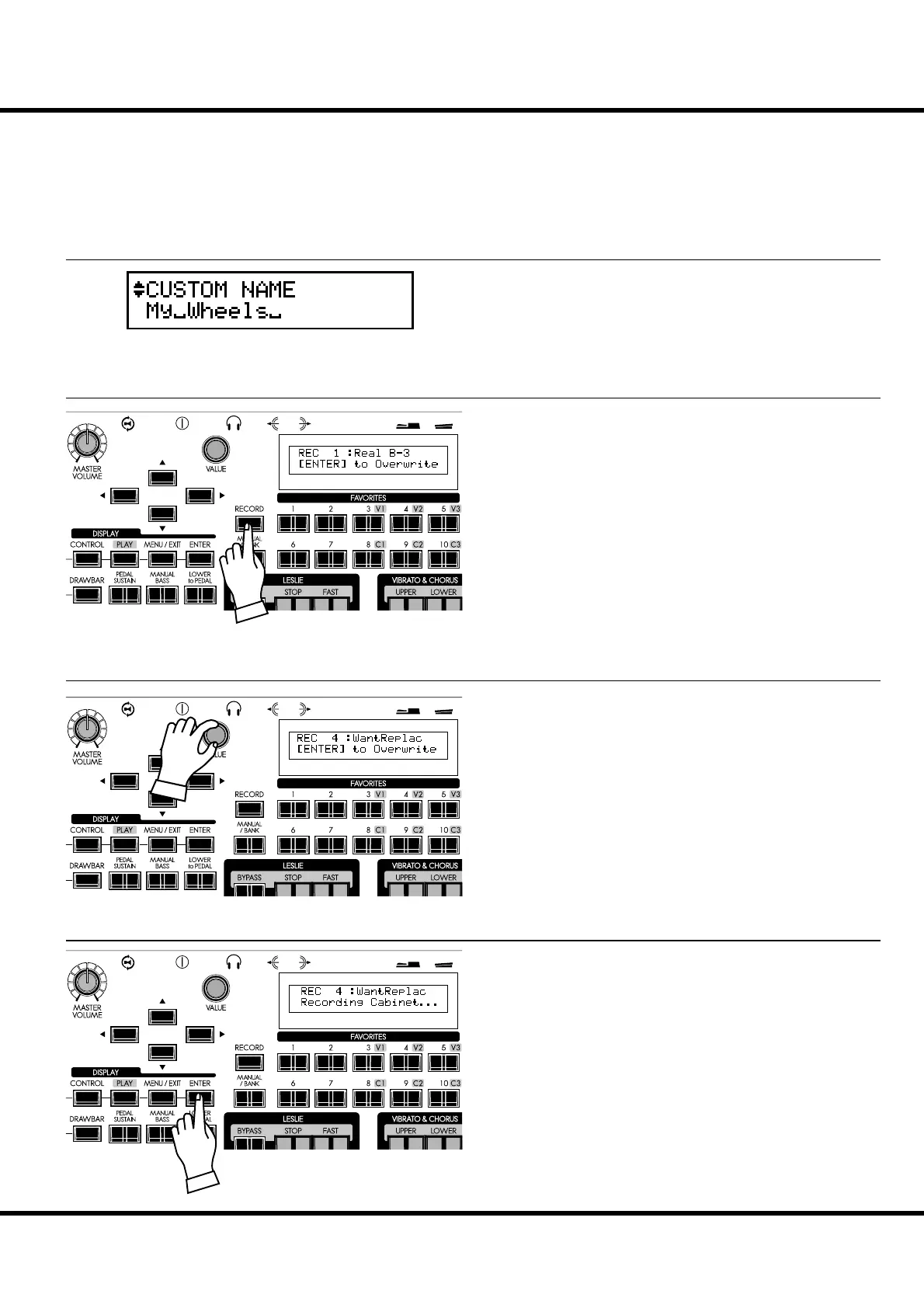
Enter the Custom Name if desired.
Touch the [RECORD] button in the setting mode of the
Tone Wheel Parameters.
e mode for selecting the Custom Number to be recorded will
be displayed.
Select the Custom Number to be recorded using the [VALUE]
knob.
It will be recorded if you touch [ENTER] button.
e display will be as illustrated, while the recording is being
written to memory.
NOTE: If you do not want to record it, just touch the [MENU] button.
① ENTER THE NAME
② PRESS THE [RECORD]
③ SELECT THE NUMBER TO RECORD
④ PRESS [ENTER] TO DECIDE



 To Next Page