109
MIDI
USING A MIDI SOUND MODULE
You can control an external MIDI sound module with the built-in keyboard and the
expanded MIDI keyboard.
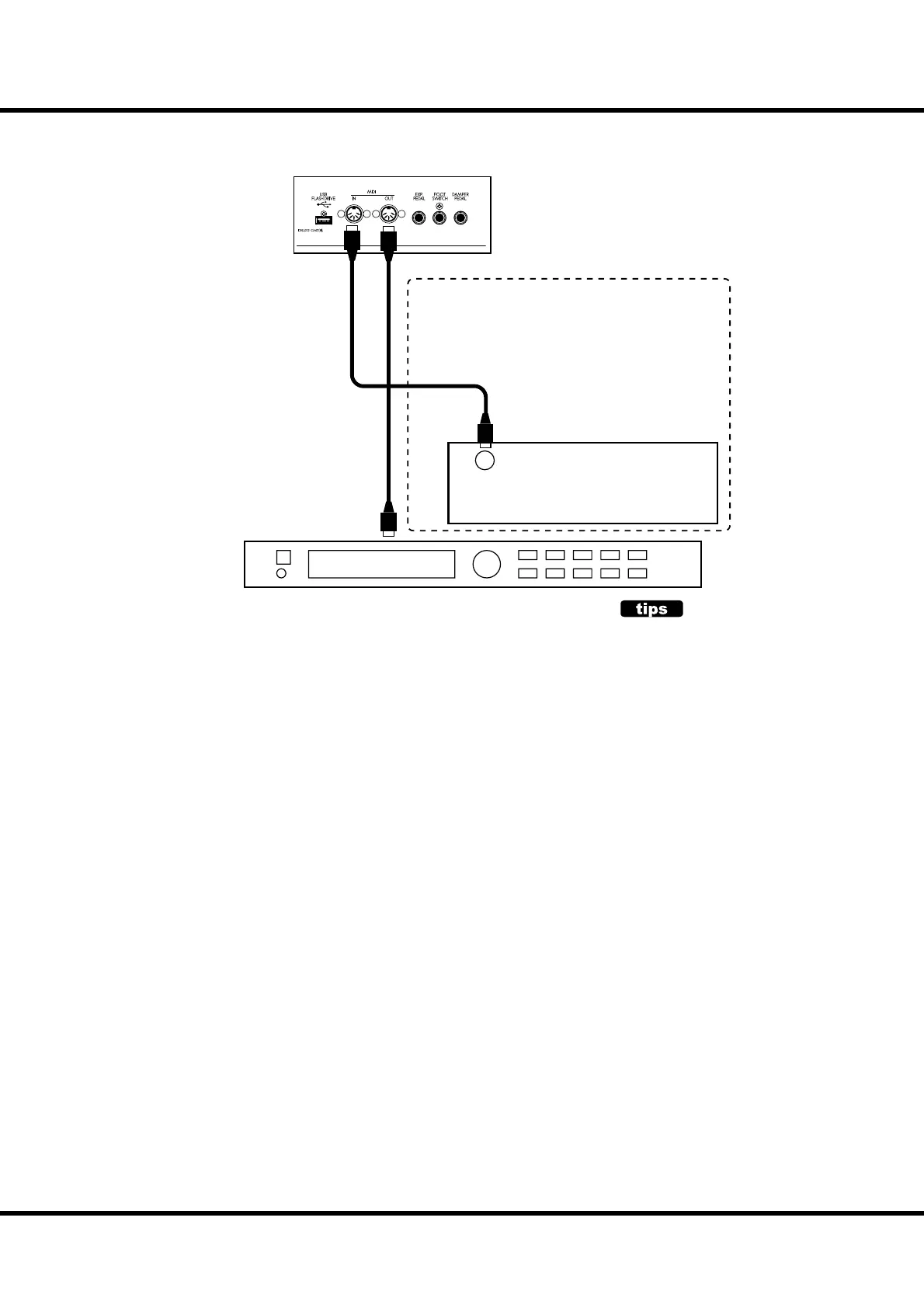
1. Connect as illustrated.
Connect the MIDI OUT of theSKX to the MIDI IN of the MIDI sound module.
2. Call the MIDI template “Use Ex. xxx”. (P. 112)
By this, the External Zone performance is sent from the MIDI OUT instead of Key-
board channels.
Use di erent MIDI templates, depending whether the keyboard is expanded or not.
3. Set each zone, and, if necessary, record to the Patches.
See the next paragraph “ZONES” for the setting details.
MIDI Pedalboard
OUT
(MERGE)
MIDI Sound Module
Optional
MIDI IN
WHY USING EXTERNAL ZONES
You can control the MIDI equipment by using
Keyboard channels (easier) sure, but it makes
some problem. Probably the program number
is di erent between SKX and MIDI equipment
that you wish to use. About octave, velocity
sensitivity, and so on?
The External Zone is a solution. It has a pro-
gram number, octave, velocity sensitivity and
so on by each Patch. When a Patch is called,
various messages for MIDI equipment will sent
automatically.



 To Next Page