Skx
Owner’s Manual
132
WORKING WITH VOICE LIBRARY - continued
DELETE A VOICE LIBRARY
When the remaining capacity of the SKX is not enough for the
Voice Library you want to load, you can increase the capacity by
deleting an unnecessary portion of the library.
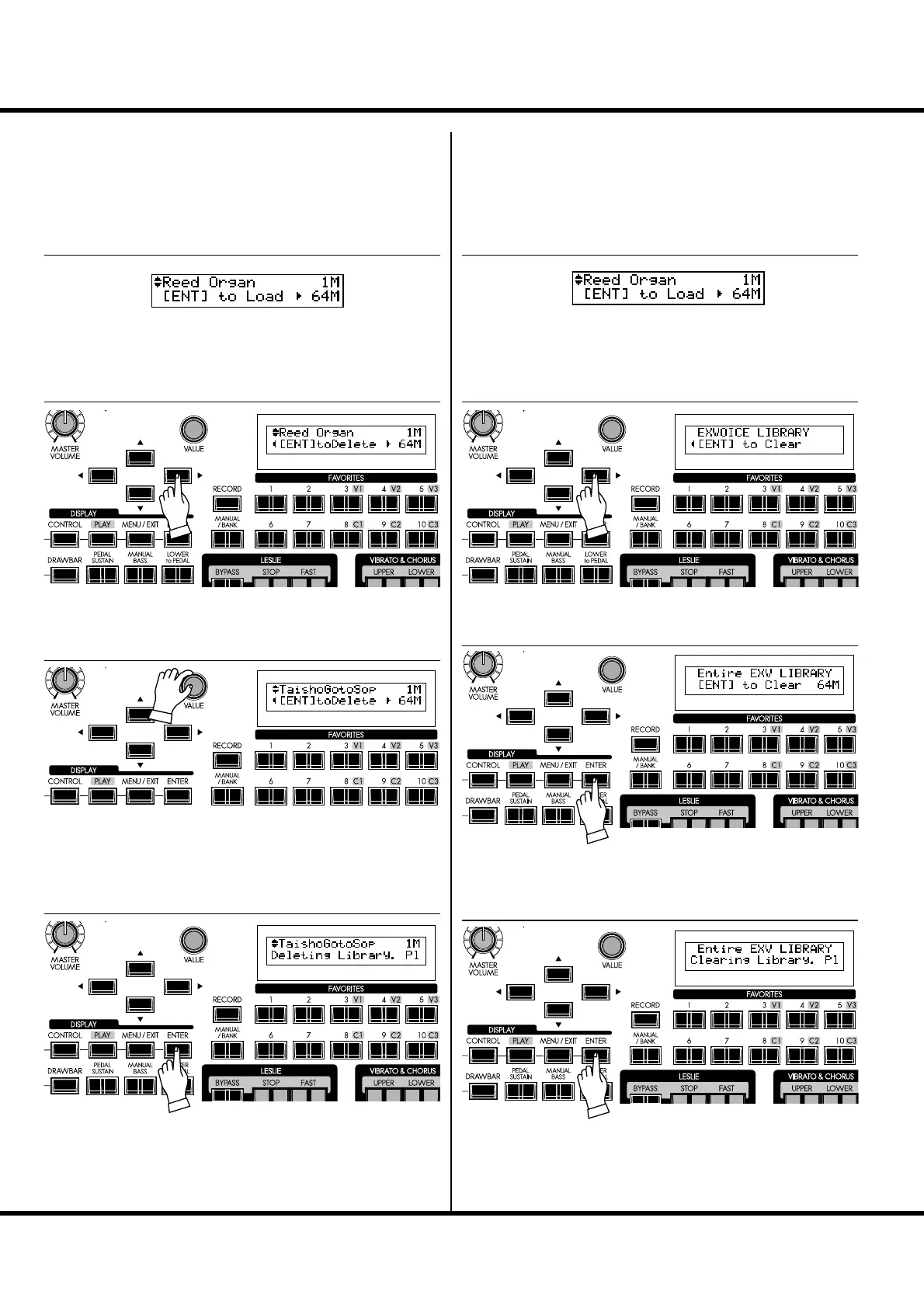
Locate the Voice Library function mode.
Press the [] button. e selected Library is displayed.
e Library’s size is displayed on the upper right. Select the
Voice Library you want to delete using either the [VALUE]
knob or the [],[] buttons, referring to the display.
Press the [ENTER] button. e selected Voice Library is de-
leted from the memory, and the remaining capacity is displayed
on the bottom right.
CLEAR ALL VOICE LIBRARIES
If you want to “start fresh” and load all new Voice Libraries, you
can clear the entire Voice Library memory.
Locate the Voice Library function mode.
Press the [] button twice. ‘Clear’ page appears.
Press the [ENTER] button. You will see a message con rming
that you want to delete all currently installed Voice Libraries.
Press the [ENTER] button again. e Voice Library memory
will be cleared.
If you do not wish to clear, touch the [MENU/EXIT] button.
① LOCATE THE LIBRARY MODE
② SELECT THE OPERATION
③ SELECT THE LIBRARY FILE
④ PRESS [ENTER] TO DELETE
① LOCATE THE LIBRARY MODE
② SELECT THE OPERATION
③ PRESS [ENTER] TO CONFIRM
④ PRESS [ENTER] TO CLEAR


 To Next Page