39
Setting Up
Column: SELECTING THE ORGAN TYPES
Use the control panel for switching the Organ Types.
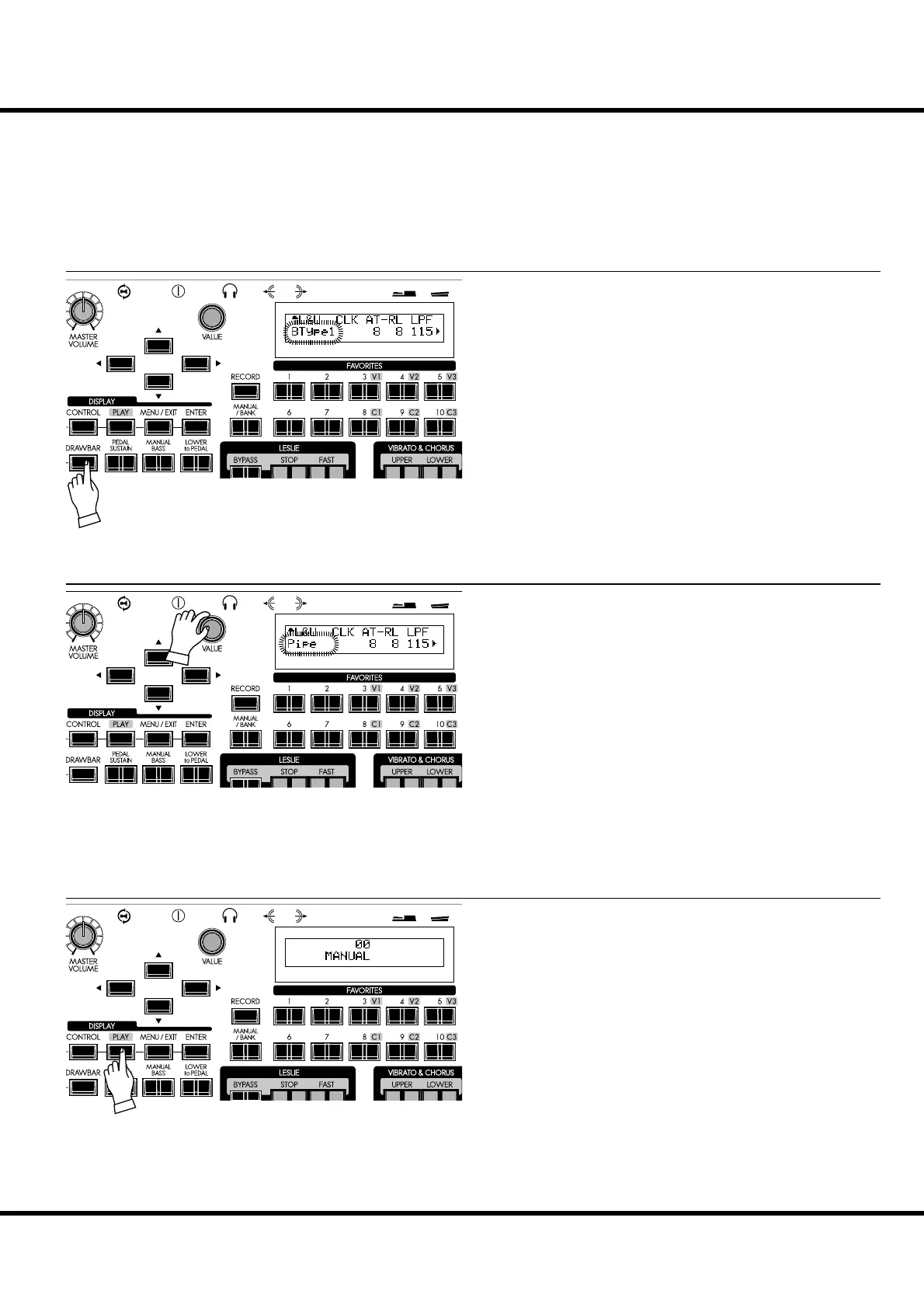
Example: Switching the Organ Type to “Pipe”
Press the [DRAWBAR] button. The DRAWBAR Function
mode is displayed and the presently selected Organ Type
(“BType1” etc.) of the manual keyboard will blink.
Select “Pipe” with the [VALUE] knob. e pipe organ sounds
when you play the notes from the Organ section.
NOTE: Though this page is for Lower and Upper part, the Organ Type
“Pipe” switches Pedal part also from other types to “Pipe”
type.
To return to the Play mode, press the [PLAY] button.
① PRESS THE [DRAWBAR]
② SELECT THE ORGAN TYPE
③ RETURN TO THE PLAY MODE



 To Next Page