Skx
Owner’s Manual
64
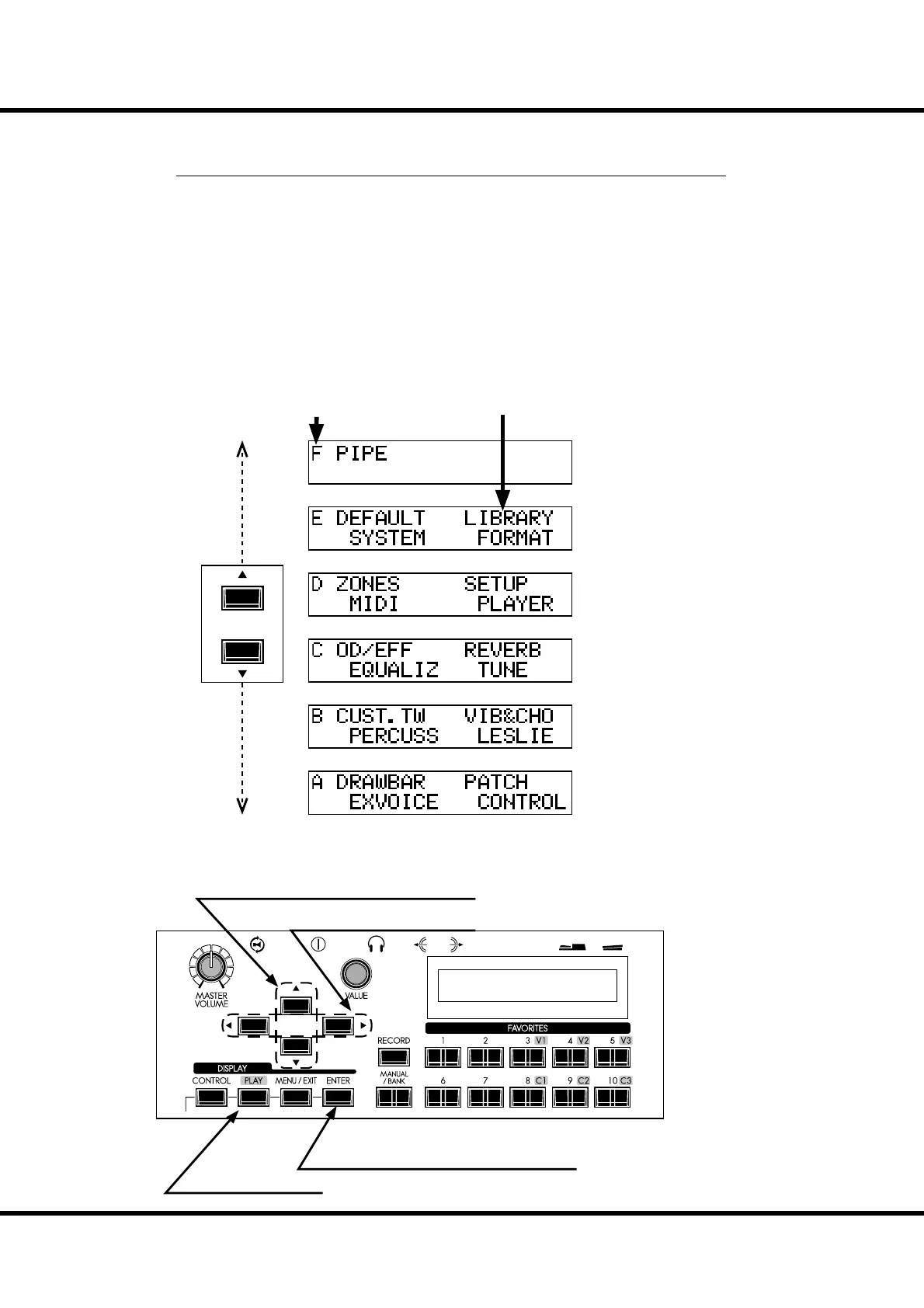
MENU MODE
e Menu mode provides a directory of all the various functions.
To locate this mode:
Press the [MENU/EXIT] button.
Use the [] and [] buttons to access the di erent Pages of the Menu mode.
ere are 6 pages in the Menu mode, labeled “A” through “F.” Each page has up to four
items.
Notice that one of the Menu items is ashing. Use the [] and [] buttons, or turn the
[VALUE] Rotary Knob to select the item you wish to edit.
When the item you want is ashing, touch the [ENTER] button. e Function mode
for the selected item will display.
HOW TO READ THE DISPLAY
OPERATION IN THIS MODE
Page Items
Move the page.
Select the item in the page.
Enter the selected Function mode.
Return to the Play mode.



 To Next Page