59
Setting Up
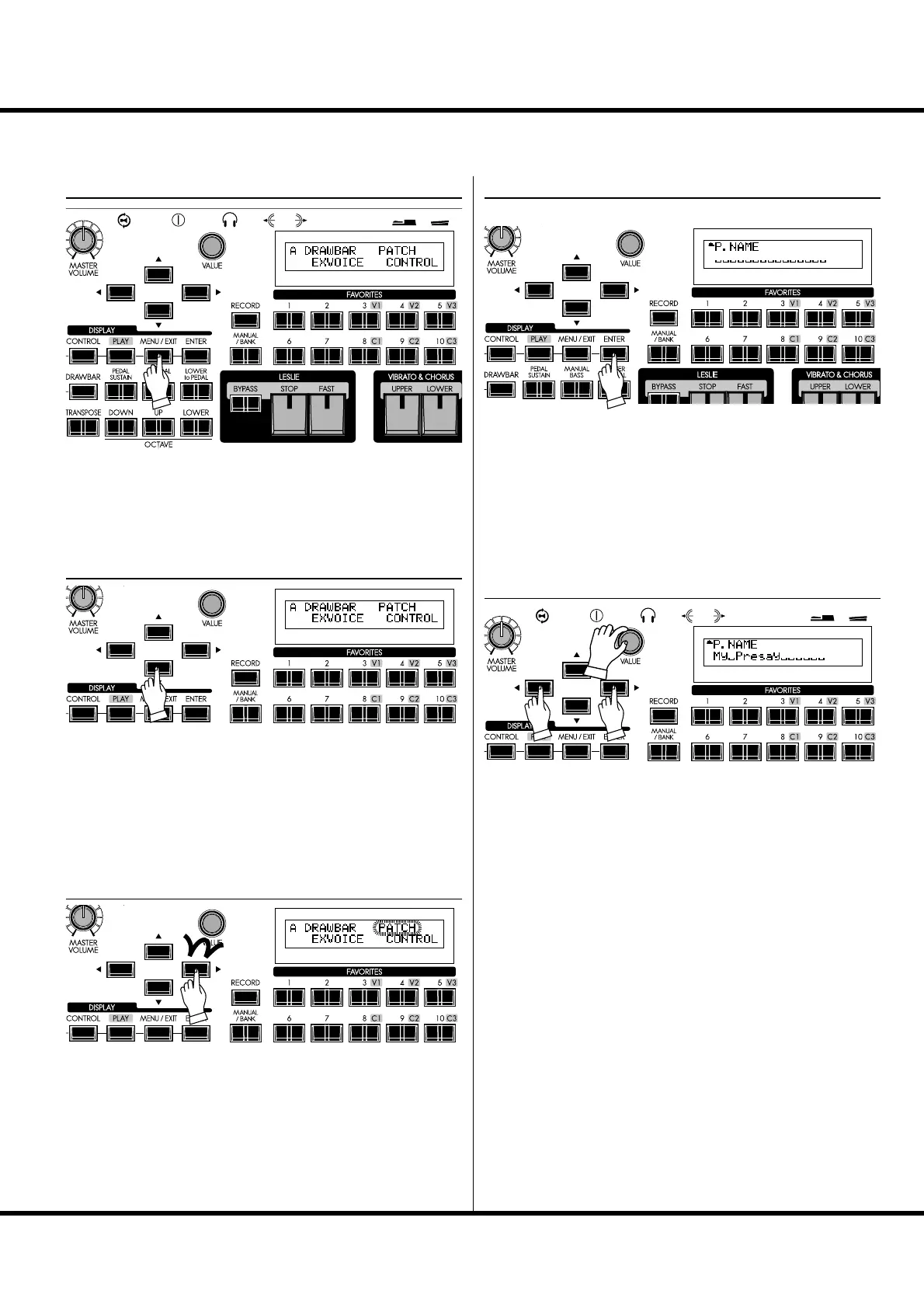
NAME THE PATCH
① GO TO THE MENU MODE
Press the [MENU/EXIT] button.
Menu mode will be displayed.
② GO TO PAGE A
If Page A is not displayed, go to Page A by pressing [] button.
④ GO TO PATCH FUNCTION MODE
Press [ENTER] and go to PATCH Function mode.
⑤ INPUT NAME
You can enter a name using up to 15 letters.
[],[] buttons: Moves the cursor.
[VALUE] knob: Selects letters.
e available characters include: Punctuation Marks (space - .
’ &), Numeric Characters (0 - 9), Upper-case Letters (“A - Z”),
and Lower-case Letters (“a - z”).
You must save the Patch in order for the Patch Name to be
remembered (as explained on the next page).
③ SELECT THE “PATCH”
Press [] button twice and move the cursor to “PATCH”.



 To Next Page