Skx
Owner’s Manual
126
BEFORE PLAYING BACK
e Music Player feature of your SKX allows you to play audio les from a USB Flash
Drive. In this way, you can use a previously recorded rhythm track as an accompani-
ment for a “one-man band” performance. You can also play along with, or simply
listen to, favorite songs.
FILE TYPE AND PLACING FOLDER
FILE TYPE
e SKX Music Player will play the following le types:
WAV type (44.1 kHz 16 bit stereo)
MP3 type (44.1 kHz 64 to 192 kbps stereo)
NOTE: Playing along with an MP3 le may cause intermittent sound during playback. If you
wish to use a Music File as on accompaniment track, it is recommended that you use
WAV les.
PLACING FOLDER
If you format a USB Flash drive in SKX or insert it, the folder for the Music
Player les is automatically created.
\HAMMOND\SKX\AUDIO\
Using your Computer, copy the les you wish to play in this folder. e SKX
identi es up to 99 les.
NAMES OF MUSIC TO BE DISPLAYED
If the audio le is a .WAV le, the le name is displayed as the song name.
If the audio le is a .MP3 le, the title of the ID3 tag (V1 or V2) is displayed
as the song name.
PLAYING ORDER
If you wish to play audio les in a certain order - as part of a show, for example - use
the Rename File feature on your computer to add a number to the beginning of the
le name. See the example below.
Example:
00_Audio_Check.wav
01_Show_Opener.wav
02_Self_Introduction.wav
03_Hit_Number.wav
04_Ballad.wav
05_Anchor.wav
HANDLING THE USB FLASH DRIVE
See the previous paragraph “Save your setup” for
the handling details of the USB Flash drive (P. 116).
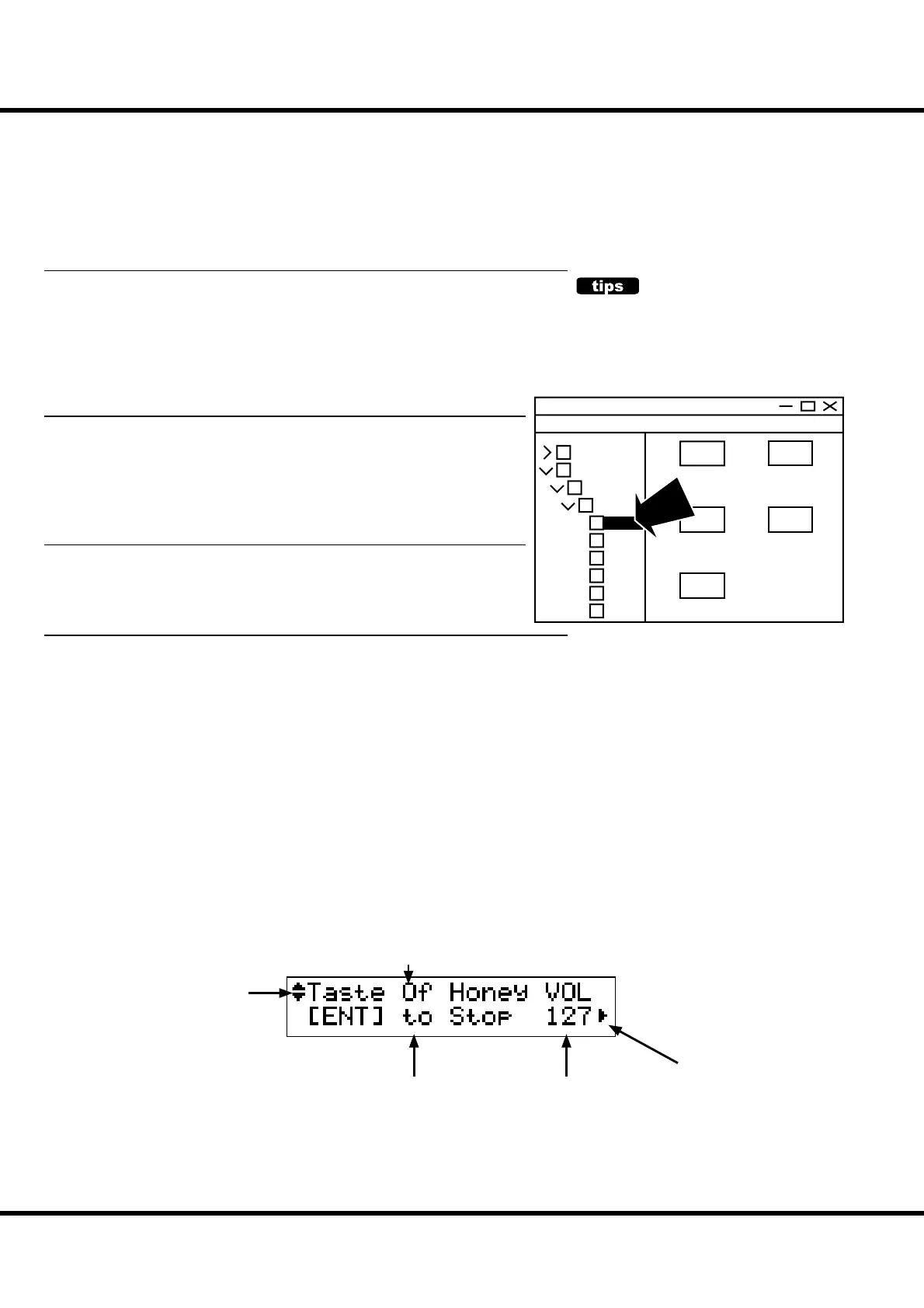
HOW TO READ THE DISPLAY
e illustration is of the Song List mode.
01_Audio_Check
.wav
02_ShowOpener
.wav
03_Self_Introduc
tion.wav
05_Anchor.wav
04_Ballad.wav
skx
hammond
setup
patch
lib
audio
twheel
system
COPY
Song Name
This means another audio le
above or below the current
one.
Message
This means there is another audio
le on the right (or on the left).
Play Volume



 To Next Page