Skx
Owner’s Manual
70
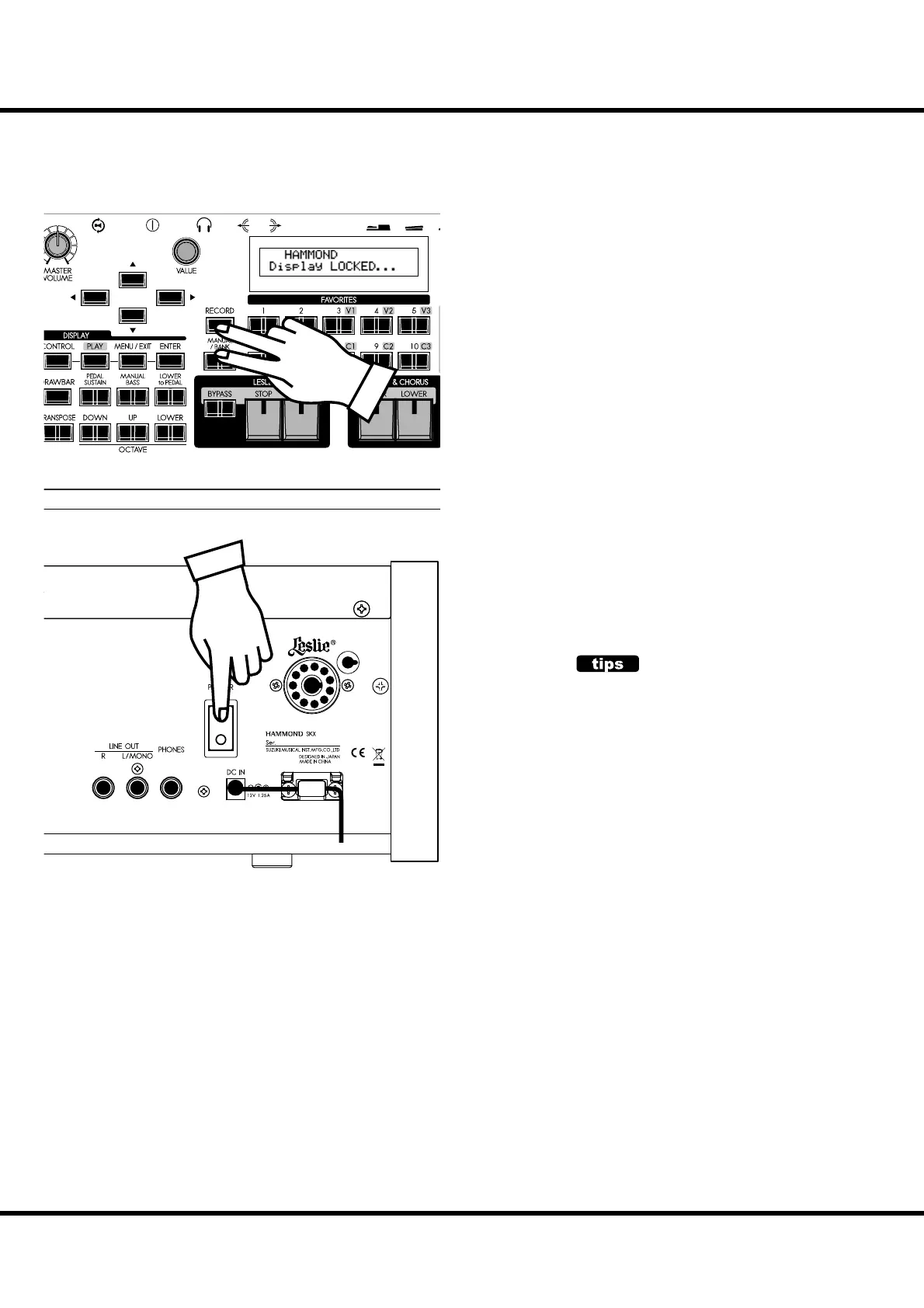
DISPLAY LOCK MODE
You can lock the display to avoid accidentally changing something in the midst of playing. To do this, follow the instructions below.
To lock the display, turn the [POWER] to the instrument
“ON” with press and hold the [RECORD] and [MANUAL/
BANK] buttons until “Display LOCKED” is displayed.
To unlock this, repeat the operation above until “Display
UNLOCKED” is displayed.
is function works listed below;
[MENU/EXIT] button (P. 64) is disabled
[RECORD] button (P. 34) is disabled normally, but you can
record the Patch by using “LOCKED 1-10” (P. 70), or you
can associate the favorite buttons by using “ASSOCIATE”
(P. 74) before locking the display.
“Short-Cut” function (P. 69) is disabled
[UPPER / LOWER ON] buttons (P. 47) are still enabled.
[EXTRA VOICE] buttons (P. 30) are enabled, but the page
or cursor is locked on the instrument name.
NOTE: This feature will not released by Default-All or power on with
pressing [RECORD] button.
USING REGISTERED PAGE
You can still use the [CONTROL] button to access
a frequently-used Function mode page in Display
Lock mode.
However, you cannot move the cursor if the page
has two or more parameters.
11 PI N



 To Next Page