Skx
Owner’s Manual
108
USING AN EXTERNAL SEQUENCER
is is to record/playback the performance by connecting an external sequencer or
computer to the SKX.
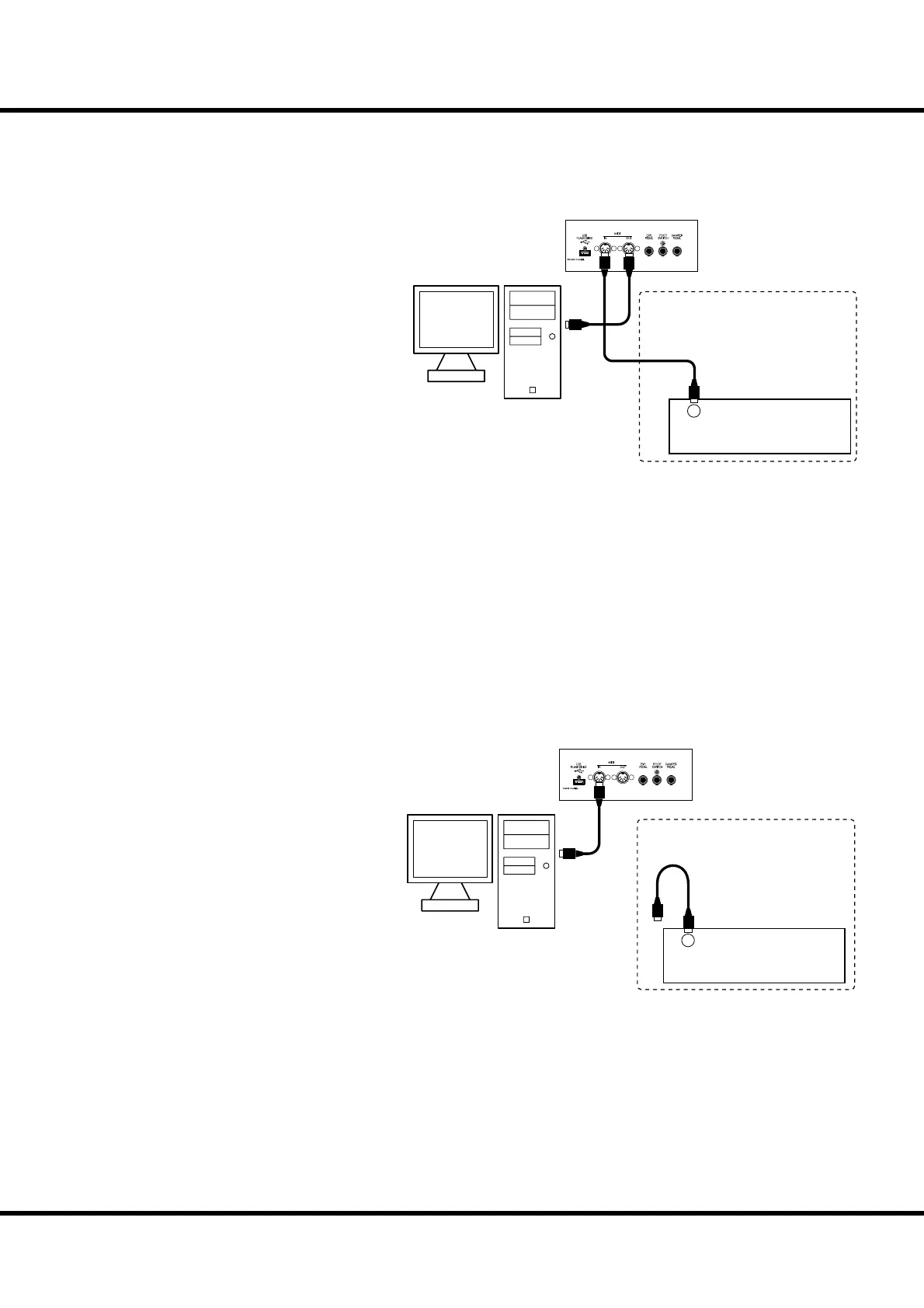
1. Connect as illustrated.
2. Call the MIDI template “Basic”. (P. 112)
3. Set both the Keyboard channel and the control channel.
Set the MIDI channel of the SKX (RX KBD) at that of the external sequencer.
4. Start playback of the external sequencer.
Recording a performance to an external sequencer
1. Connect as illustrated above.
2. Call the others than the “Use Ex.” of MIDI template (P. 112)
e performance can be recorded by Keyboard channels. It cannot be recorded the
control of the External Zones in this hook-up*1.
3. Set the Keyboard channels.
Set the MIDI channel of the SKX (TX KBD) to that of the external sequencer.
4. Start recording of the external sequencer.
5. Send the memory dump if necessary.
6. Start your performance.
Sequencer playback
MIDI Pedalboard
OUT
(MERGE)
Optional
MIDI IN
MIDI Pedalboard
OUT
(MERGE)
Optional
MIDI OUT
*1 To record the control of External Zones, addition of
above illustration, connect MIDI IN of controlled
MIDI equipment to MIDI OUT of external se-
quencer, and set Echo ON the external sequencer.
When the playback, connect the MIDI OUT of
external sequencer to MIDI IN of controlled MIDI
equipment instead of the SKX.



 To Next Page