Skx
Owner’s Manual
84
EXTERNAL LESLIE SPEAKER
⓴ LESLIE CHANNELS
Sets the channel for the Leslie speaker connected to the LESLIE 11-PIN socket.
1ch: For connecting a 1 channel Leslie cabinet such as the 122XB, 3300/W (non-expansion).
The Drawbar and the Percussion sounds are output only from the rotary channel, the
other voices are from the LINE OUT jack.
3ch: This is for connecting a 3 channel Leslie cabinet such as the 2101/mk2. The Drawbar and
the Percussion sounds are output from the rotary channel, the Extra Voices and bypassed
Drawbar and Percussion sounds are from the stationary channel of the Main and Aux.
NOTE: This is a system parameter. It is recorded upon setting, and is common with all
Patches.
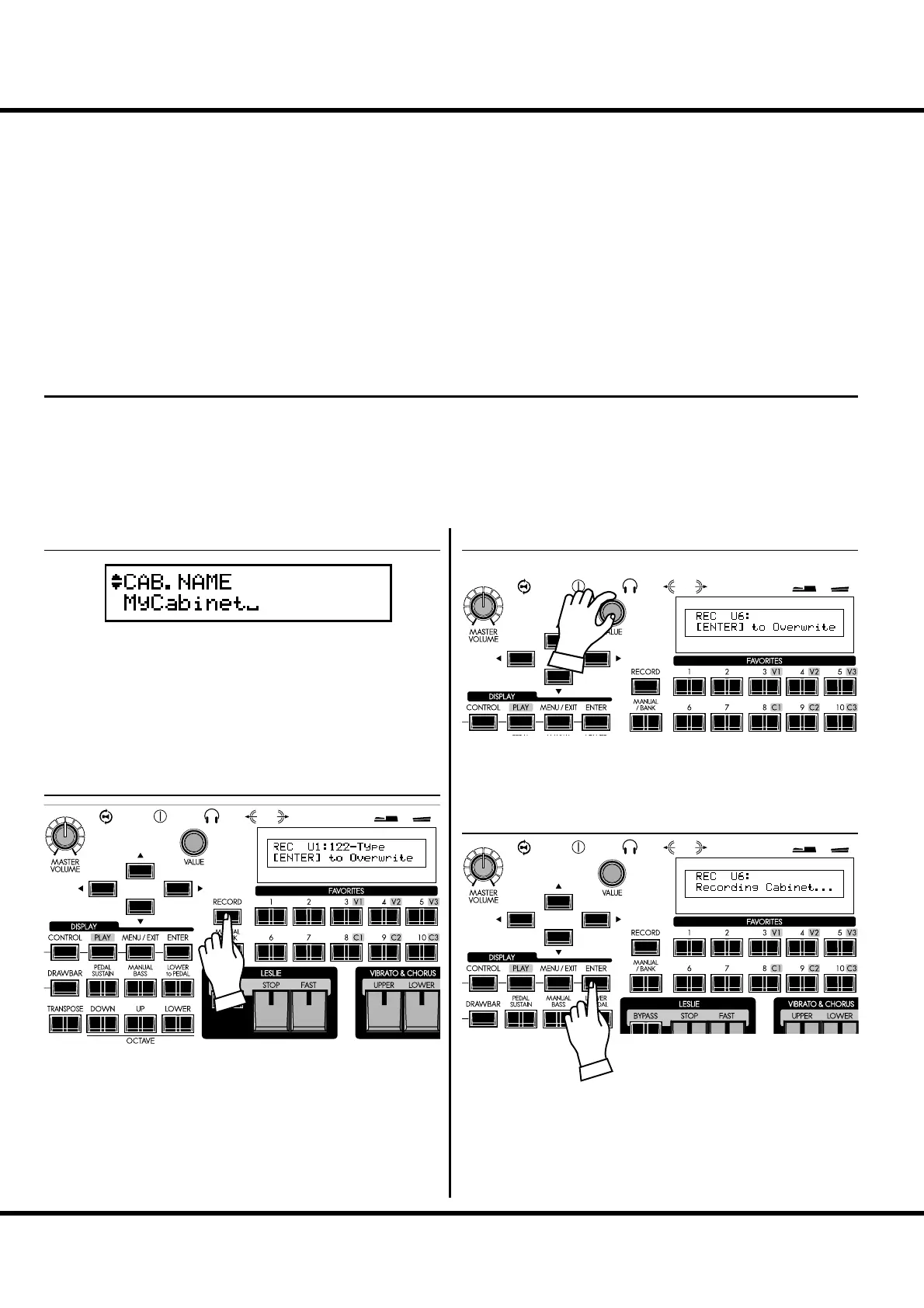
RECORD THE CABINET
Record the Leslie Parameter (#2 to #19 on the previous page) to
the Cabinet Numbers and use them selecting at the Patches.
Enter the name to the Cabinet as desired.
Press the [RECORD] button in the Leslie Parameter setting
mode (#2 to #19).
A prompt will appear in the display allowing you to select the
Cabinet you want to record.
Select the Cabinet Number to record with the [VALUE] knob.
Press [ENTER] to recording the Cabinet.
e display will show the above message during the treatment.
NOTE: If you don’t wish to record, touch the [MENU/EXIT] button.
LESLIE - continued
① ENTER THE NAME
② PRESS THE [RECORD]
③ SELECT THE NUMBER TO RECORD
④ PRESS [ENTER] TO DECIDE



 To Next Page