55
Setting Up
TRANSPOSE
e Transpose function allows you to match the same key of other in-
struments or vocalists without changing the key that you are playing in.
For example, if you set Transpose at [+5], the note “F” sounds when you
play the “C” key. (By playing in the key of C the SKX sounds in the key
of F.)
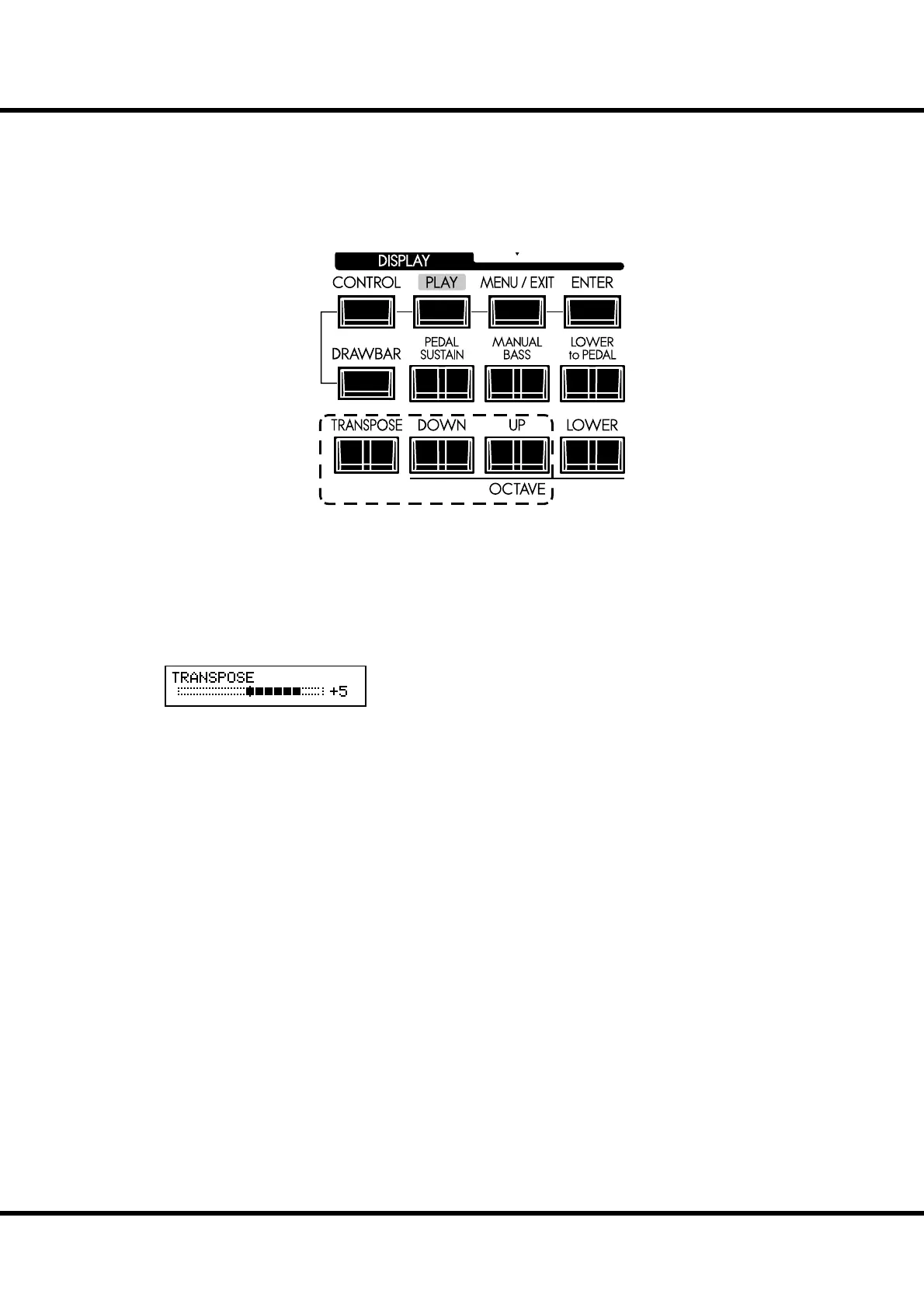
[TRANSPOSE] button
To raise the pitch by semitone, press the [UP] button, while holding down the
[TRANSPOSE] button.
To lower the pitch by semitone, press the [DOWN] button, while holding down
the [TRANSPOSE] button.
You can set Transpose in the range from -6 to +6 semitone.
Transpose is at “+5”.
When performing this operation, the status of the transposition is shown in the
display.
Transpose is mapped to the following points:
i) Between the internal keyboards and the built-in sound engines.
ii) Between the MIDI IN and the built-in sound engines.
iii) To the External Zone.
iv) When the MIDI Pedalboard XPK-100 is connected, Transpose value will syn-
chronize with it.
NOTE: The Transpose is a temporary parameter, and is not recorded to any Patch. When the
power is switched OFF, it returns to 0.
NOTE: You can select whether Transpose changes while notes are being held or when the
next note is pressed after releasing the notes being held (P. 79).
R



 To Next Page