67
Using the Control Panel
PARAMETER OPERATION EXAMPLE:
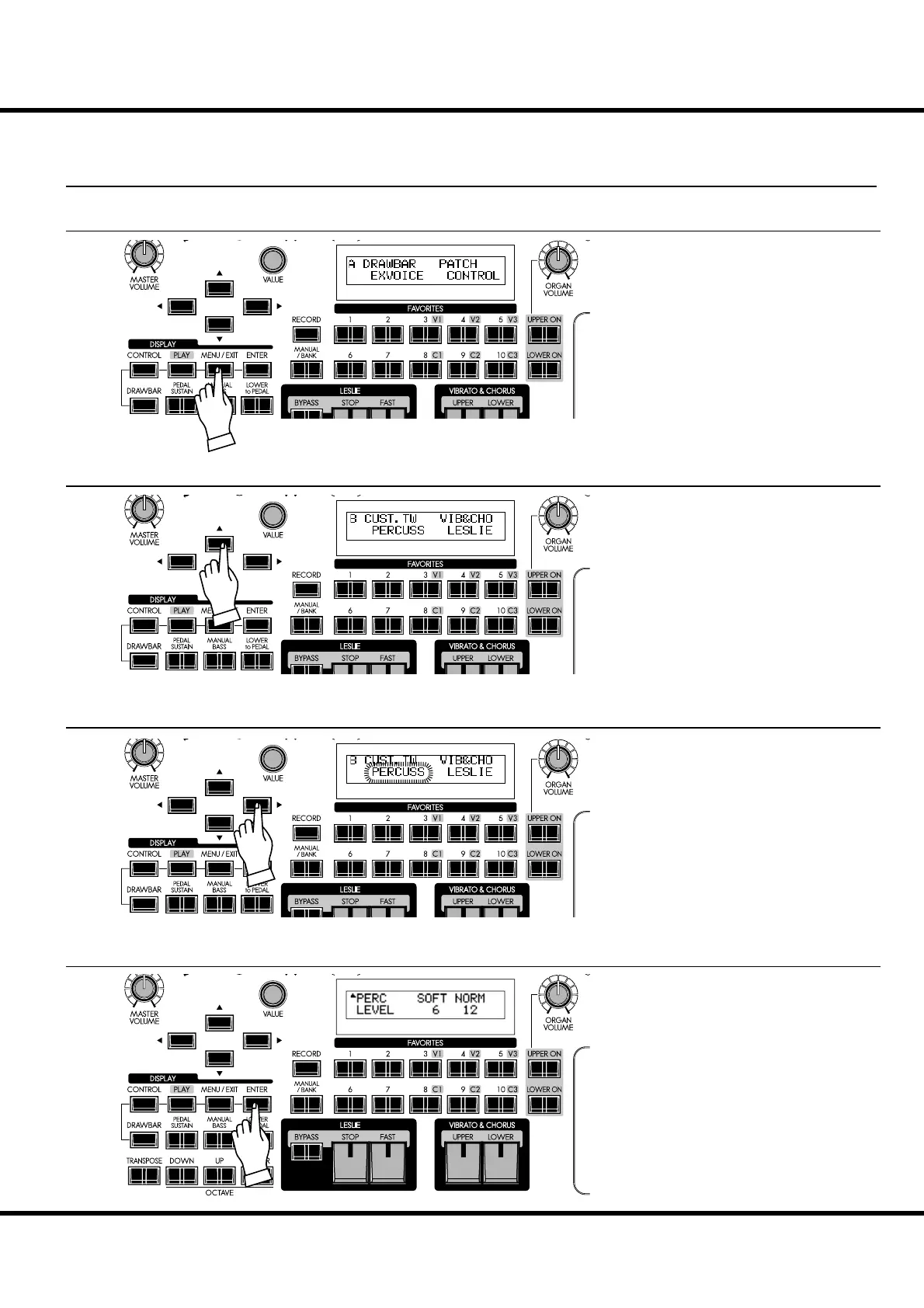
ADJUST THE [FAST] PERCUSSION DECAY TIME “FASTER”
① LOCATE THE MENU MODE
Press the [MENU/EXIT] button.
e Menu mode is displayed.
② SELECT THE MENU PAGE
Move the cursor to “PERCUSS” using the
[],[] buttons.
③ PRESS [ENTER]
Press the [ENTER] button. The display
shows the rst page of the Percussion Func-
tion mode.
③ MOVE THE CURSOR TO THE FUNCTION MODE YOU WISH TO LOCATE
Find the “PERCUSS” using the [],[]
buttons.
“PERCUSS” is on Page B.
ER
ER
ER
ER



 To Next Page