Skx
Owner’s Manual
68
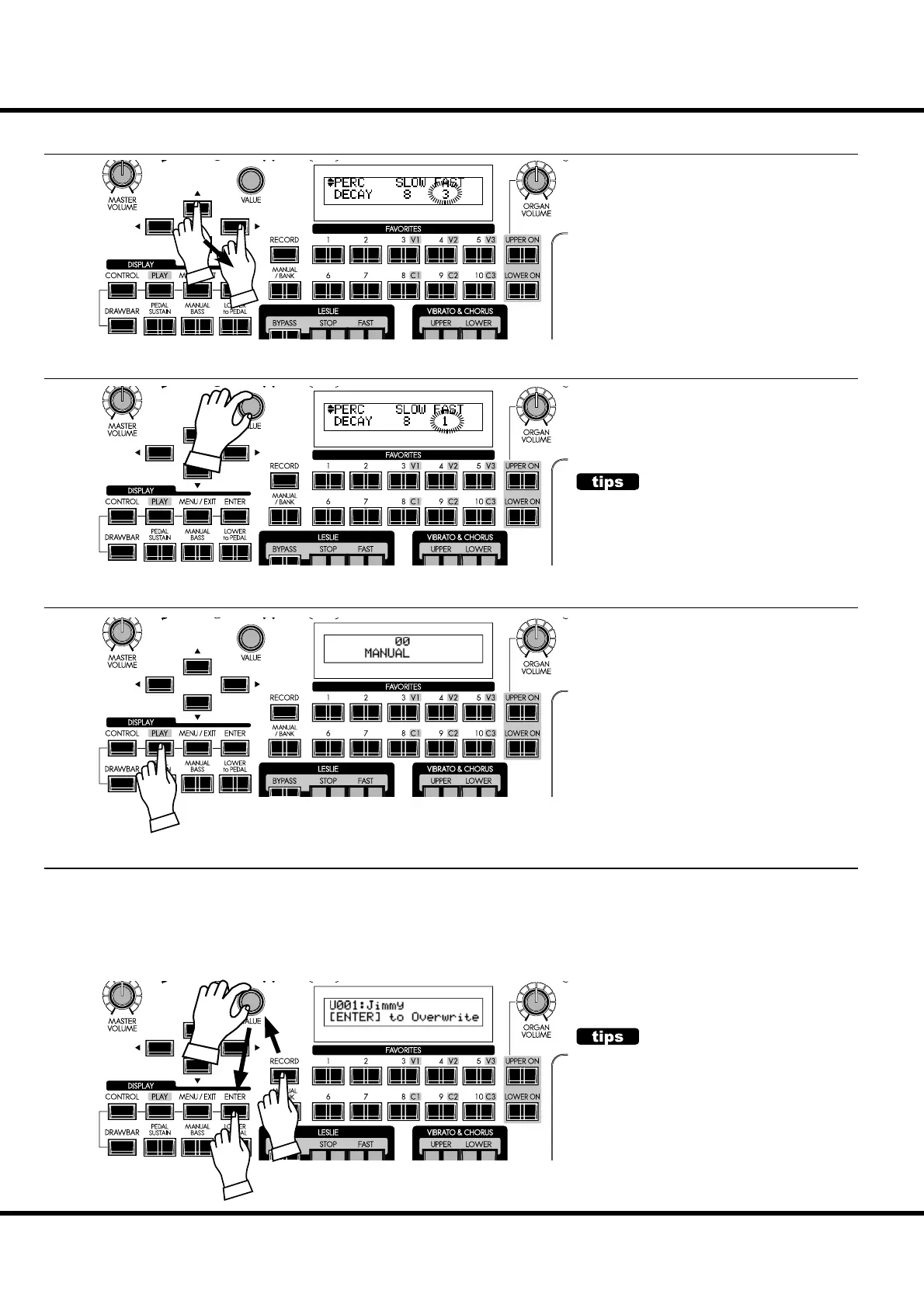
⑤ MOVE THE CURSOR TO THE PARAMETER YOU WANT TO CHANGE
Decay time is on the “DECAY” page. Lo-
cate the “DECAY” page using the [][]
buttons.
“FAST” is on the right side of the page
move the cursor (blinking value) to the
right using the [][] buttons.
⑥ CHANGE THE VALUE
Decrease the value using the [VALUE]
knob.
⑧ RECORD TO THE PATCH IF NECESSARY
e parameter “DECAY FAST” is a Patch Parameter. If you select a di erent
Patch, the setting for the [DECAY FAST] button may change also.
However, you can make changes to any of the User Patches and record your
changes. Please see the PATCHES section of this Manual for more informa-
tion about Patches.
PATCH PARAMETERS
A “Patch Parameter” is a parameter which is unique
to each Patch and can have a different value or
setting for each Patch. The settings of many of the
top panel controls such as Rotary Knobs, buttons,
etc. can be saved as Patch Parameters. A parameter
which is common to all Patches is called a Global
Parameter. For a complete listing of all Patch and
Global Parameters, please consult the APPENDIX
at the back of this manual.
⑦ RETURN TO THE PLAY MODE
Press the [PLAY] button to return to the
Play mode.
ER
ER
ER
ER
there must be
must be
CONTINUE EDITING
If you want to change other items, repeat the proc-
ess 1 to 6.



 To Next Page