Skx
Owner’s Manual
66
FUNCTION MODE
ese modes are for selecting and controlling the function.
All modes can be navigated the same way.
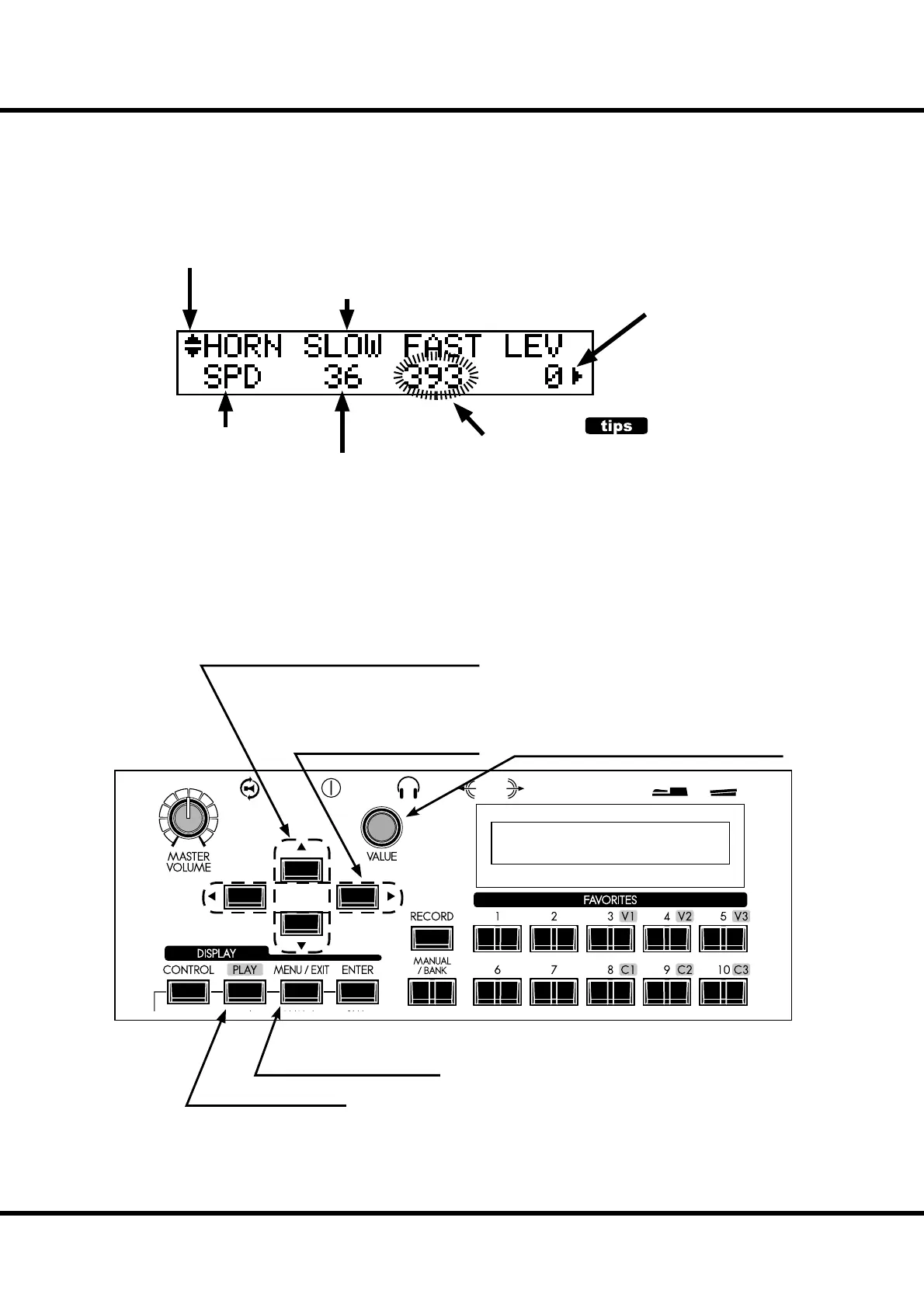
HOW TO READ THE DISPLAY
CURSOR
On the SKX, the cursor style is to Flash the entry.
OPERATION IN THIS MODE
There is another page above (or below)
this page.
PARAMETER
(ITEM) name
Shows there is another page on the right (or the
left) of this page.
PAGE name
VALUE
CURSOR
( ashing VALUE)
Move the page up or down.
Moves the cursor left or right. The
cursor goes to the edge of the
screen, and, if there is another page
to the right or left, moves to that
page.
Return to the Play mode.
Adjust the value of the cursor location.
Jump to the Menu mode.



 To Next Page