Skx
Owner’s Manual
12
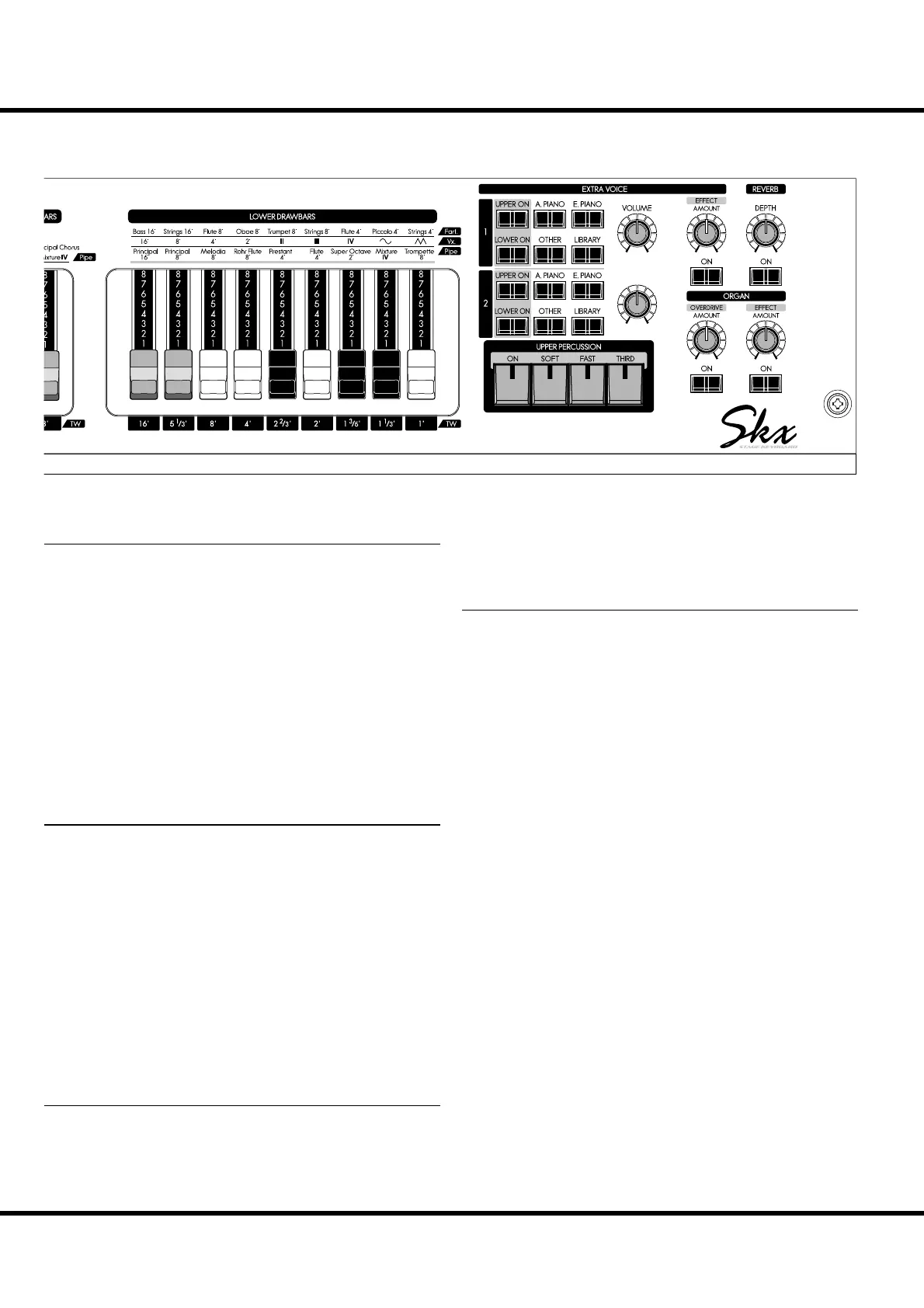
EXTRA VOICES
ALLOCATE UPPER, LOWER button
Allows you to assign the Extra Voice sections to either the UP-
PER, and LOWER parts. (P. 56)
VOICE GROUP buttons
Allows you to select the Voice Group of the Extra Voice sec-
tions. (P. 30)
VOLUME knob
Allows you to adjust the entire volume of the Extra Voice sec-
tions. (P. 30)
BALANCE knob
Allows you to adjust the balance between Extra Voice sections
1 and 2. (P. 30)
EFFECTS FOR THE ORGAN SECTION
DRAWBARS OVERDRIVE ON button
Allows you to turn the Organ Overdrive effect “ON” or
“OFF”. (P. 50)
DRAWBARS OVERDRIVE AMOUNT knob
Allows you to adjust the amount of the Organ Overdrive ef-
fect. (P. 50)
DRAWBARS EFFECT ON button
Allows you to turn the selected Organ Multi-E ect “ON” or
“OFF”. (P. 52)
DRAWBARS EFFECT AMOUNT knob
Allows you to adjust the amount of the Organ Multi-E ects.
(P. 52)
EFFECTS FOR THE EXTRA VOICE SECTION
EXTRA VOICE EFFECT ON button
Allows you to turn the selected Extra Voice Multi-E ect “ON”
or “OFF”. (P. 57)
EXTRA VOICE EFFECT AMOUNT knob
Allows you to adjust the amount of the selected Extra Voice
Multi-E ects. (P. 57)
EFFECTS FOR ALL PARTS
REVERB ON button
Allows you to turn the Reverb e ect “ON” or “OFF”. (P. 52)
REVERB DEPTH knob
Allows you to adjust the depth of the Reverb. (P. 52)
NAMES AND FUNCTIONS - continued
MIX
BALANCE
EXV1 EXV2



 To Next Page