Skx
Owner’s Manual
92
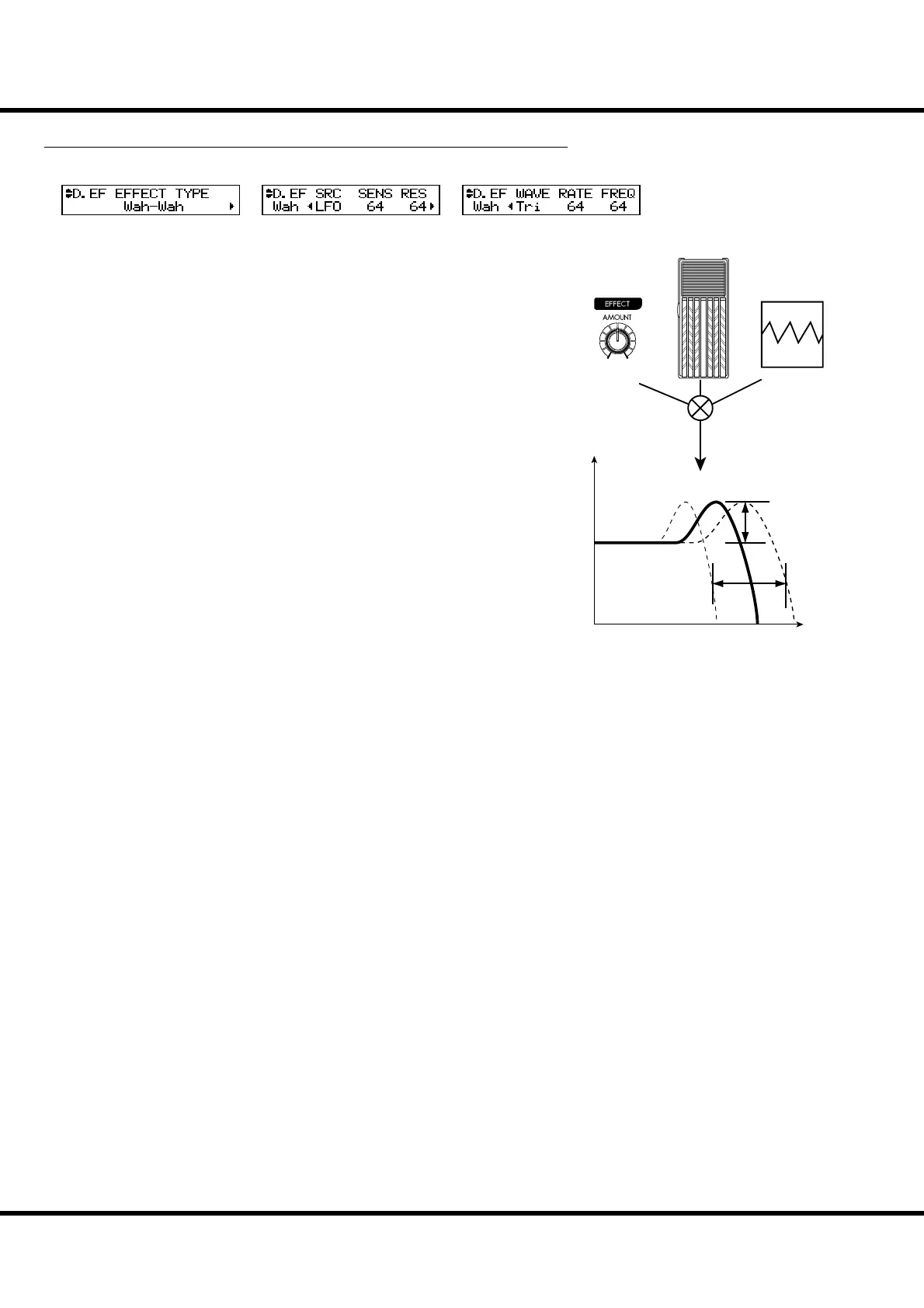
Wah-Wah
Wah-Wah imposes a “speech-like” dynamic to the sound.
❻ Wah-Wah - SOURCE
Selects the source of the Wah-Wah control.
MAN: Uses the FREQ parameters, i.e. the [EFFECT AMOUNT] knob.
EXP: Uses the Expression Pedal as a “Wah Wah pedal”.
LFO: Auto-Wah using the built-in ‘LFO - Low Frequency Oscillator’.
❼ Wah-Wah - SENSITIVITY
Sets the sensitivity to change the Wah e ect of the LFO or Expression Pedal.
It is linked with the [EFFECT AMOUNT] knob on the top panel when the
SOURCE (6) is set at EXP.
e setting range is 0 to 127. e dynamic response increases as the value rises.
❽ Wah-Wah RESONANCE
Boosts the cut-o frequency range of the Low-pass Filter and gives a more pro-
nounced “Wah” e ect.
e setting range is 0 to 127. e resonance increases as the value rises.
❾ Wah-Wah - WAVEFORM
When the SOURCE (6) is set at LFO, the LFO wave form is set.
Tri: Triangle wave. The sound smoothly varies.
Sqr: Square wave. The lter suddenly opens and suddenly closes.
Saw: Saw-tooth wave. Repeated changes in the sound are obtained.
S&H: Sample & Hold. Random sound changes are obtained.
❿ Wah-Wah - RATE
When the SOURCE (6) is set at LFO, the cycle speed is adjusted. It is linked with
the [EFFECT AMOUNT] knob on the top panel when the SOURCE (5) is set at
LFO.
e setting range is 0 to 127. e cycle becomes faster as the value increases.
⓫ Wah-Wah - FREQUENCY
Adjusts the central frequency. It is linked with the [EFFECT AMOUNT] knob on
the top panel when the SOURCE (6) is set at MAN.
e setting range is 0 to 127. e frequency becomes higher as the value is increased.
Frequency
Level
Waveform,
Rate
Resonance
Sensitivity
Modulation
Source
OD / EFF (Overdrive / E ects) - continued
❺
❻
❼
❽
❾
❿
⓫



 To Next Page