HT2800T_en_c.doc Page 170 of 275
7.6 Fiber Cleaning/Conditioning
Only for SPME mode.
This function is used to clean the Fiber
Access sequence: RUN>Fiber CLEANING CONDITIONING In
the “Fiber Cleaning Conditioning” screen you can set:
•
Position: sets the location of the Fiber cleaning (see below);
•
Remaining Time: sets how long the Fiber cleaning must take;
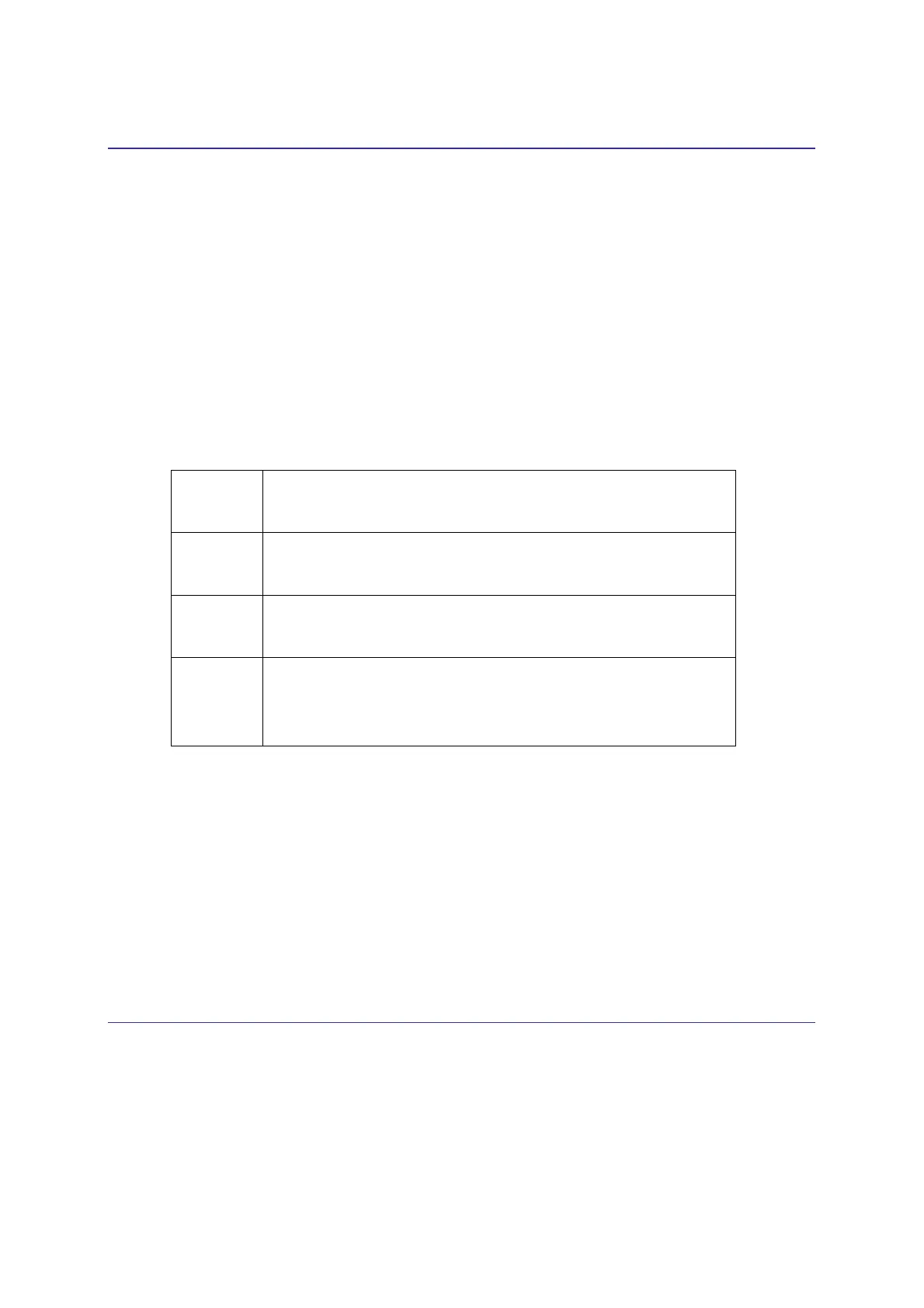
Select one of the following values:
This cleaning positions can be used only if enabled (see paragraph 4 . 2 . 6 . 1 0 ” Setup
configuration: Cleaning Device) and aligned 4.2.1.4 “Alignment: Touch Plunger Zero (Headspace
and Liquid mode)/ Touch Fiber Zero (SPME mode) “).
Select “Start Cleaning/Conditioning” to clean the Fiber. Whilst the Fiber is being cleaned the
unit will display the status information. Tap “STOP” to stop the procedure.
Select “Exit” to exit from the “Fiber Cleaning Conditioning ” screen and return to the home
screen.
7.7 Load and Unload Sample Vial
Access sequence (Headspace and SPME mode): RUN>LOAD SAMPLE TRAY
Access sequence (Liquid mode): RUN>LOAD SAMPLE/SOLVENT
Front
The Cleaning operation is performed inside the Front injector.
Rear
The Cleaning operation is performed inside the Rear injector.
Wash vial
The Cleaning operation is performed inside the wash vial (see
position 7 in
Figure
1).
Cleaning
Device
The Cleaning operation is performed inside the SPME Cleaning
Device (see position 6 in
Figure
1). Available only for HT2850T.



 To Next Page